BTU VENTILATION CORPORATION ● OFFICE 888-884-8070 ● FAX 218-346-7485 ●
www.btucorp.com
XT-70 Control Panel 52
WEB REFRIGERATION INTERFACE:
7.2
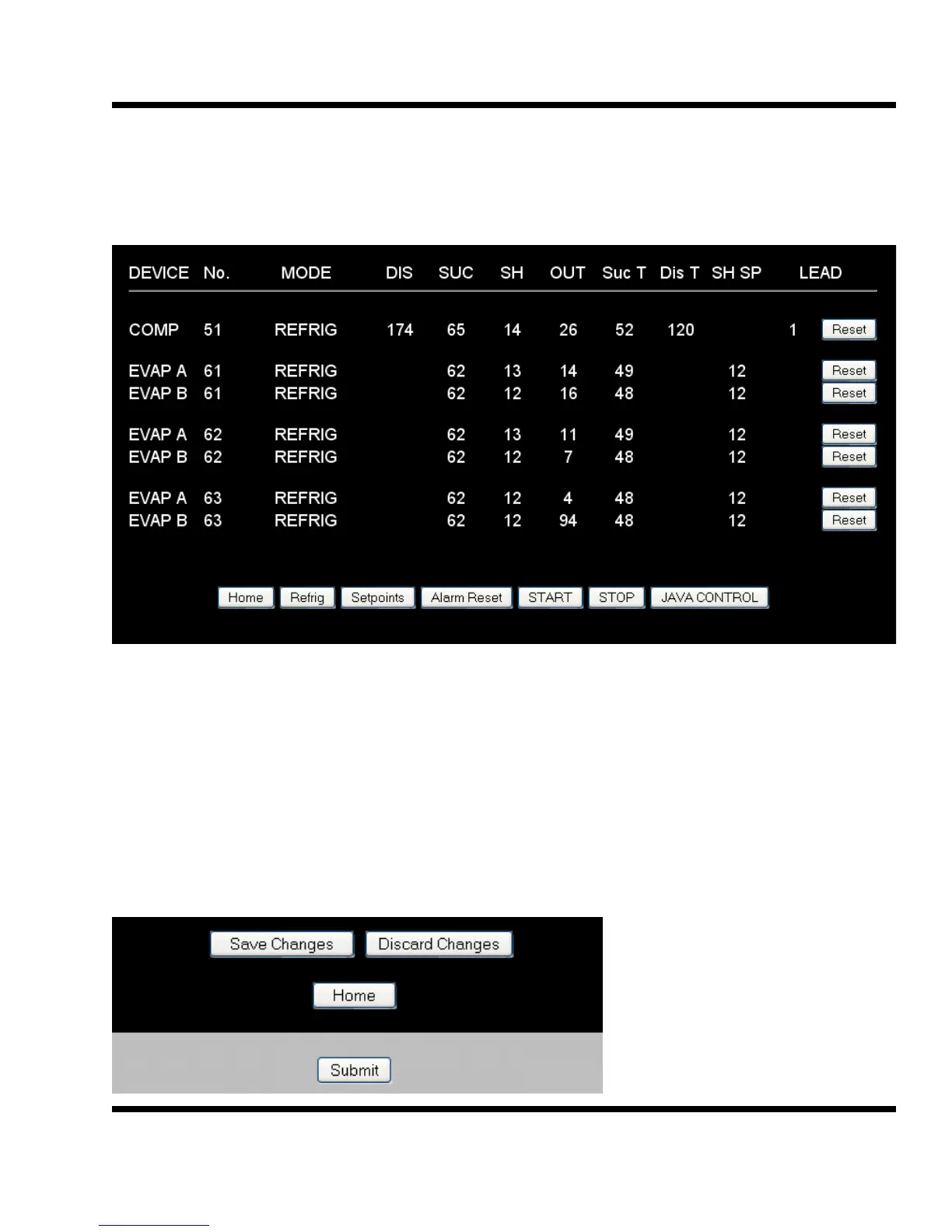
Click on the Refrig button to access the current refrigeration information and records. The individual
refrigeration cards can also be reset from this page.
Alarm Reset:
This button will reset any of the XT alarms. The XT panel will cycle to Shutdown and then restart.
START:
This button will restart the XT panel if it is in a Remote Shutdown.
STOP: This button will put the XT panel into a Remote Shutdown.
Setpoints:
The Setpoints page contains all the main parameters for the operation of the panel. First make
changes and then click on the Submit button. Next click on the Save Changes button.
7.3



 To Next Page