BTU VENTILATION CORPORATION ● OFFICE 888-884-8070 ● FAX 218-346-7485 ●
www.btucorp.com
XT-70 Control Panel 86
APPENDIX D:
XT WARMING MODE
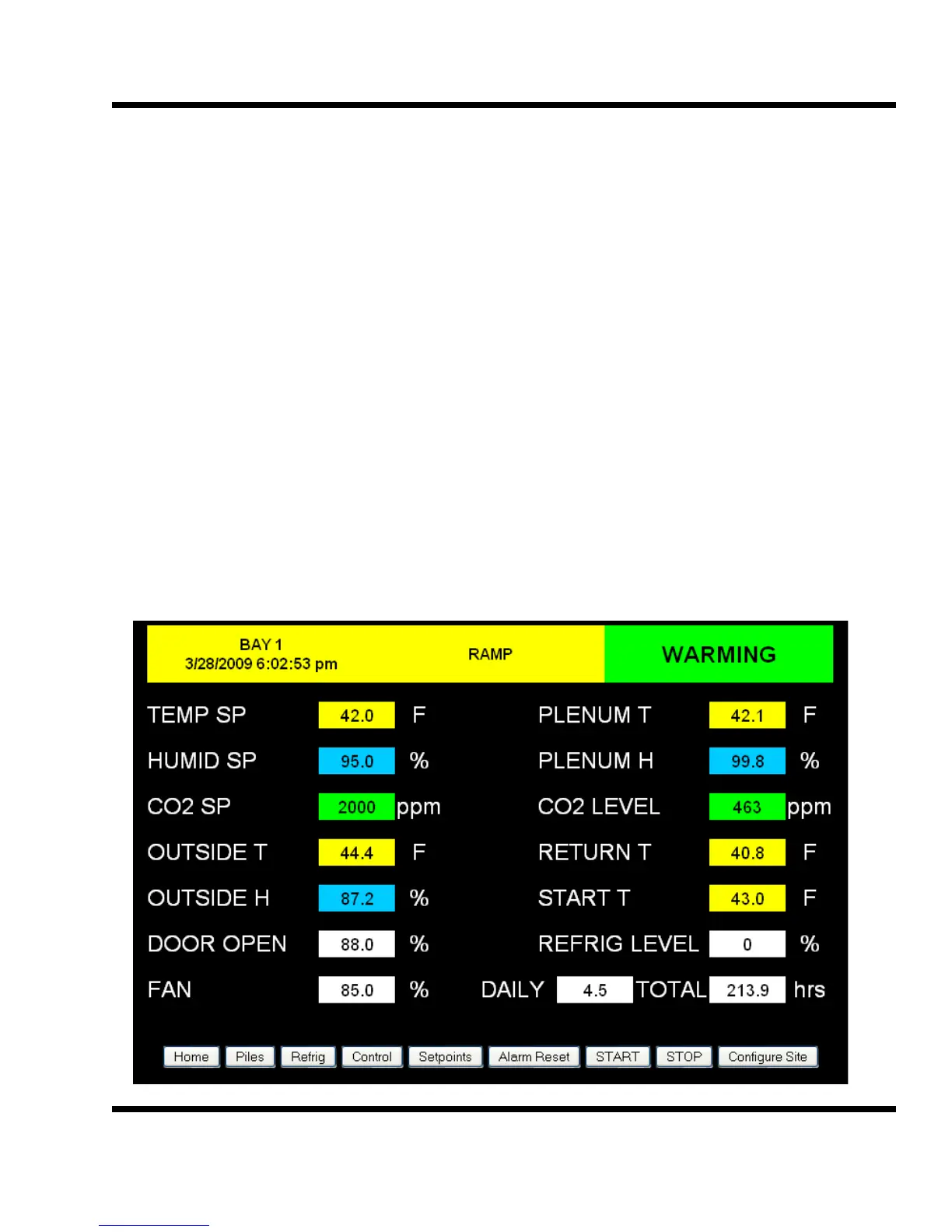
The XT Warming mode is used to warm up product, particularly seed. The Warming mode uses the out-
side air when it is warm enough to warm the plenum to the desired setpoint. Caution should be used
with the warming mode. In the warming mode, the PID is reversed and the fresh air doors are opened
to bring in warm air if the plenum is below the setpoint. The Warming mode is only available if the out-
side air is above the start temperature. If the outside air is below the start temperature, the system will
run in Cooling mode. The outside air differential may need to be adjusted positive to ensure the air is
warm enough outside. In most cases, the cell would be shut off so that there was no evaporative
cooling.
To activate the Warming mode, change Aux2_cfg in the E2 memory parameters to equal 188. The Aux
2 switch will then control the WARMING mode. If the Aux 2 switch is in the Off position, the panel will
run normally. Switching the Aux 2 to Auto will activate the Warming mode.
For normal operation, set the Aux 2 config equal to zero.



 To Next Page