BTU VENTILATION CORPORATION ● OFFICE 888-884-8070 ● FAX 218-346-7485 ●
www.btucorp.com
XT-70 Control Panel 40
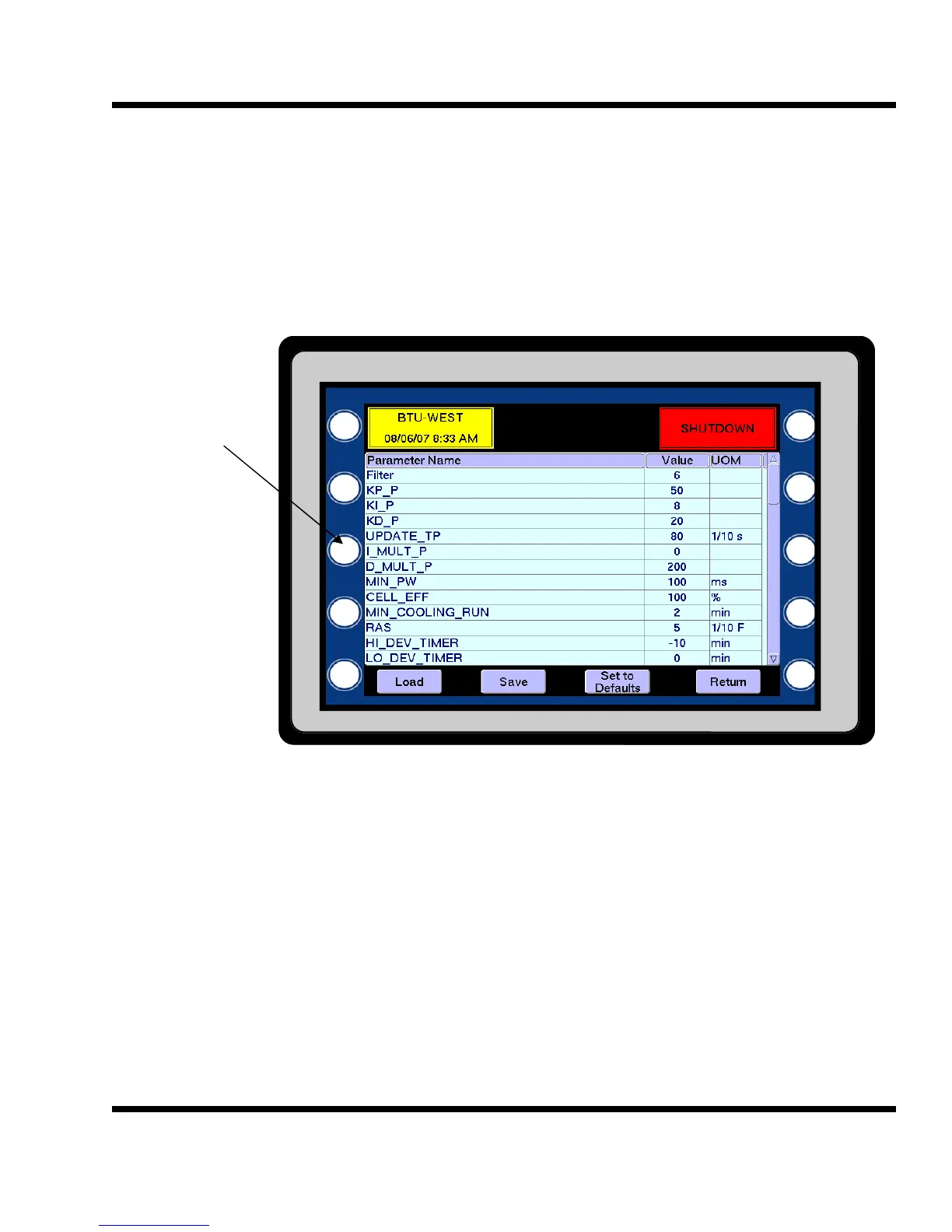
To access the E2
parameters, press
the middle left out-
side button.
If password protec-
tion is used, enter
username and
password.
To change a parameter, press the value and a pop-up keypad will appear. Enter the desired number. Make
multiple changes, if desired, and ,when done, press Save and then Return. If Set to Defaults is pressed, the
default values for all parameters will appear. They are not saved until Save is pressed. Pressing the Load
button will load the screen with the current values.
E2 Memory Setup:
5.19
The XT-70 panel uses two types of memory to retain operating parameters. The main programmable parame-
ters accessible on the HMI screens are flash parameters. The parameters are stored on a removable XD picture
card. The other control parameters are saved on the E2 memory of the P1 processor. You must have the high-
est level of security to change these values.



 To Next Page