27
BTU VENTILATION CORPORATION ● OFFICE 888-884-8070 ● FAX 218-346-7485 ●
www.btucorp.com
XT-70 Control Panel 27
lated value is above the pile differential, the fan speed will be incremented. If the calculated value is below the
pile differential, the fan speed will be decremented.
PILE DIFFERENTIAL CONTROL:
For this application, the pile differential is defined as the difference between the plenum temperature and the
return temperature when the fans are running. More air supplied to the pile in terms of runtime and cfm will
cause the pile differential to be smaller. Less air will cause the differential to become larger. In the automatic
mode, the speed of the fans will vary to maintain the pile differential setting. A typical setting would be 1.5°.
Thus, if the difference between the plenum and return is greater than 1.5°, the speed would be increased. Any
change in fan speed happens in increments of five percent. Setting the Fan Speed control to Manual will disable
the automatic pile differential.
As the automatic pile differential changes the freq drive setpoint, the COOLING button value will change to rep-
resent the new value. The REFRIG and TIMED setpoint values will not change automatically.
Note - The pile differential generally takes a long time to change. The minimum suggested update time
is 24 hours. Care should be taken if settings less than 24 hours are used.
It is highly recommended that the RTN sensor is always used for the pile differential, but under cer-
tain conditions, it may be desirable to use one of the pile sensors. The drop down box is used to
choose one of the pile sensors.
FAN BOOST: The Fan Boost mode is the latest in continuing development of the XT 70 panel.
The Fan Boost cycle is used for a couple of different scenarios. First is to stir the air up when the systems has
been running at low fan speeds for extended periods of time. The second is to boost the fan speed during times
of extremely cold weather. The following setup allows coverage of both of these conditions. If the use of the OSA
condition is not desired, set it high. To deactivate the Fan Boost, set all parameters to zero.
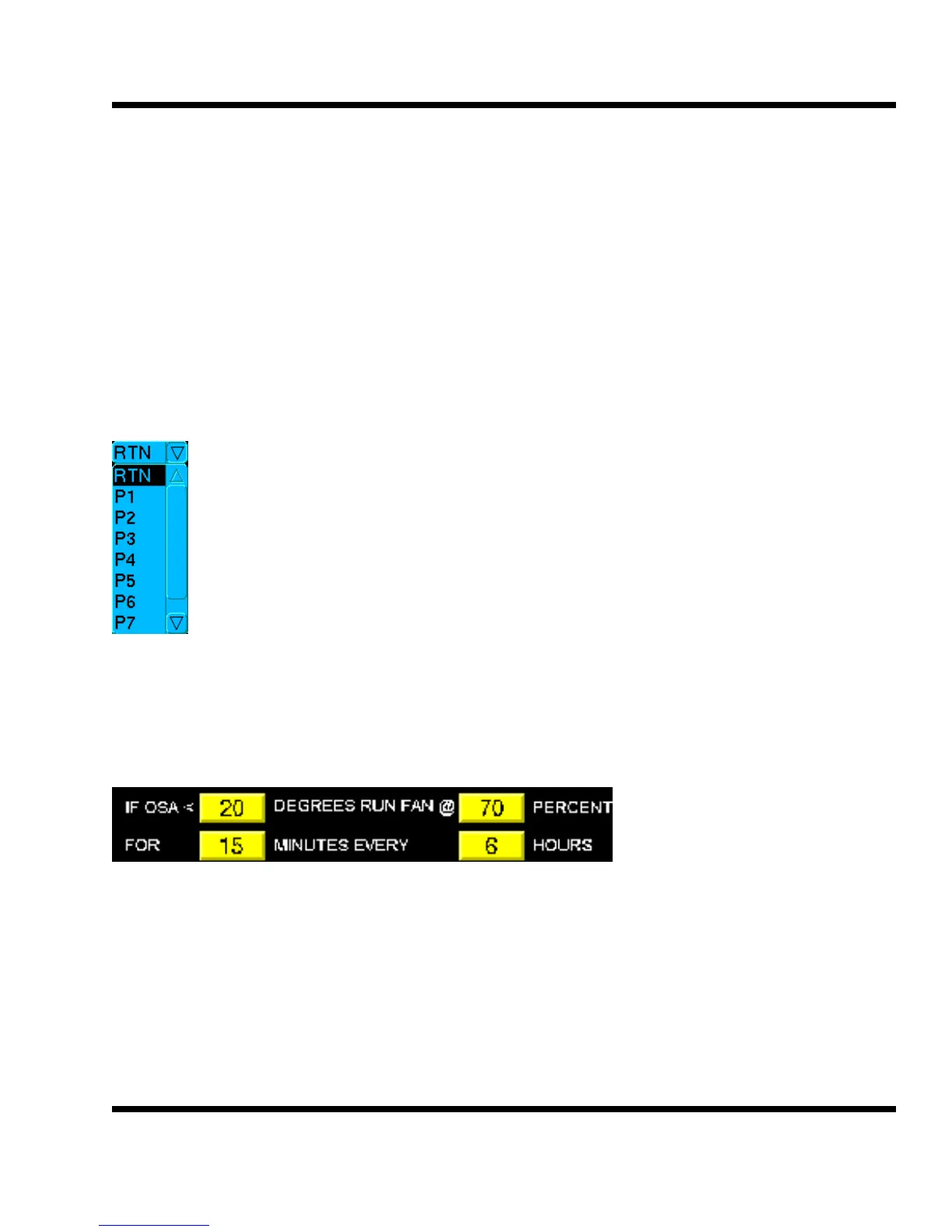
Using the setting shown in the box above, here is an explanation of how the Fan Boost would work. If the out-
side air temperature is below 20°, the fans would speed up to 70% for 15 minutes every six hours. After the 15
minute run, the fans will go back to the original setting. If the original setting is above 70%, the fans would stay at
the current speed and not change.
Note - the fan boost percentage will also be the fan percentage when in a Cooling CO2
Purge cycle. The fan boost can be active or disabled.



 To Next Page