17
BTU VENTILATION CORPORATION ● OFFICE 888-884-8070 ● FAX 218-346-7485 ●
www.btucorp.com
XT-70 Control Panel 17
HMI HOT KEYS:
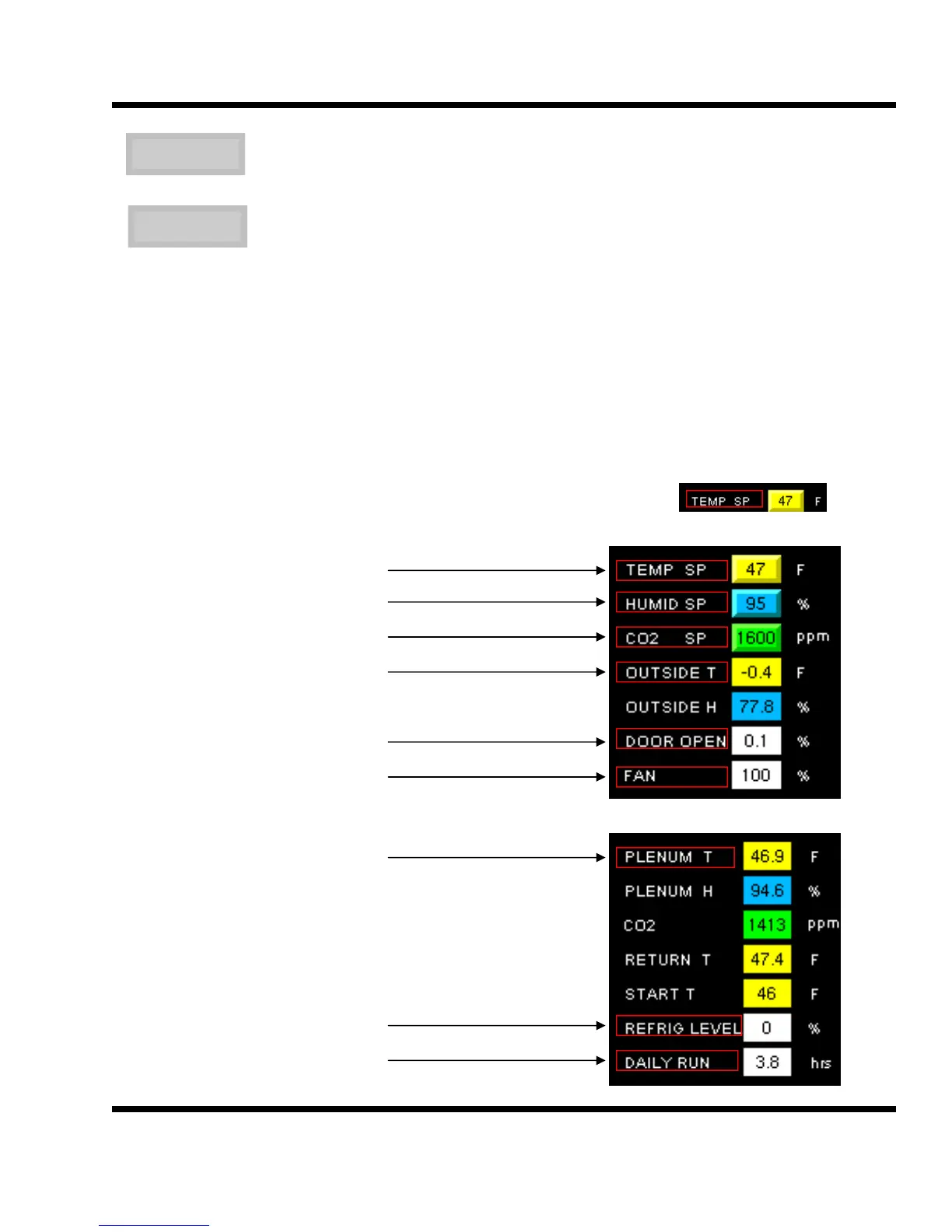
Hot keys allow the user to jump to any of the screens directly without using the FWD> and <BWD buttons. The
labels for each of the parameters on the main screen are hot keys.
TEMPERATURE RAMP SETPOINT SCREEN
HUMIDITY CONTROL SCREEN
CO2 CONTROL AND MISC SCREEN
OUTSIDE AIR CONTROL SCREEN
FRESH AIR DOOR CONTROL SCREEN
FAN SPEED CONTROL
TEMPERATURE DEVIATION SCREEN
REFRIGERATION CONTROL SCREEN
RUN TIME CLOCK SCREEN
STOP
START
This button will force the system into a Remote Stop mode. The Remote Stop will
reset all alarms and act just like the local Start/Stop switch.
Once the STOP button has been pressed and the system goes into Remote Stop
mode, the STOP button will then display START. Press it once again and the sys-
tem will resume normal operation.



 To Next Page