C−LRV lift control valve Installation and commissioning
56/92
300−I−9010212−E−10/08.08
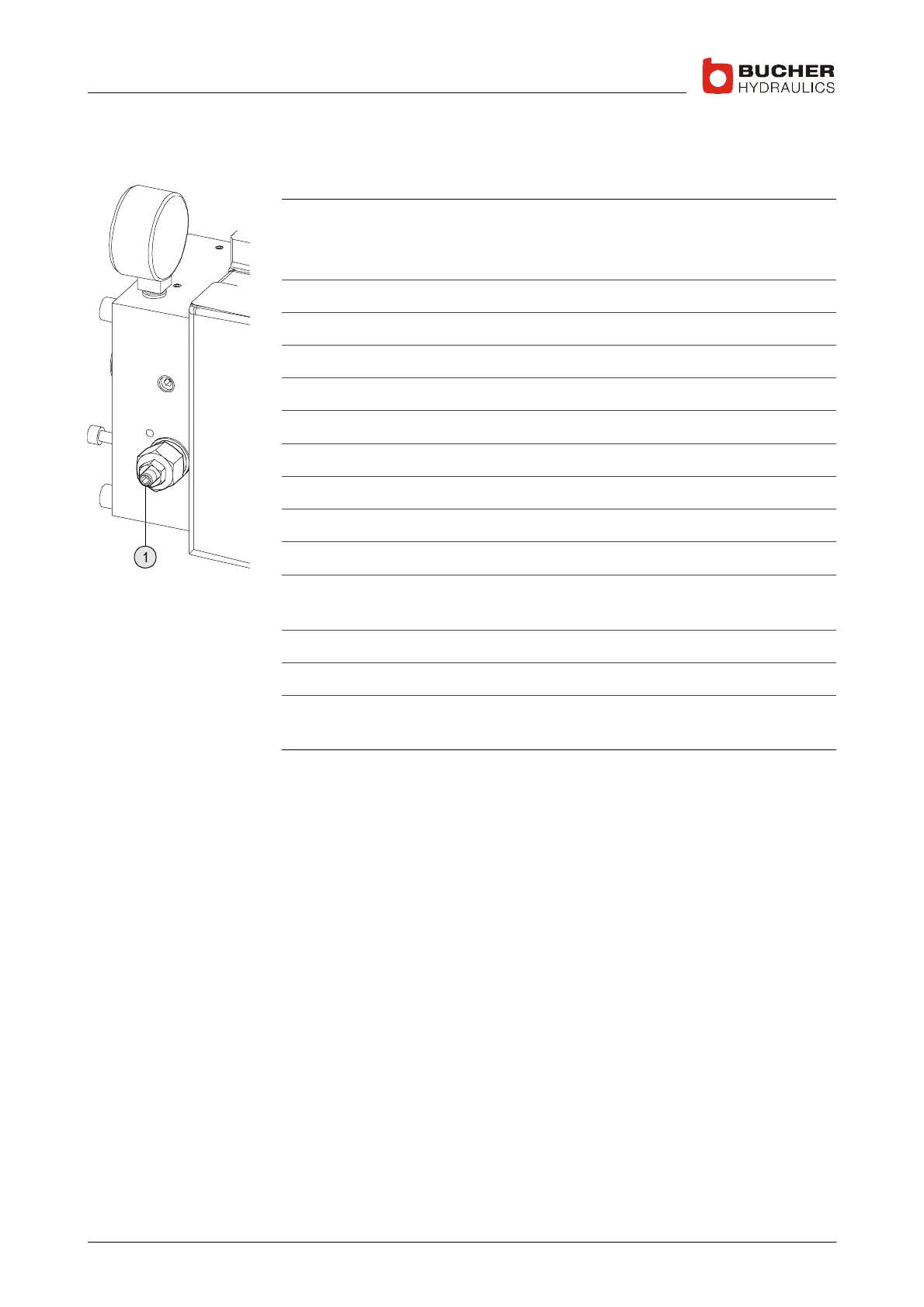
4.3.4 The maximum pressure setting
Adjusting the maximum pressure
1. Set the "SIU Type" parameter in the C−DELCON to "Off"
I make a note of the existing setting
I ⇒ Page 71, Section 5.1.4.2
2. Close the ball valve
3. Press emergency−lowering lever
4. Slacken the locknut for screw (1)
5. Turn screw (1) approx. 2 turns counterclockwise
6. Bypass the overload pressure switch (DZ)
7. Send UP command
8. Slowly turn screw (1) clockwise until calculated pressure is reached
9. Tighten locknut for screw (1)
10. Cancel the UP command
11. Write new settings on the existing rating plate (overwrite old values)
I ⇒ Page 9, Section 1.2.1, Item (5)
12. Remove the bypass from the overload pressure switch (DZ)
13. Open the ball valve.
14. Reset the "SIU Type" parameter in the C−DELCON to the setting
noted down in Step 1.
The maximum pressure has been adjusted for the new situation
4.3.5 The demand/feedback response difference, SIU−1
SIU−1: if the value of the demand/feedback difference becomes too
large, the lift is stopped
S When the demand/feedback difference is exceeded, the LED on the
C−DELCON lights and the relay activates
S The response difference can be set with the Handterminal or PC
software



 To Next Page