10
MA112780_38.6 [Original Instructions] 9/19/2011
EMERGENCY STOP
Is the big red knob on the right side of the front panel. When pressed all electrical
power is disconnected from the blade and all moving parts, disabling any further
operations.
A warning message will appear when the Emergency Stop button is pushed.
To return power, turn the Emergency Stop knob clockwise.
If the IsoMet was in the RUN MODE when powered off, it will return to the PAUSE
MODE when powered back on. Press the CUTTING CYCLE button to continue
operation.
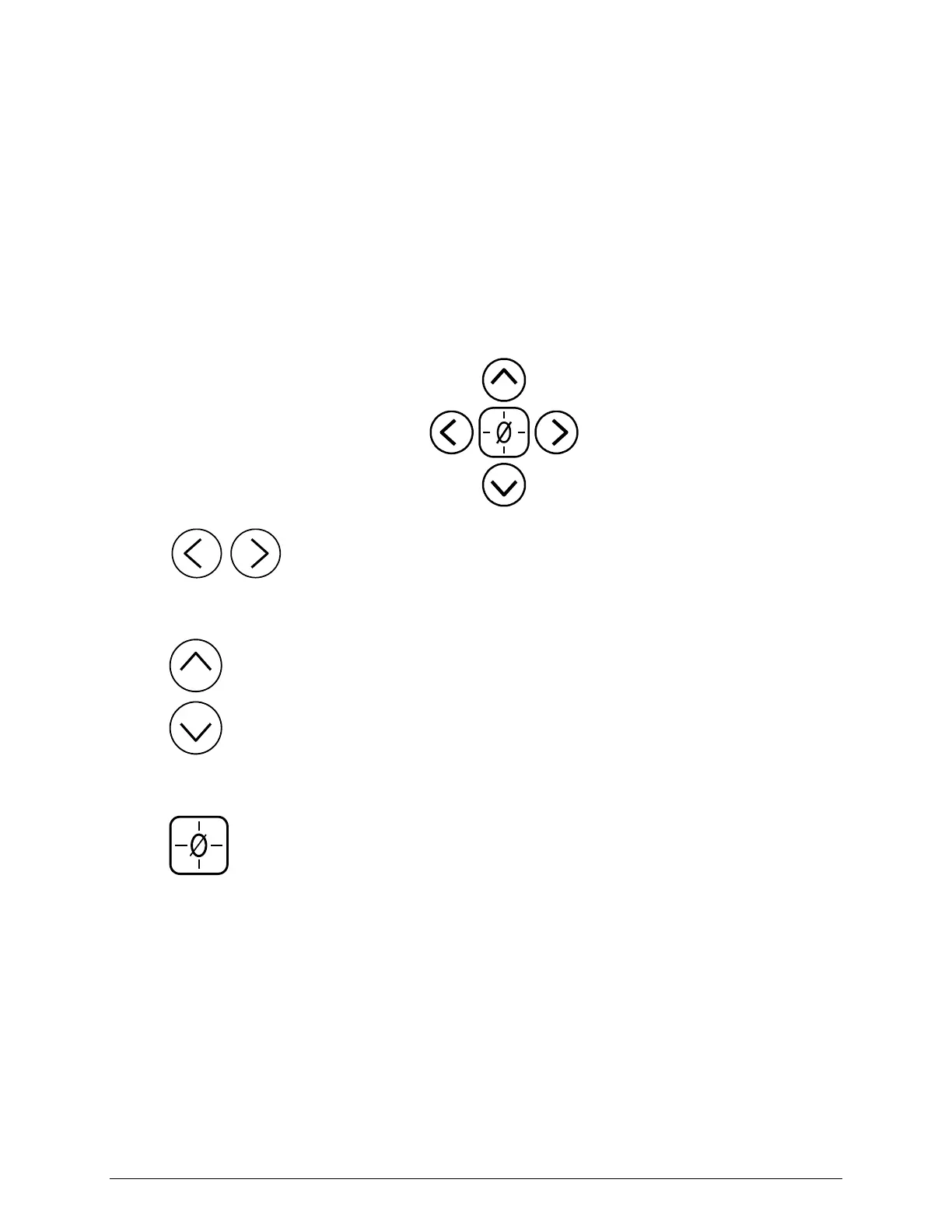
Directional Buttons
Directional (-X, +X) X-axis Directional buttons will move the Specimen
Positioning System to the left or right. These buttons are primarily used to
position the specimen for cutting.
Directional (-Y, +Y) Y-axis Directional buttons will move the Blade Turret
backward or forward. These buttons are primarily used to position the blade
before cutting.
Home Button The Home button will automatically move the Blade Turret and
Specimen Positioning System to the selected HARD HOME position.


 To Next Page