13
MA112780_38.6 [Original Instructions] 9/19/2011
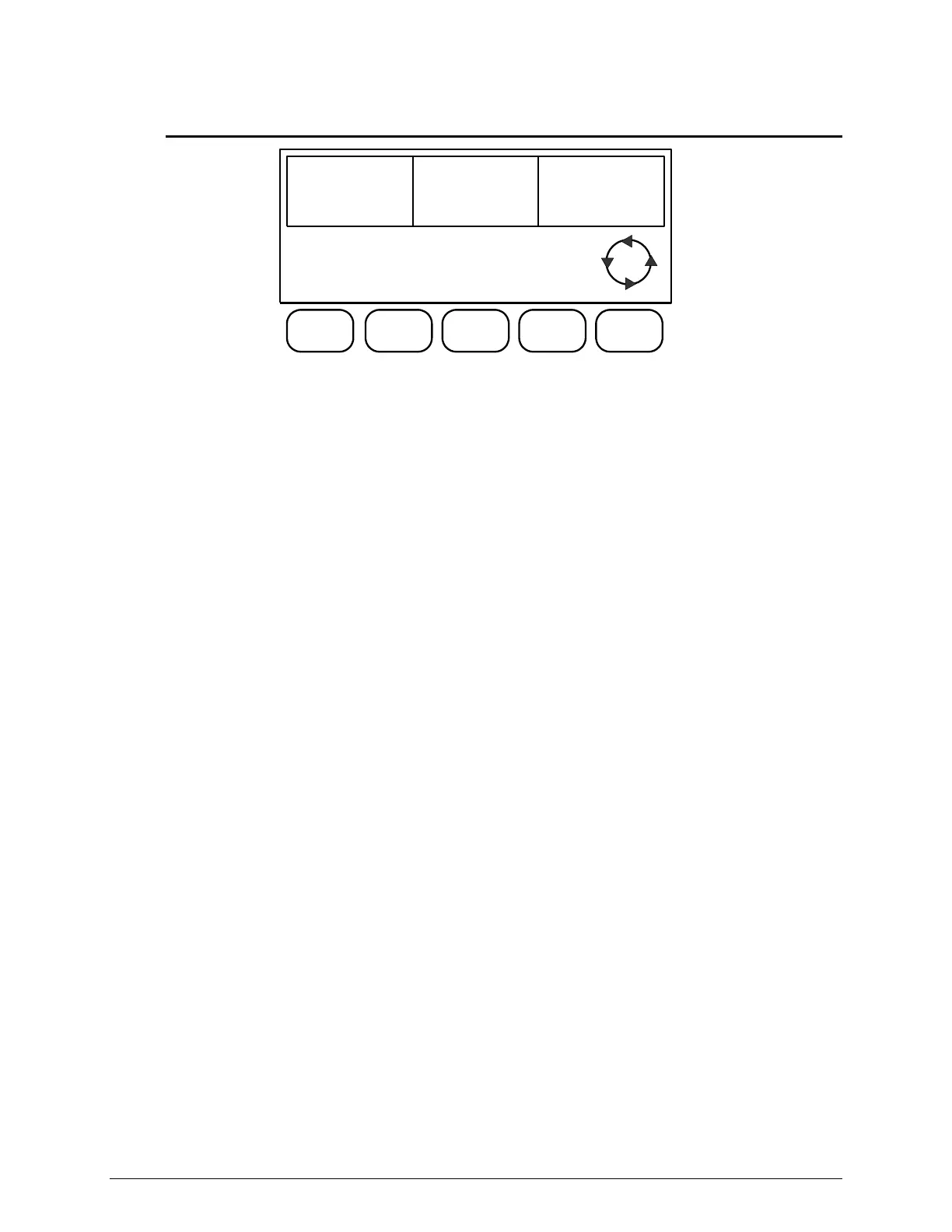
L2 Display Screen
BLADE
SPEED
4250rpm
FEED
RATE
.64in/min
DISTANCE
REMAINING
1.00in
CUTTING
CYCLE
ON
ROTATING
CHUCK
ON
SOFT
START
OFF
SOFT
STOP
OFF
L2
L2 Display Screen Commands
Button [1] CUTTING CYCLE starts, stops, and pauses the cutting cycle.
Button [2] ROTATING CHUCK toggles the rotating chuck ON and OFF. The chuck will
rotate at a constant speed.
Button [3] SOFT START selects the Soft Start option. This will slow the selected FEED
RATE for the first .06-inch [1.52 mm] of a cut.
Button [4] SOFT STOP selects the Soft Stop option. This will slow the selected FEED
RATE for the last .25-inch [6.35 mm] of a cut.
Button [5] Scrolls the LCD Screen between Screen L2, Screen L3, Screen L4, and Screen
L1.


 To Next Page