15
MA112780_38.6 [Original Instructions] 9/19/2011
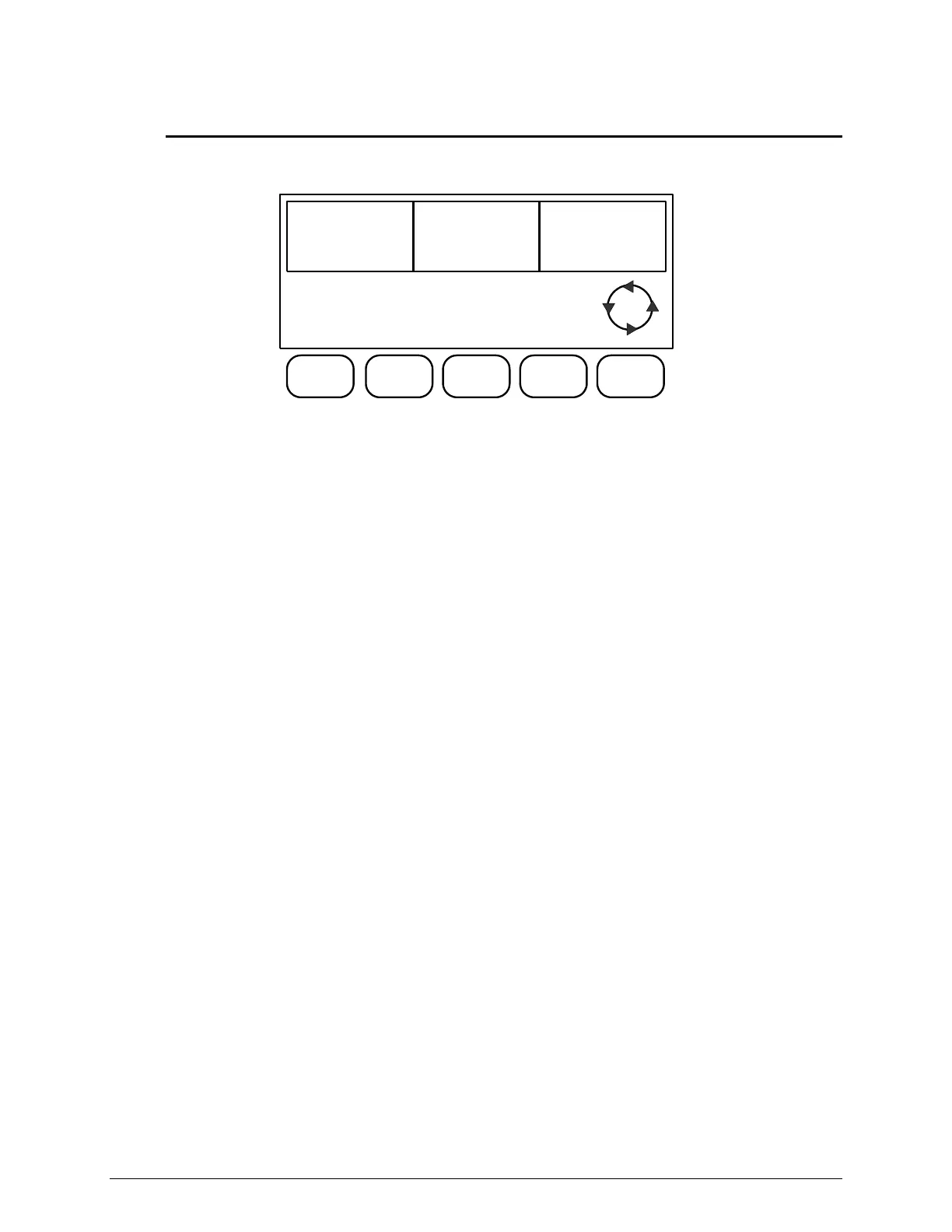
L4 Display Screen
This screen is only accessible in the STOP and PAUSE modes when operating the IsoMet
5000.The CUTTING CYCLE must be in the OFF mode.
BLADE
SPEED
4250rpm
FEED
RATE
.64in/min
DISTANCE
REMAINING
1.00in
MEMORY
LOAD
MEMORY
SAVE
DATUM
OFF
L4
L4 Display Screen Commands
Button [1] MEMORY LOAD will change the LCD Screen to add or “load” a method to the
IsoMet 5000. (See Loading a Method on page 32 for more details.)
Button [2] MEMORY SAVE will save a method to the IsoMet 5000.
(See Saving a Method on page 33 for more details.)
Button [3] (Not in use in the L4 Screen.)
Button [4] DATUM toggles the Datum option ON and OFF. If SPECIMEN QUANTITY is
zero (0) then DATUM ON will be automatically displayed.
Button [5] Scrolls the LCD Screen between Screen L4, Screen L1, Screen L2, and Screen
L3.


 To Next Page