10
• A format deletes all data from a hard drive. Be careful! Back up any important data on a drive before formatting it. It
will take a several minutes to format a drive.
• Shared folders cannot be accessed during formatting.
• Do not turn o or disconnect power to the TeraStation while formatting a hard drive.
1
2
3
4 Enter the conrmation number and click Apply.
5 Follow the instructions displayed on the screen.
Notes:
• The info LED on the front of the TeraStation will ash during formatting. The TeraStation’s shared folders cannot be
accessed until the disk format is complete.
• If the hard drive is connected to the USB connector, partitions will be recreated.
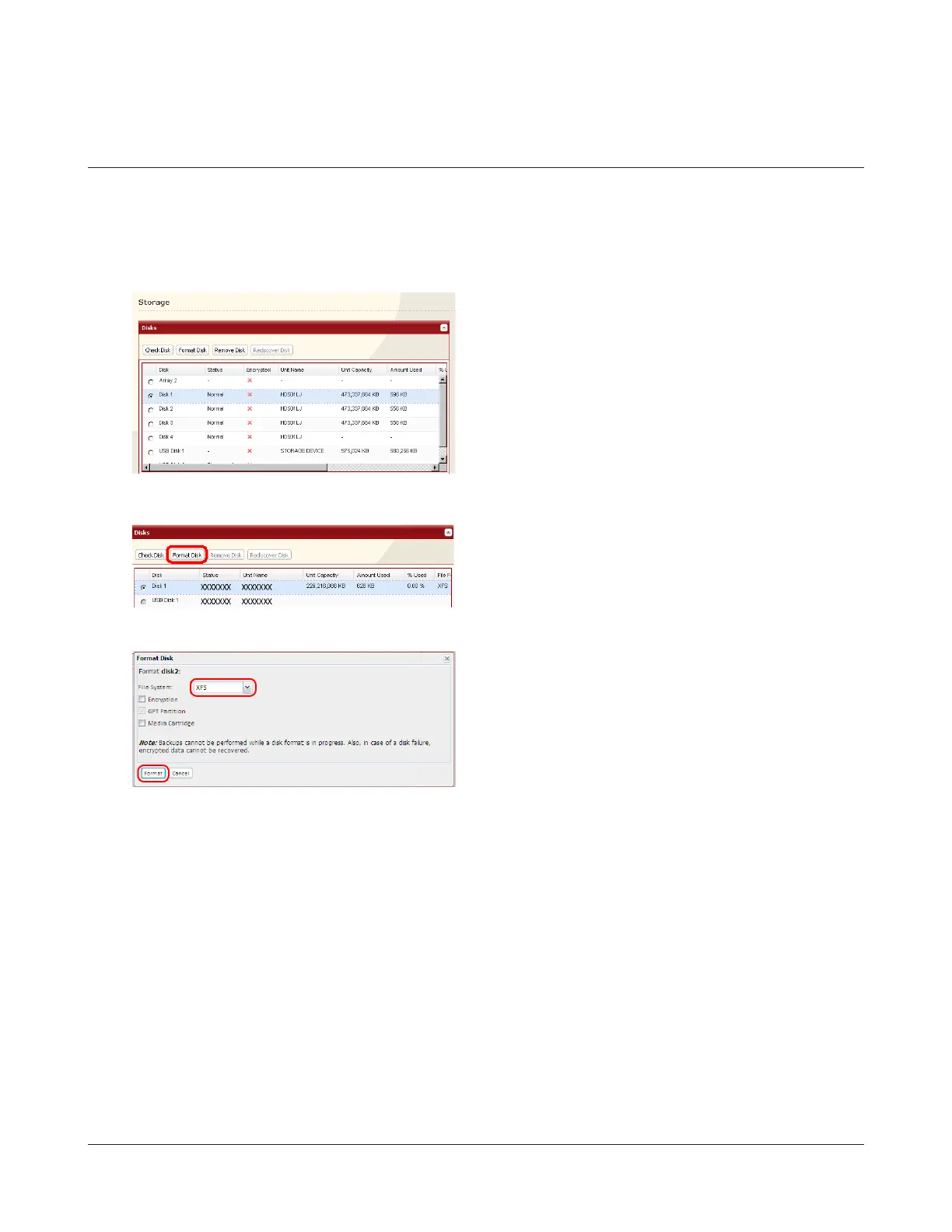
In Settings, navigate to System - Storage - Disks.
1 Select the drive to format. Make sure that you have
the right drive!
2 Click Format Disk.
Formatting the External Drive
1 Select File System.
2 Click Format.


 To Next Page