14
Chapter 4
Managing your TeraStation
RAID Scanning
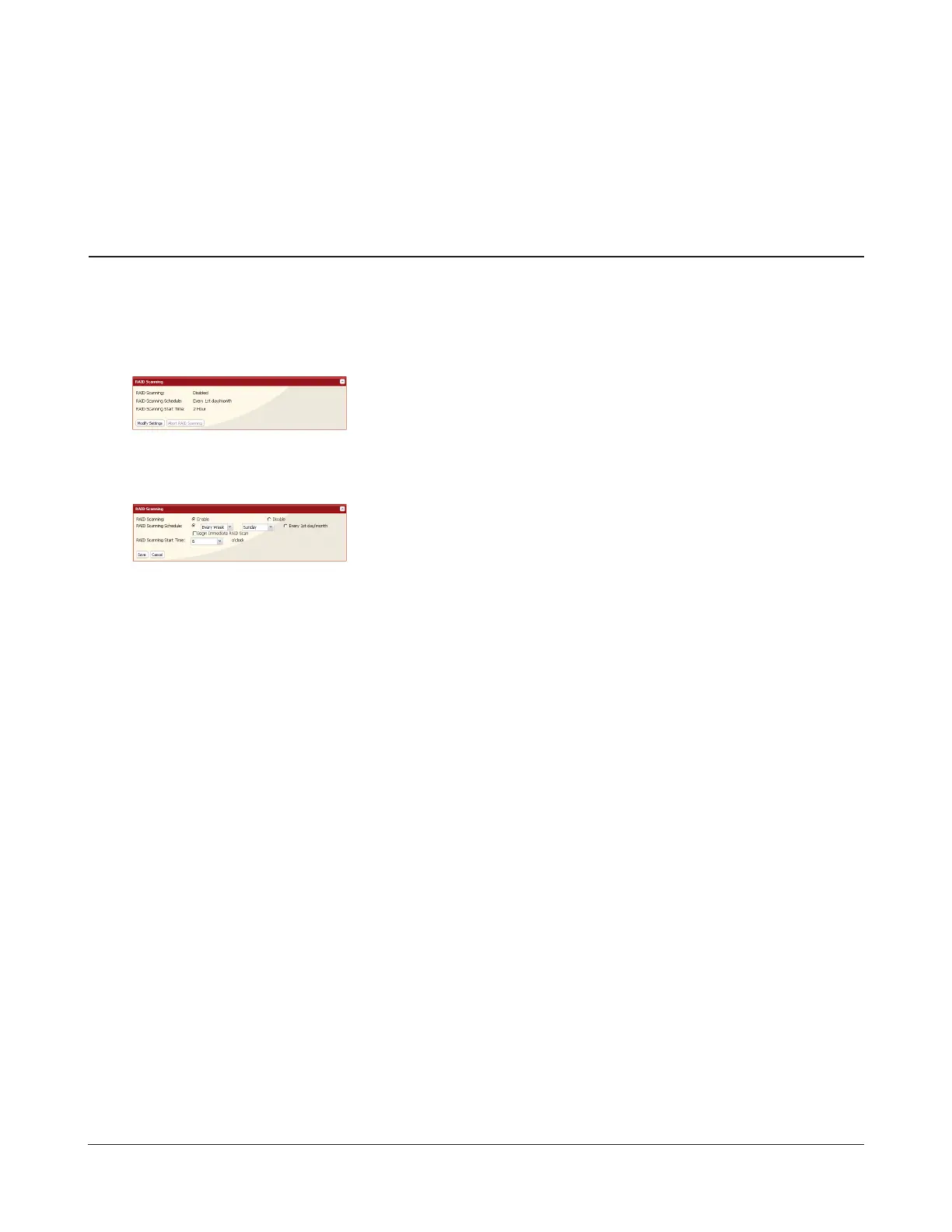
RAID scanning allows regular scans of your RAID arrays to be congured to run automatically. Errors will be xed as
they are found if possible.
For best results, schedule regular RAID scans if you use RAID arrays in your TeraStation.
1
2
You have congured RAID scanning.
1 Click Enable.
2 Select your desired schedule for RAID Scanning Schedule.
Notes:
• Select Shut Down to have the TeraStation shut down automatically when
an error is detected.
• If Begin Immediate RAID Scan is selected, then a RAID scan will begin
immediately.
• To stop a RAID scan, click Abort RAID Scanning.
3 Click Save.
1 In Settings, click System - Storage - RAID Scanning.
2 Click Modify Settings.


 To Next Page