27
Extending Volumes
The available space on a volume can be extended after you create the volume.
Notes:
• Extending the volume may delete all data on the volume with some le systems. Before extending the volume, back
up any important data on the volume.
• Before extending volumes, enable LVM.
1
2
You have now extended the size of a volume.
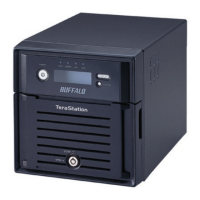
1 Check the Enlarge Size box.
2 Enter the amount of space to increment the volume in GB.
3 Click Save.
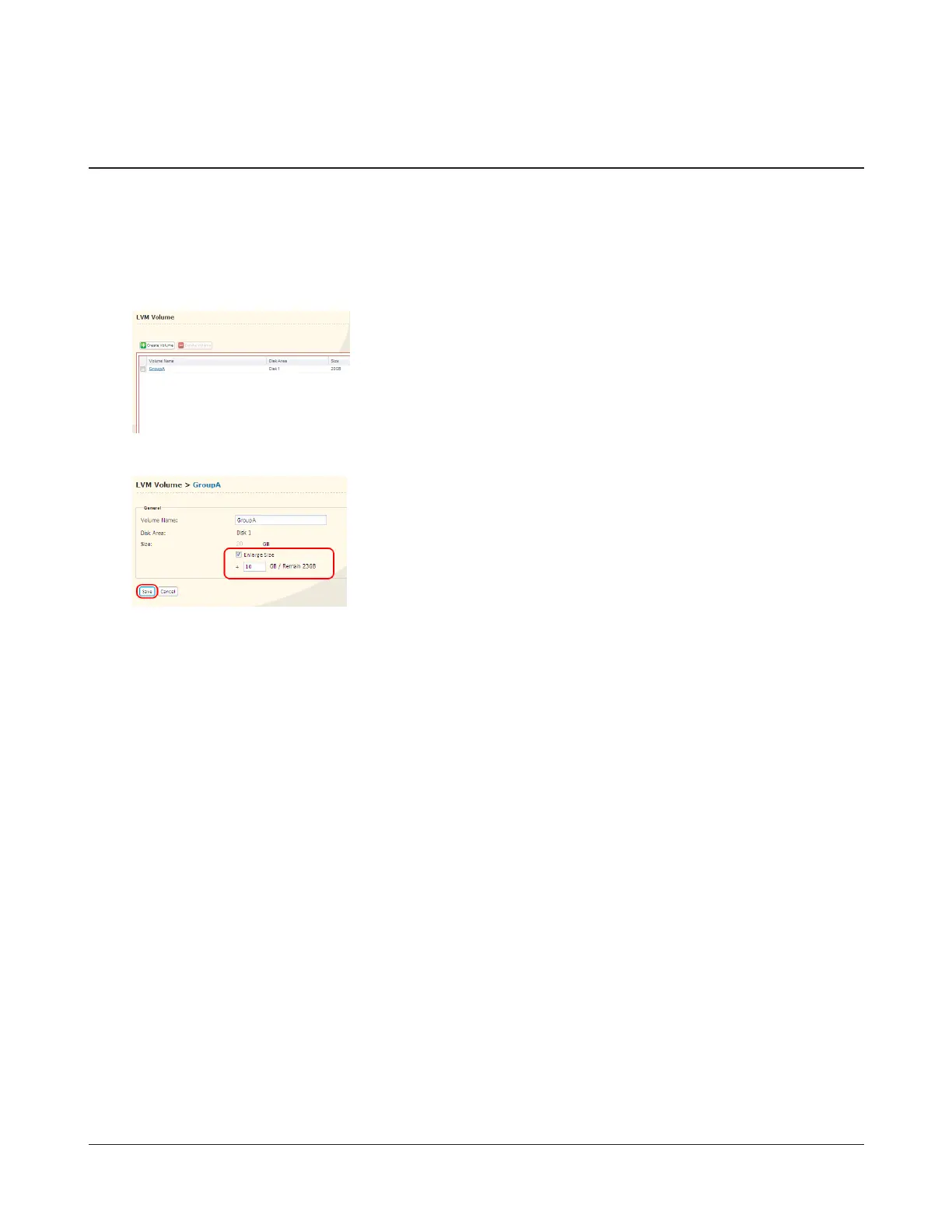
1 In Settings, navigate to System - LVM Volume.
2 Click the volume you want to extend.


 To Previous Page