5
1 Change system to JBOD.
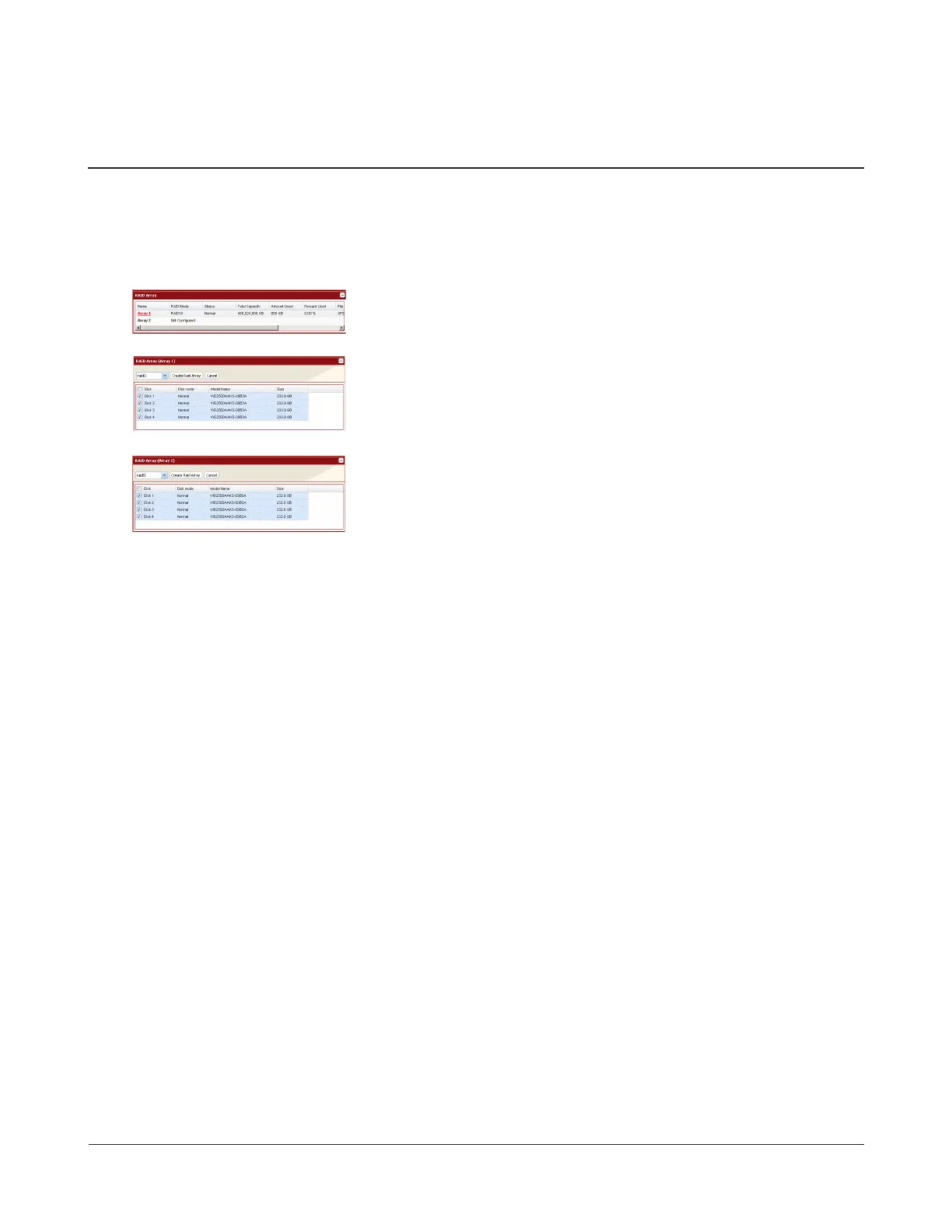
2 In Settings, navigate to System - Storage - RAID Array.
3
4
5
Note: After the RAID array is changed (except when creating a RAID 0 array), the TeraStation will perform a RAID
check that will take about 10 hours per TB. File transfers will be slower during this period. While the “RAID
I17 ARRAYx Resyncing” message is displayed on the LCD panel, do not turn o the TeraStation. If you turn
it o, the RAID check will start over.
6 Enter the conrmation number and click Apply.
7 Follow the instructions displayed on the screen.
You have now set up a RAID array. Next, create a shared folder.
Note: If a hard drive not included in the RAID array is left over, it is recommended that you set this drive as a hot spare
drive for automatically replacing a failed hard drive.
Click the array you want to congure.
1 Select your desired RAID mode.
2 Click Create Raid Array.
Select hard drives to be added.
Creating a RAID Array from JBOD


 To Next Page