26
Create Volumes
Notes:
• Deleting the default volume will delete all data from the TeraStation. Back up any important data before making any
conguration changes!
• Enable LVM to delete or create volumes.
1
2
You have now created a new volume. Next, create a shared folder.
1 Congure your desired settings.
2 Click Save.
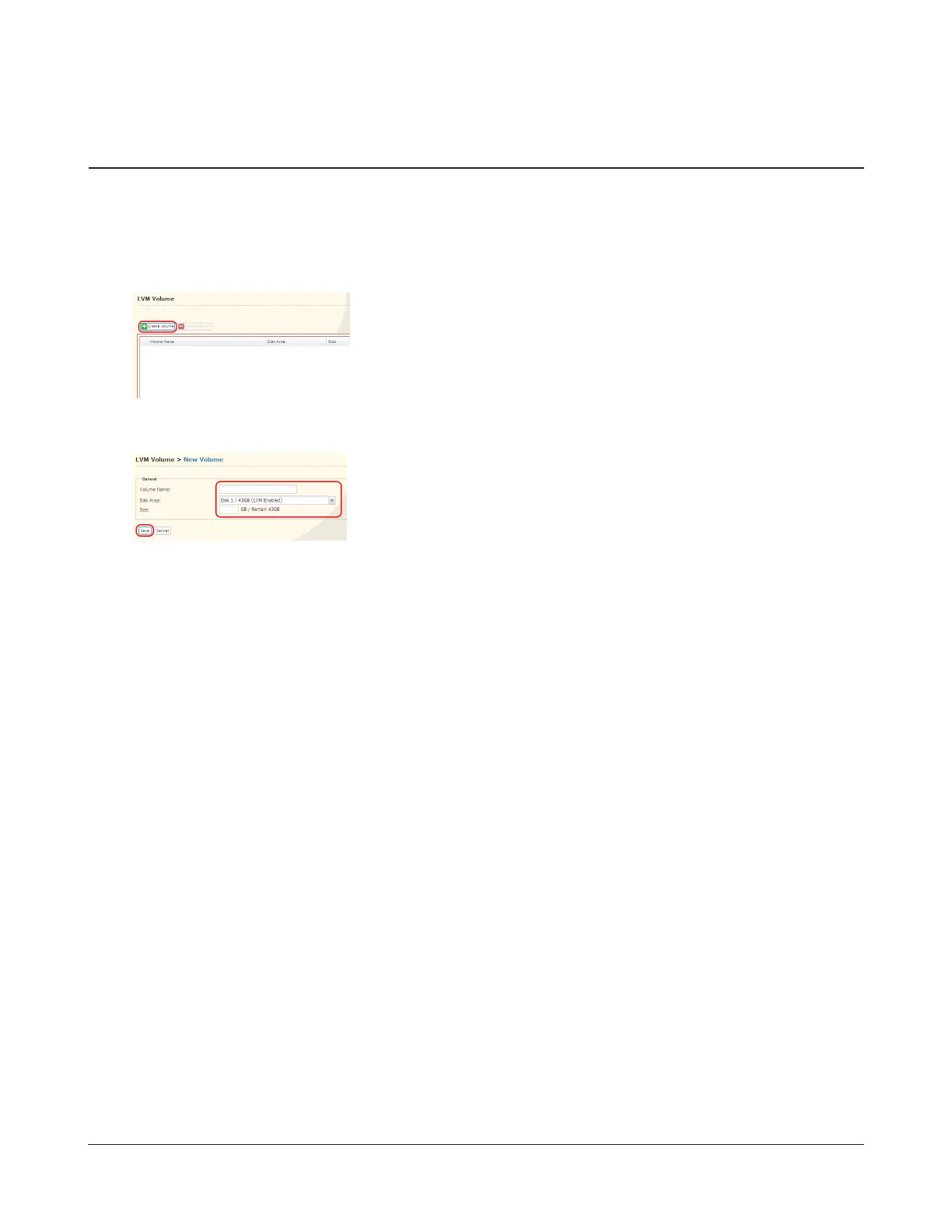
1 In Settings, navigate to System - LVM Volume.
2 Click Create Volume.


 To Next Page