21
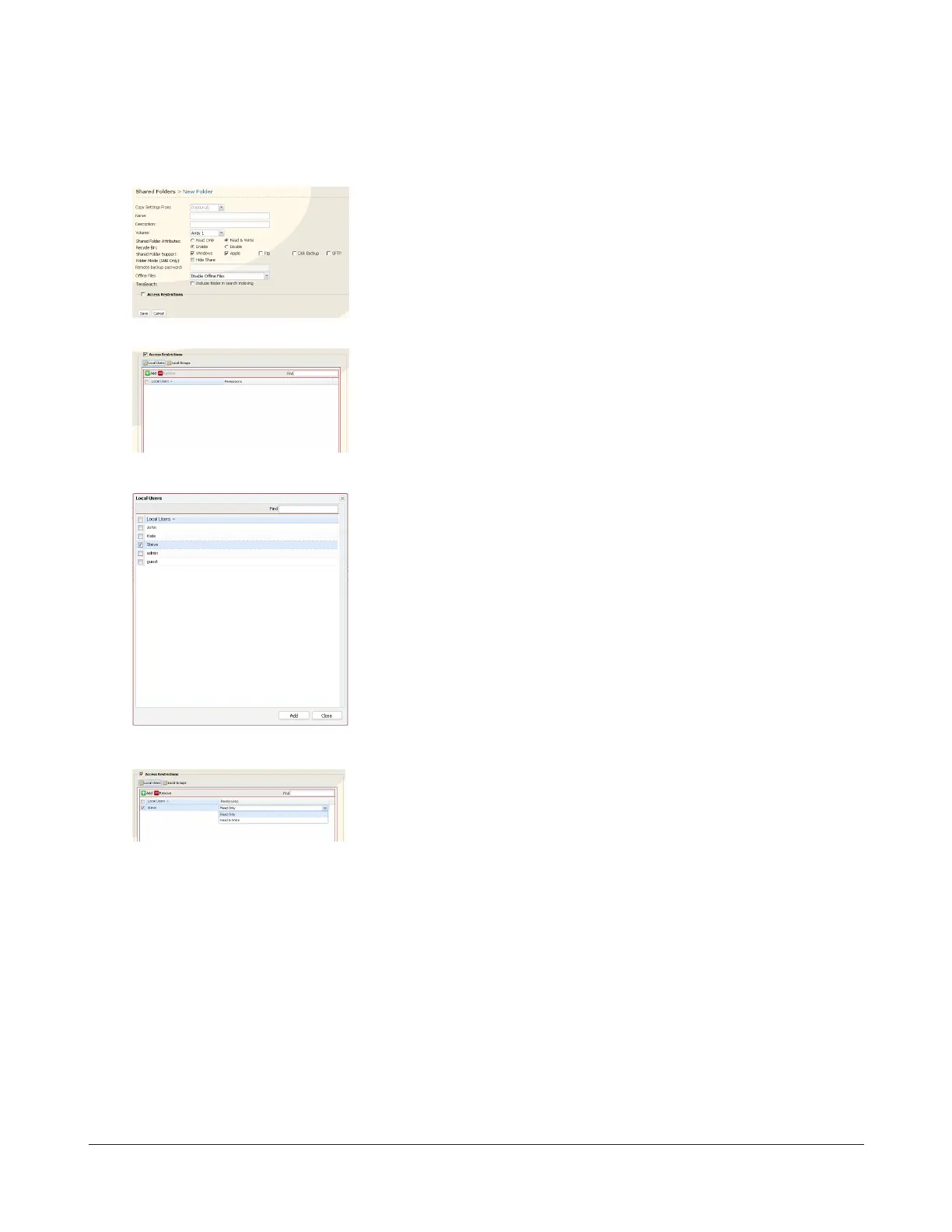
3 Select Shared Folders - Folder Setup and click Create Folder.
4
5
6
7
8 Click Save.
You’ve congured a disk quota.
1 Congure the desired settings.
2 Click Access Restrictions.
Click Add.
1 Check the user you created in step 2.
2 Click Add.
Select level of access privileges for the user you added from Read Only or
Read & Write.


 To Next Page