Attention: The precise wine volume is very important for the accuracy of ebulliometer!
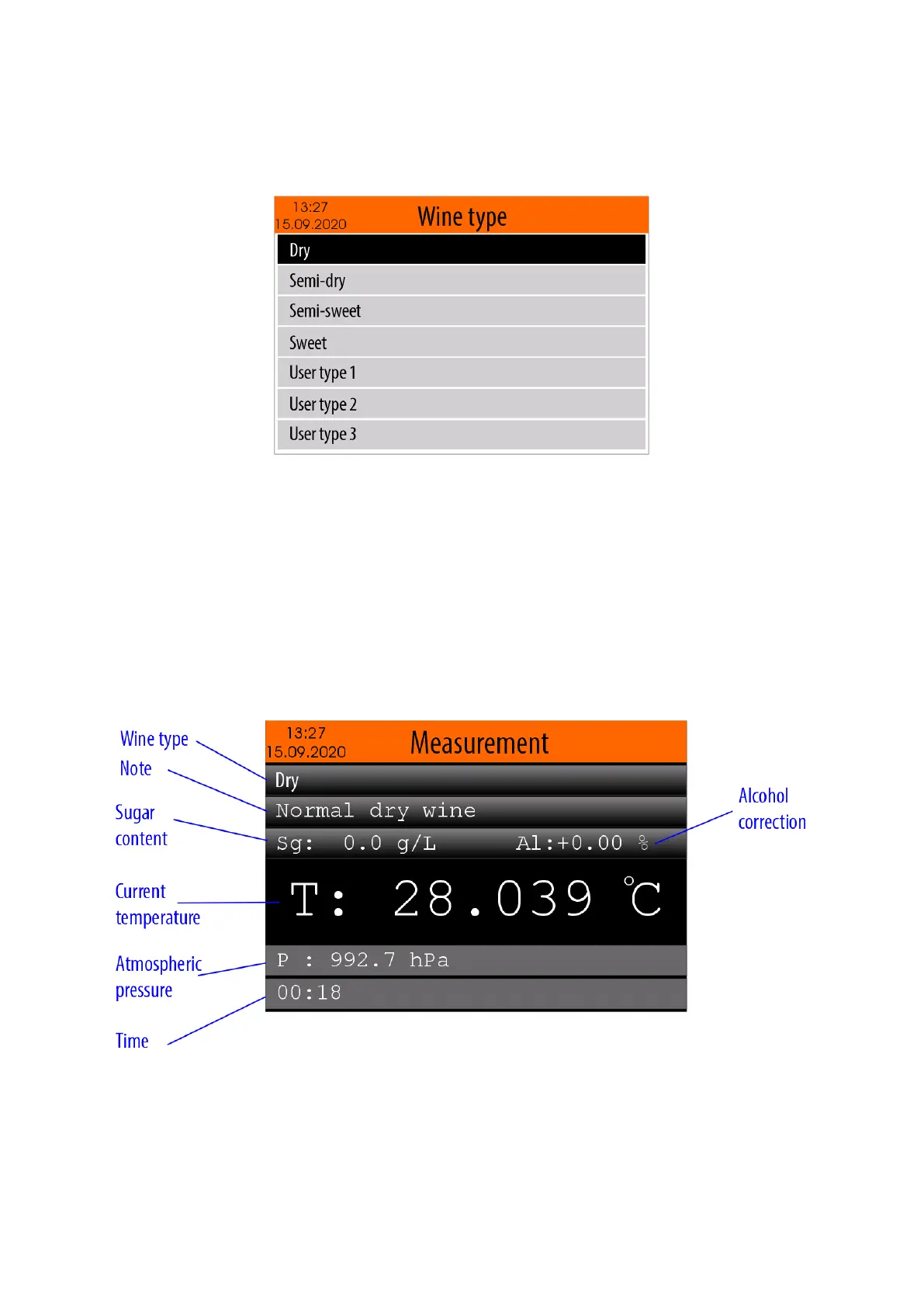
After the starting of "Measurement" mode ( see item 5.3.) the user should select the wine type that
will be measured - Dry, semi-dry, semi-sweet, sweet, User type 1, User type 2, ... User type 10.
Note: The following parameters can be entered for each of the above types of wines:
- Sugar content
- Alcohol correction
- Note
For more details about how to edit the parameters of the wine types, see item 5.4.2. - Wine type settings
To select the wine type you will measure, use buttons <Arrow up> / <Arrow down> and then confirm with
button <OK>.
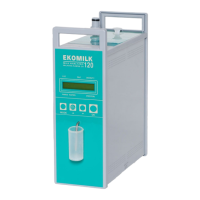
Below is shown an example of the panel with started measurement process:
Wine type - the selected wine type
Note - note for the selected wine type
Sugar content - sugar content for the selected wine type
Alcohol correction - alcohol correction for the selected wine type
Current temperature - currently measured temperature value of the sample (wine)
Atmospheric pressure - currently measured atmospheric pressure value
Time - the elapsed time since the start of the measurement process


 To Next Page