content. That differs from the sugar content of the tested samples with no more than ±5%. The calibration
value can be entered as a acohol correction for the corresponding wine type. To enter this value use
"Alcohol content correction"( see item 5.4.2.2. ).
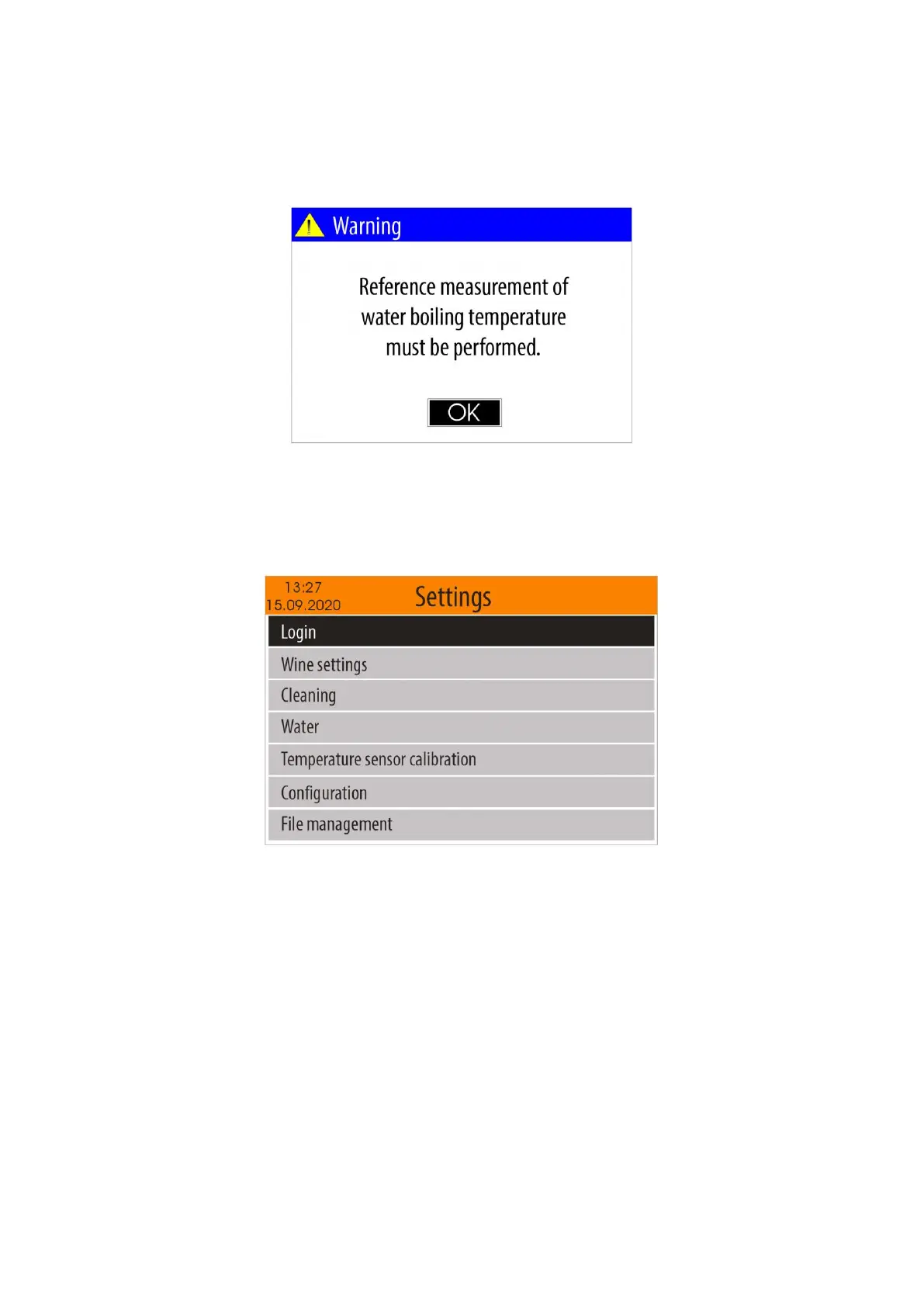
3. In case the atmospheric pressure sensor is disabled (see item 5.4.6.4.) and you have not performed
water measurement in "Water" mode in the previous 24 hours, a warning message will appear on the
screen:
5.4. "Settings" menu
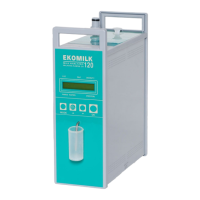
To start the "Settings" menu, from the home screen select "Settings" icon, using the buttons <Left
arrow> / <Right arrow> and confirm with <OK> button.
This menu contains options as below:
- Login
- Wine settings
- Cleaning
- Water
- Temperature sensor calibration
- Configuration
- File management
- Firmware Update
- About device
5.4.1. "Login" menu
To enter in "Login" menu, from the "Settings" menu, using the buttons <Up arrow> /<Down
arrow> select the "Login" menu item and confirm with <OK> button.


 To Next Page