If you do not want the changes to be saved, press the <MODE> or <HOME> button.
Example: If you have connected DEP 50 ESC / POS printer to the ebuliometer using the RS232 cable, and
if you want to print the measurement results on paper, you need to select the "RS232 Printer - 1200/8 / E / 1"
option. When the measurement is completed (in "Measurement" or "Water" mode), the results will be printed
automatically. Examples of printouts can be seen in item 5.3 and item 5.4.4.
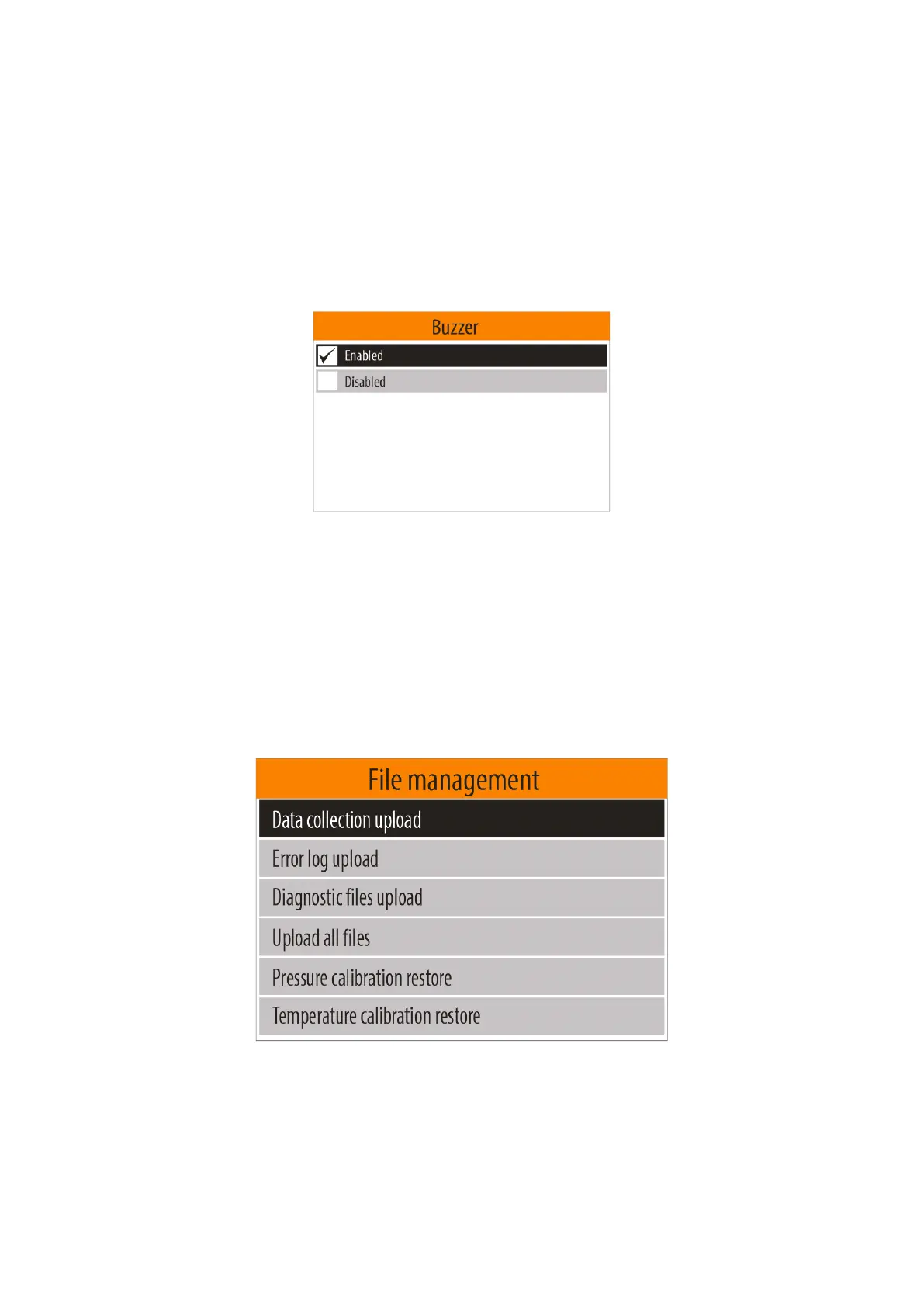
5.4.6.6. Buzzer
This option allows you to enable or disable the beeps of the built-in buzzer.
In case the buzzer is enabled, the device emits characteristic beeps in the following cases:
- After completing the start-up procedure
- After completion of measurement
- In case of an error
Note: Some devices do not have a built-in buzzer and this option is not available.
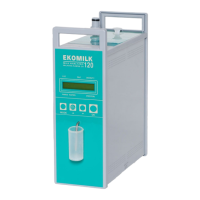
5.4.7. "File management" menu
To enter in " File management " menu, from the "Configuration" menu (see item 5.4.6.), select the " File
management " menu option using <Down arrow> / <Up arrow> buttons and then confirm with the <OK>
button.
This menu includes the following options:
- Data collection upload
- Error log upload
- Diagnostic files upload
- Upload all files
- Pressure calibration restore
- Serial number restore


 To Next Page