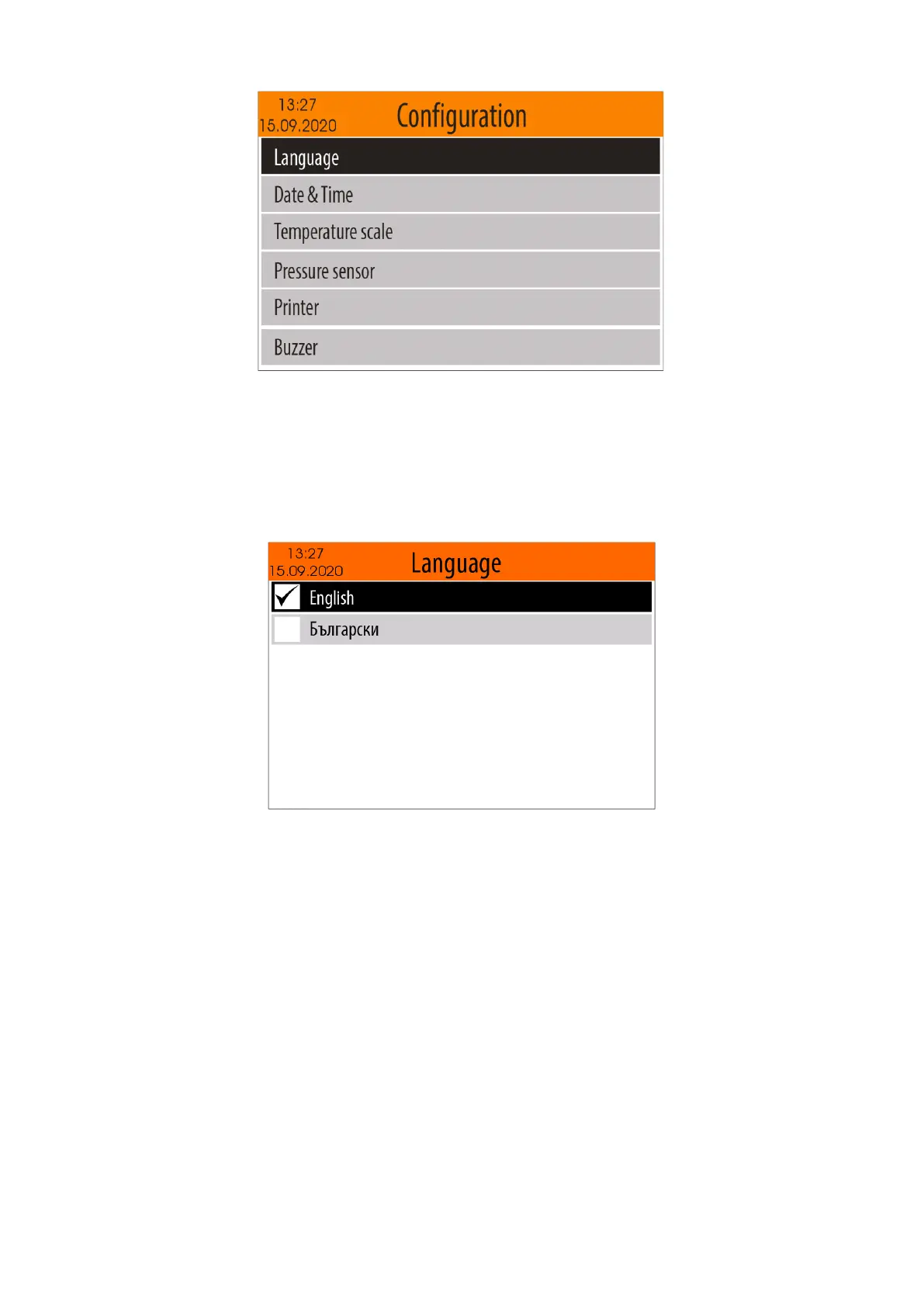
To return to the "Settings" Menu, press the <MODE> button. To return to the "Home screen", press the
<HOME> button.
5.4.6.1. Language select
To select the "Language" menu, from the "Configuration" menu (see item 5.4.6.), select the "Language"
option using <Down arrow> / <Up arrow> buttons and then confirm with the <OK> button.
A menu with supported languages will appear on the display and the currently selected language will be
marked.
Use <Down Arrow> / <Up Arrow> to select your preferred language and then confirm with the <OK>
button. Your selection will be stored in the non-volatile memory of the device and will remain valid until the
next change.
If you do not want the changes to be saved, press the <MODE> or <HOME> button.
5.4.6.2. Date & Time
To enter in "Date & Time" setting mode, from the "Configuration" menu (see item 5.4.6.), select the " Date
& Time " option using <Down arrow> / <Up arrow> buttons and then confirm with the <OK> button.
On the screen will appear current date and time.



 To Next Page