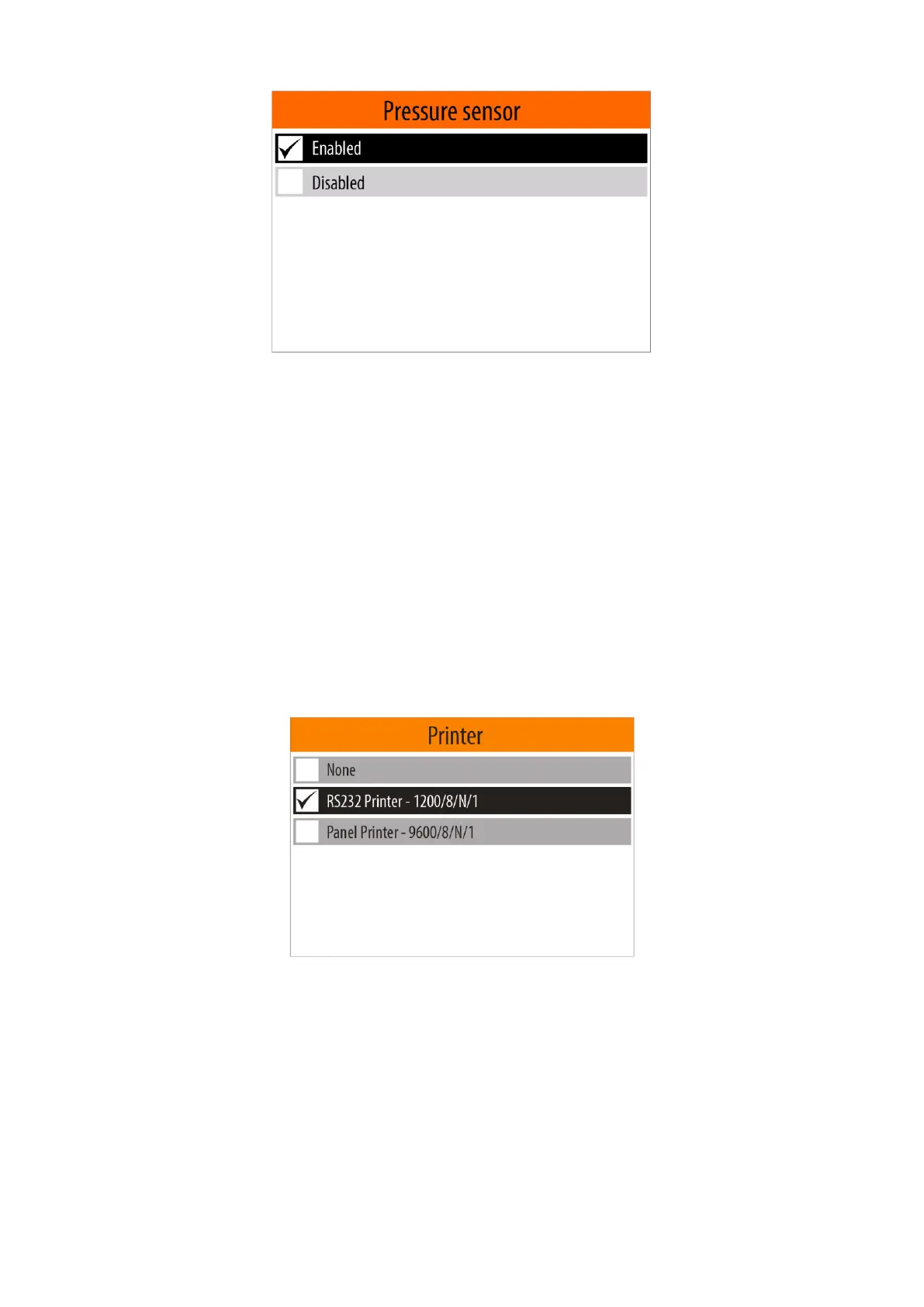
A menu with two options - "Enabled" and "Disabled" will appear on the display and the currently selected
state be marked.
Use <Down Arrow> / <Up Arrow> to select your prefered state and then confirm with the <OK> button.
Your selection will be stored in the non-volatile memory of the device and will remain valid until the next
change.
If you do not want the changes to be saved, press the <MODE> or <HOME> button.
Important: If you select the "Disabled" option when using the "Measurement" mode, the distilled
water boiling temperature measured in the "Water" mode will be used to calculate the alcohol
percentage in the sample (see 5.4.4. )
5.4.6.5. Printer
This menu allows you to select the type of external printer, which the measurement results will be printed.
To enter in "Printer" menu, from the "Configuration" menu (see item 5.4.6.), select the "Printer" menu option
using <Down arrow> / <Up arrow> buttons and then confirm with the <OK> button.
A menu with supported external printers and option "None" will appear on the display. The currently
selected option will be marked.
Notes:
1).The "None" option means that no external printer is connected or that you do not want the results to be
printed on paper.
2). The devices that do not have a built-in panel printer, the "Panel Printer -9600/8/N/1" option is not
available.
Use <Down Arrow> / <Up Arrow> to select your prefered option and then confirm with the <OK> button.
Your selection will be stored in the non-volatile memory of the device and will remain valid until the next
change.


 To Next Page