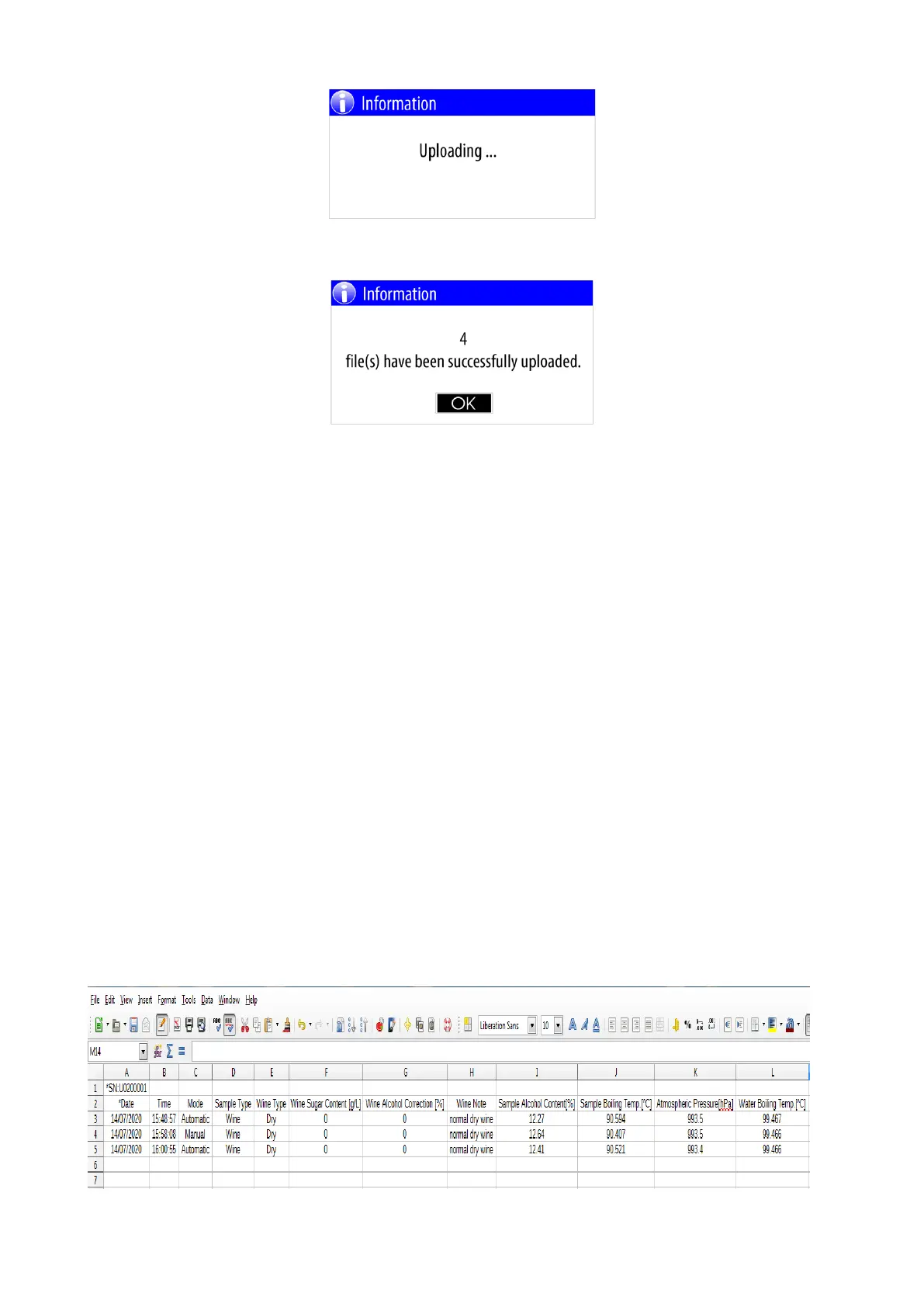
When the copying (uploading) is complete, a message will appear on the screen about the number of files
copied.
Example:
The data collection files are in CSV format and can be open with any text editor or specialized program
(application).
Description of the contents of the data collection files:
The rows that start with asterisk (*) are header rows.
- *SN:U0200001 FWV:ET01.10B - Device serial number and Firmware version
- *Date,Time,Mode,Sample Type ... header row for corresponding columns as follows:
-- Date - The date when the measurement is done
-- Time - The time when the measurement is done
-- Mode - Measurement mode - Automatic/ Manual
-- Sample Type - Wine or Water
-- Wine Type - Dry/Semi-dry/Semi-sweet ...
-- Wine Sugar Content [g/L] - Sugar content for this wine type
-- Wine Alcohol Correction [%] - Alcohol correction for this wine type
-- Wine Note - Note for this wine type
-- Sample Alcohol Content[%] - The calculated alcohol content of the sample
-- Sample Boiling Temp.[^C] - The measured boiling temperature of the sample
-- Atmospheric Pressure[hPa] - The measured atmospheric pressure
-- Water Boiling Temp.[^C] - The calculated distilled water boiling temperature
Example of opened file using text editor:
*SN:U0200001 FWV:ET01.10B
*Date,Time,Mode,Sample Type,Wine Type,Wine Sugar Content [g/L],Wine Alcohol Correction [%],Wine
Note,Sample Alcohol Content[%],Sample Boiling Temp.[^C],Atmospheric Pressure[hPa],Water Boiling
Temp.[^C]
14/07/2020,15:48:57,Automatic,Wine,Dry,000.0,0.00,normal dry wine,12.27, 90.594, 993.5, 99.467
14/07/2020,15:58:08,Manual,Wine,Dry,000.0,0.00,normal dry wine,12.64, 90.407, 993.5, 99.466
14/07/2020,16:00:55,Automatic,Wine,Dry,000.0,0.00,normal dry wine,12.41, 90.521, 993.4, 99.466
Example of opened file using LibreOffice Calc:


 To Next Page