13
INITIALIZING
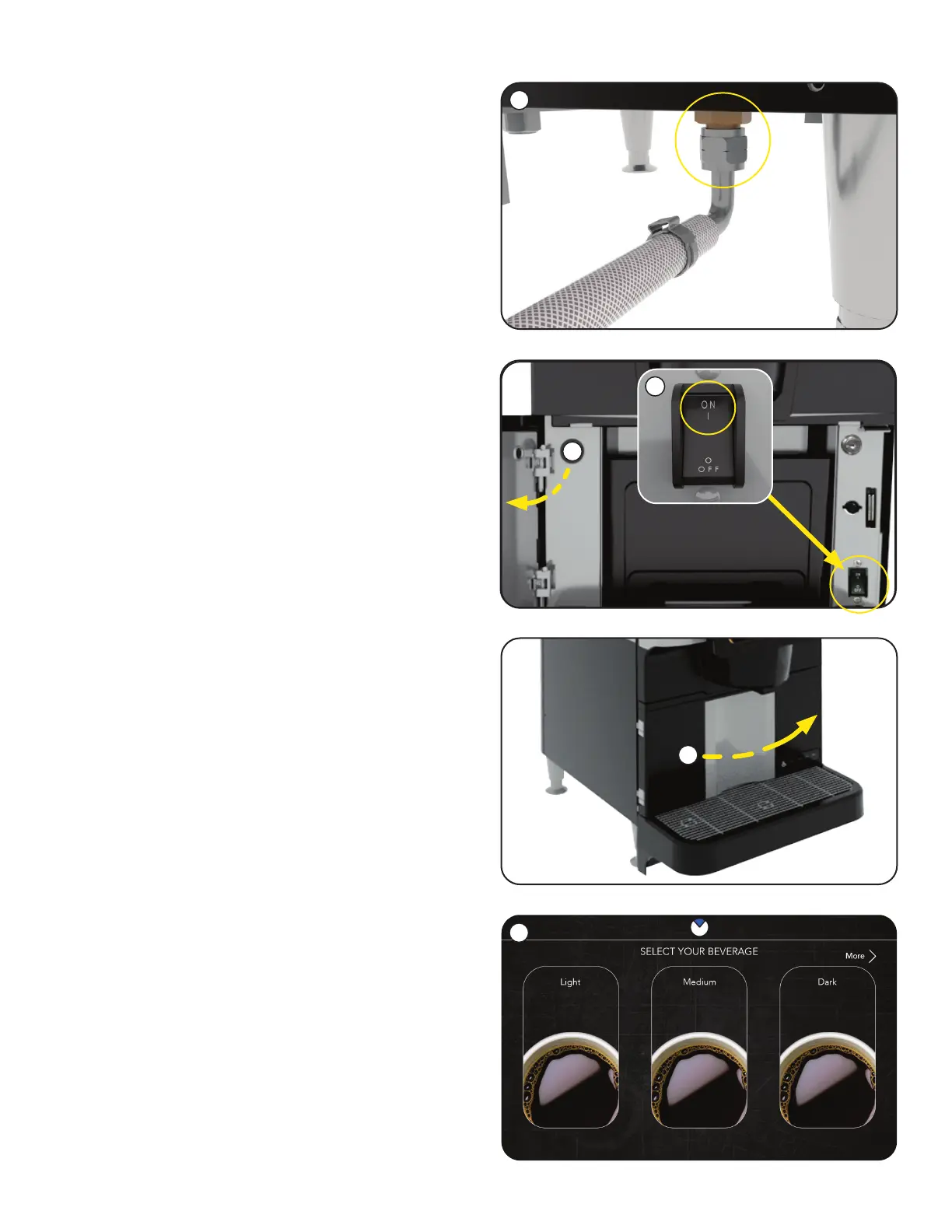
1. With the water supply line connected to the unit,
turn the water on & check for leaks.
6. Once the initialization sequence is complete,
the User Interface screen will appear.
3. Connect the unit to the power source (plug it in).
4. Turn the unit on by setting the power switch to
the ON position.
5. The door must be closed to begin the
initialization sequence, it may take 60-90
seconds, and the machine will reset in
preparation for user operation.
2. Open Customer Access door.
NOTE: REMINDERS for Daily and Weekly
cleaning are set for Monday at 1:00 AM as
a default.
If you want to change these parameters,
see CONTENTS INDEX (Pg. 3), and the
SCHEDULE CLEANING section, for steps
to revise.
1
2
6
5
4
continued >



 To Next Page