21
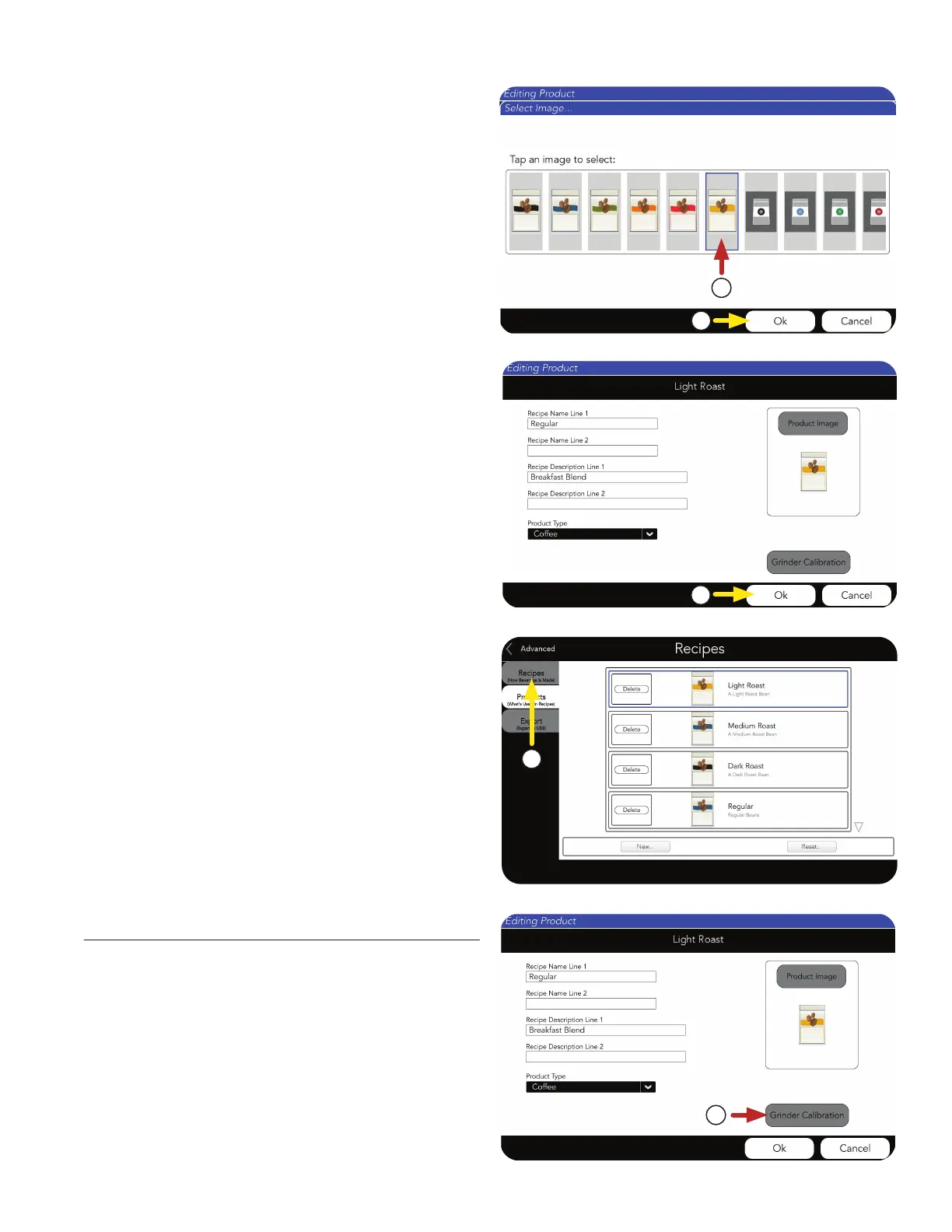
9. Next, scroll side-to-side to see the
available images.
Press the chosen Product Image.
10. If a new image is chosen, press OK.
PRODUCT AND RECIPE SETUP
12. You can choose to edit or create new Products,
or move on to creating or editing a coffee
Recipe by pressing the RECIPE tab.
11. Press OK to complete this Product creation.
1. Select the Grinder Calibration button.
Grinder Calibration
1
9
10
11
12
continued >



 To Next Page