63
YOUR BRAND
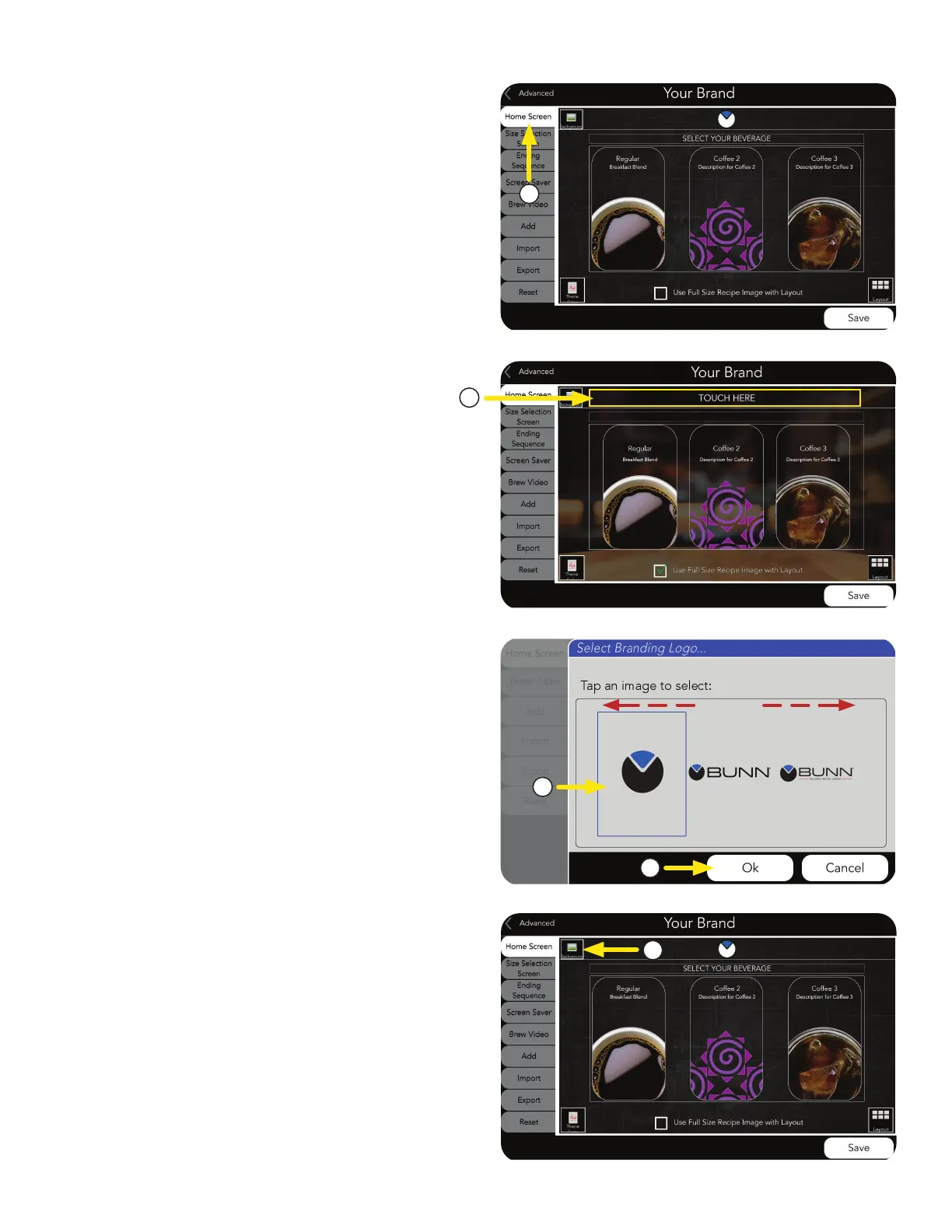
a. Select Background Images icon.
■
BACKGROUND IMAGE
From the Your Brand home screen, you can
customize the look of your layout.
HOME SCREEN Tab
1. Press Home Screen tab to select the
area you want to customize.
Options Available:
a. Select LOGO field.
■
CHANGE BRANDING LOGO
NOTE: Logo size should be up to 500 x 53 pixels.
b. The Branding Logo screen will appear.
Scroll side-to-side to view image library.
Then click selected image.
c. If a new logo is chosen, press OK.
1
b
c
a
a
NOTE: Additional logos need to be added first before
the selection window will appear.



 To Next Page