64
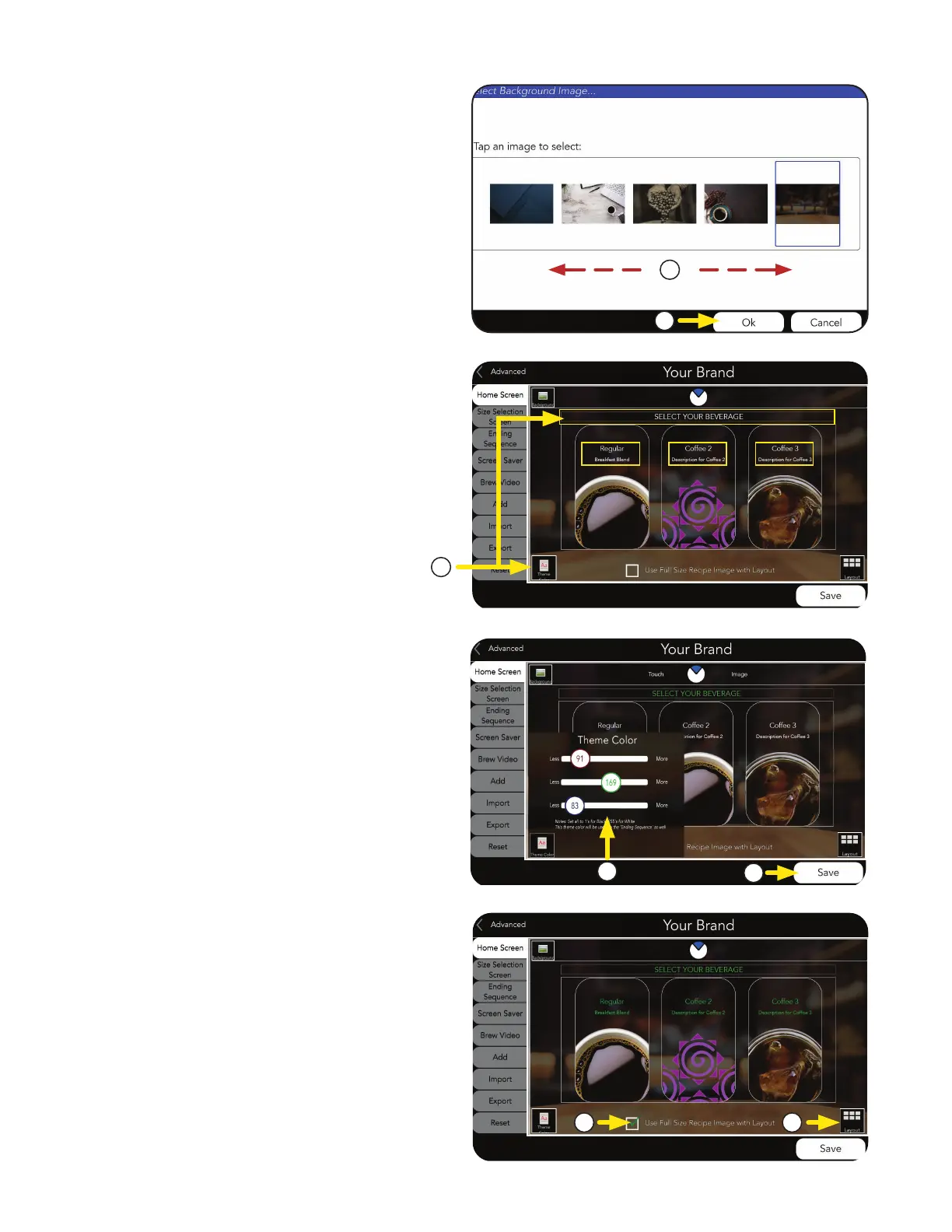
a. Select icon to change Theme Color.
b. The Background Images screen
will appear.
By swiping side-to-side, you can see the
image library.
Press the chosen Background Image.
c. If a new image is chosen, press OK.
NOTE: The Theme currently says
“Select Your Beverage”. If the Theme Color
icon is selected, the color of this text and the
beverage descriptions will be changed.
7
i. The color picker will apear.
Use the sliders to choose a color.
b. If a new color is chosen, press Save.
YOUR BRAND
■
THEME COLOR
b. Select Layout icon to change of layout
Beverage Icons.
NOTE: This example shows the current layout.
■
BEVERAGE ICON LAYOUT
b
a
b
i
a
b
c
a. To change layout, the Full Size Recipe
Image with Layout box must be checked
to show the layout icon.
continued >



 To Next Page