61
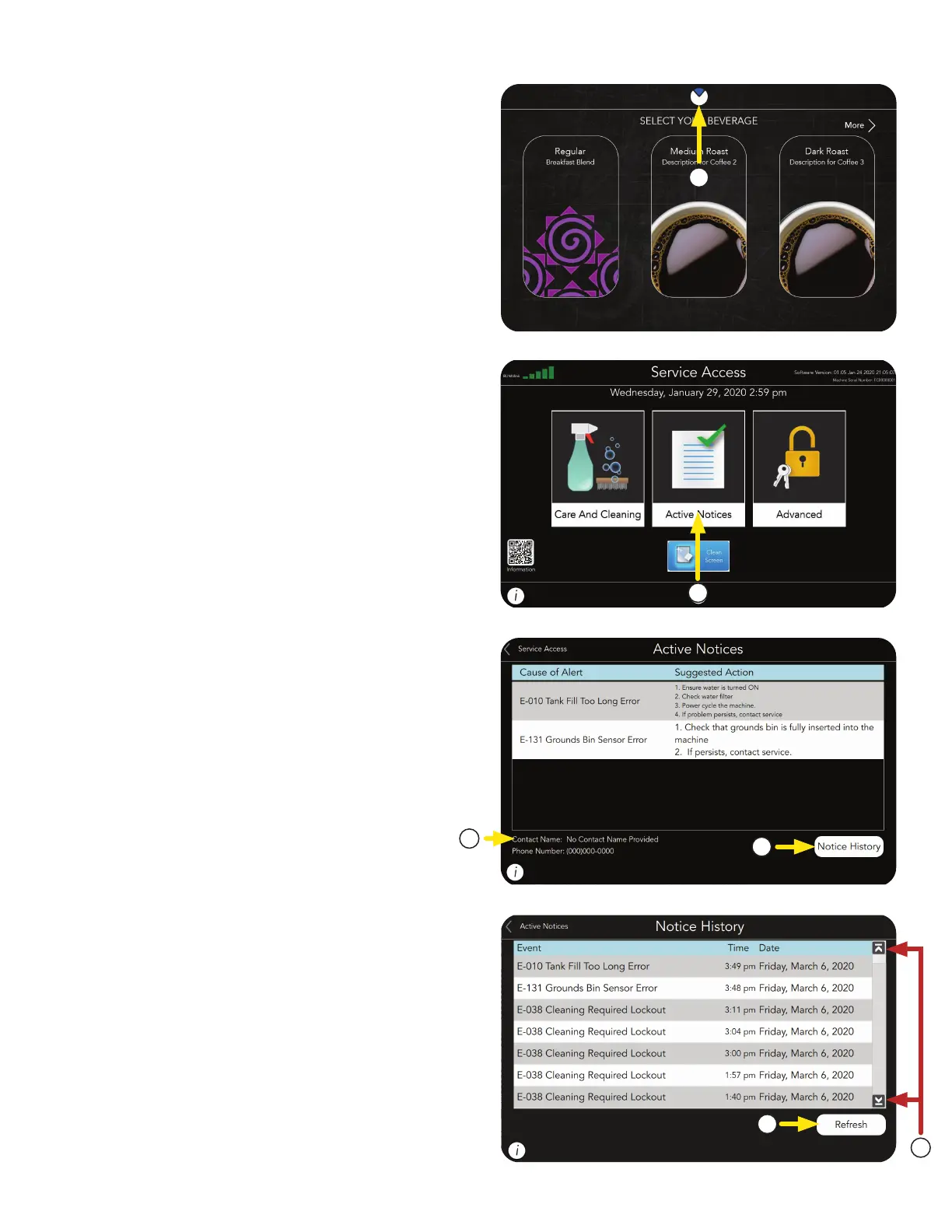
3. The screen will display by Name & Description,
any faults that have occurred, give probable
causes, and a solution to clear the fault.
The Notice History button is located in the
lower right corner of the screen, and can be
used to view previous events (Notices).
4. Service Contact information is also provided.
5. Use the Up or Down Arrows shown on the
right side of the screen to scroll through the
events list.
6. Press the Refresh button located in the lower
right portion of the screen to refresh the list.
ACTIVE NOTICES
2. From the SERVICE ACCESS screen, press the
ACTIVE NOTICES icon.
2
3
4
5
6
1. Touch and hold the BUNN logo for a few
seconds until SERVICE ACCESS appears
on the display.
1



 To Next Page