17
PRODUCT AND RECIPE SETUP
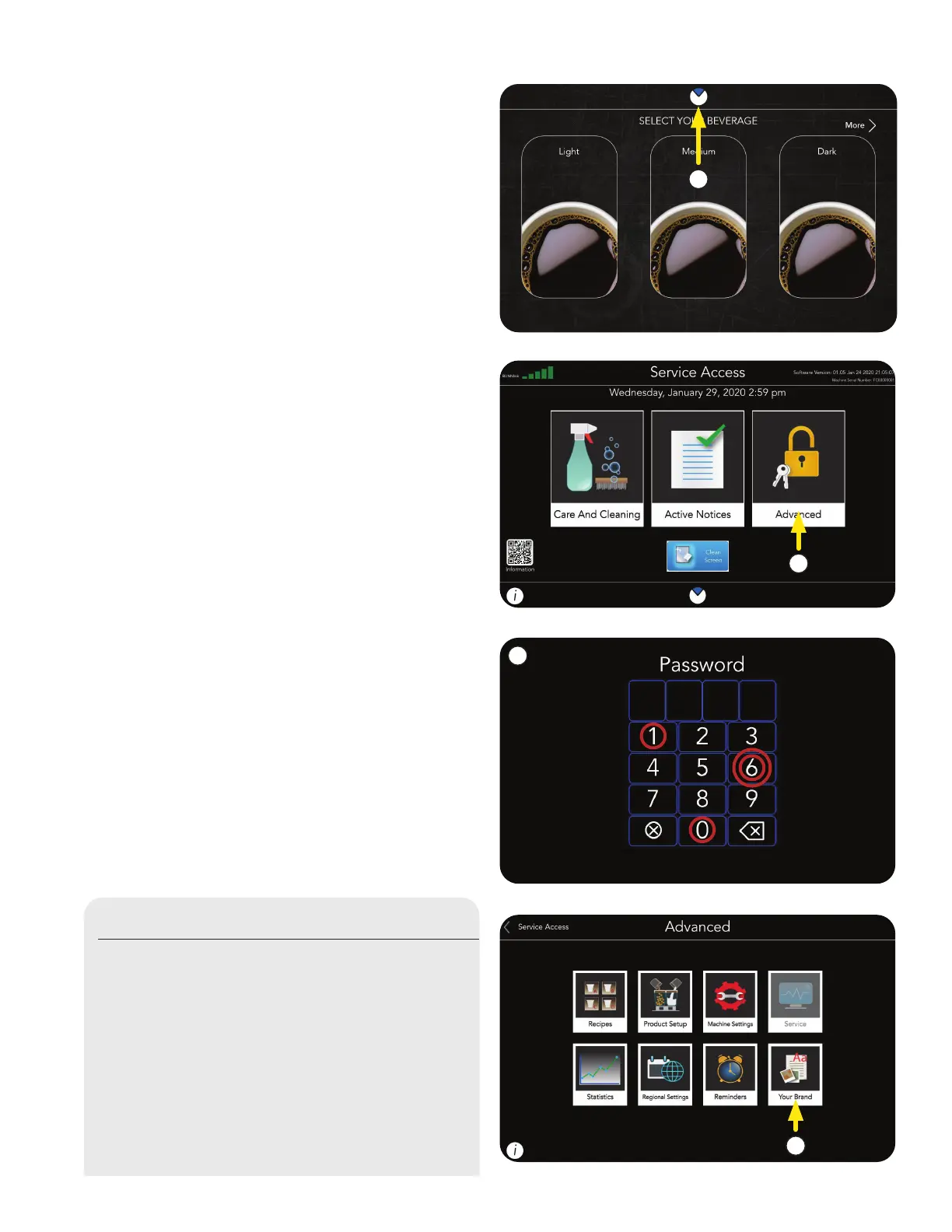
1. Touch and hold the BUNN logo for a few
seconds until SERVICE ACCESS appears
on the display.
2. Select the ADVANCED icon.
3. Next, enter the passcode 6601.
If you have a USB stick with custom files; follow
these steps.
If not, go to Product Setup on page 16.
* * * *
Importing Custom Configuration Files
1. Touch the YOUR BRAND icon.
1
2
3
1
continued >



 To Next Page