33
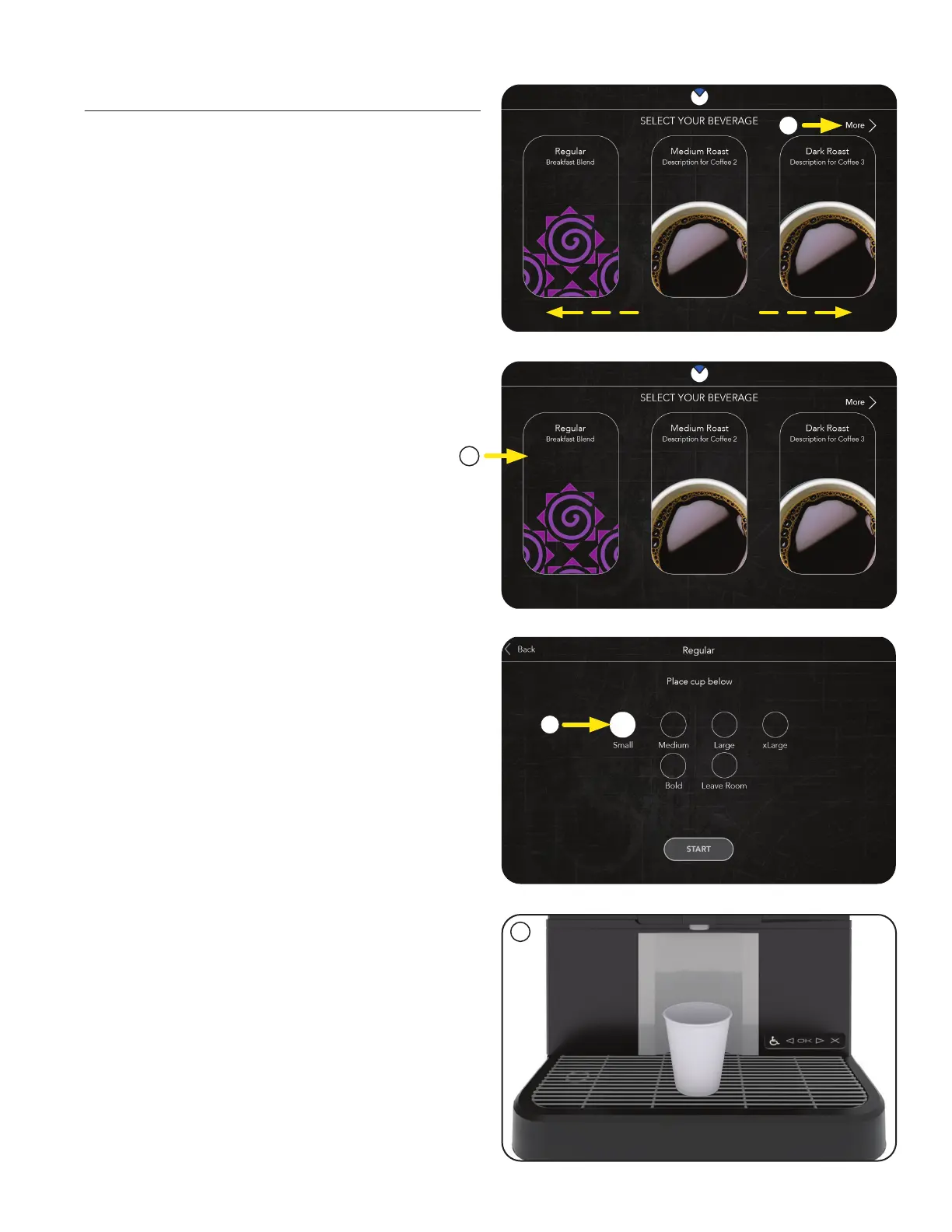
The first screen to appear is the User Interface
screen, also known as the beverage Carousel.
1. Available drinks are accessed by swiping left
or right across the screen, or by touching the
arrow located at the top right of the screen.
2. Next, press the desired drink icon. The border
will change when selected.
User Interface
OPERATING INTERFACE
3. The user is prompted to select a desired
beverage size.
4. Next, place the beverage container (cup) on
tray below.
1
2
3
4
continued >



 To Next Page