30
PRODUCT AND RECIPE SETUP
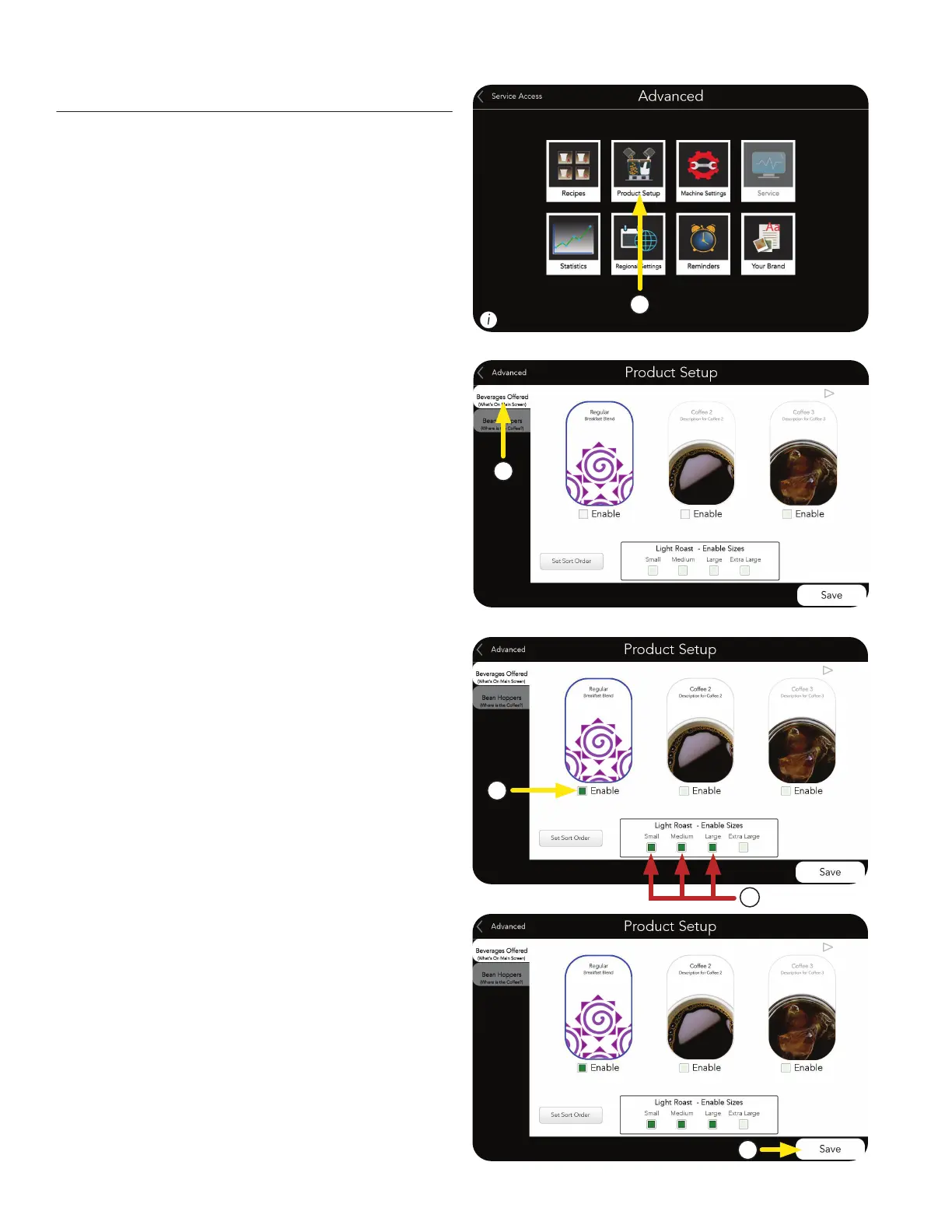
1. Next, select the PRODUCT SETUP button to
enable and setup the hoppers.
NOTE: The Graphic User Interface will be set
up through the Product Setup button.
Enabling Products
2. Next, select the BEVERAGES OFFERED tab.
3. Choose the Enable boxes for the beverages you
want available to brew.
4
5. Press SAVE if changes are made.
4. Also, choose the size(s) you want available for
each beverage.
1
2
3
5



 To Next Page