26
PRODUCT AND RECIPE SETUP
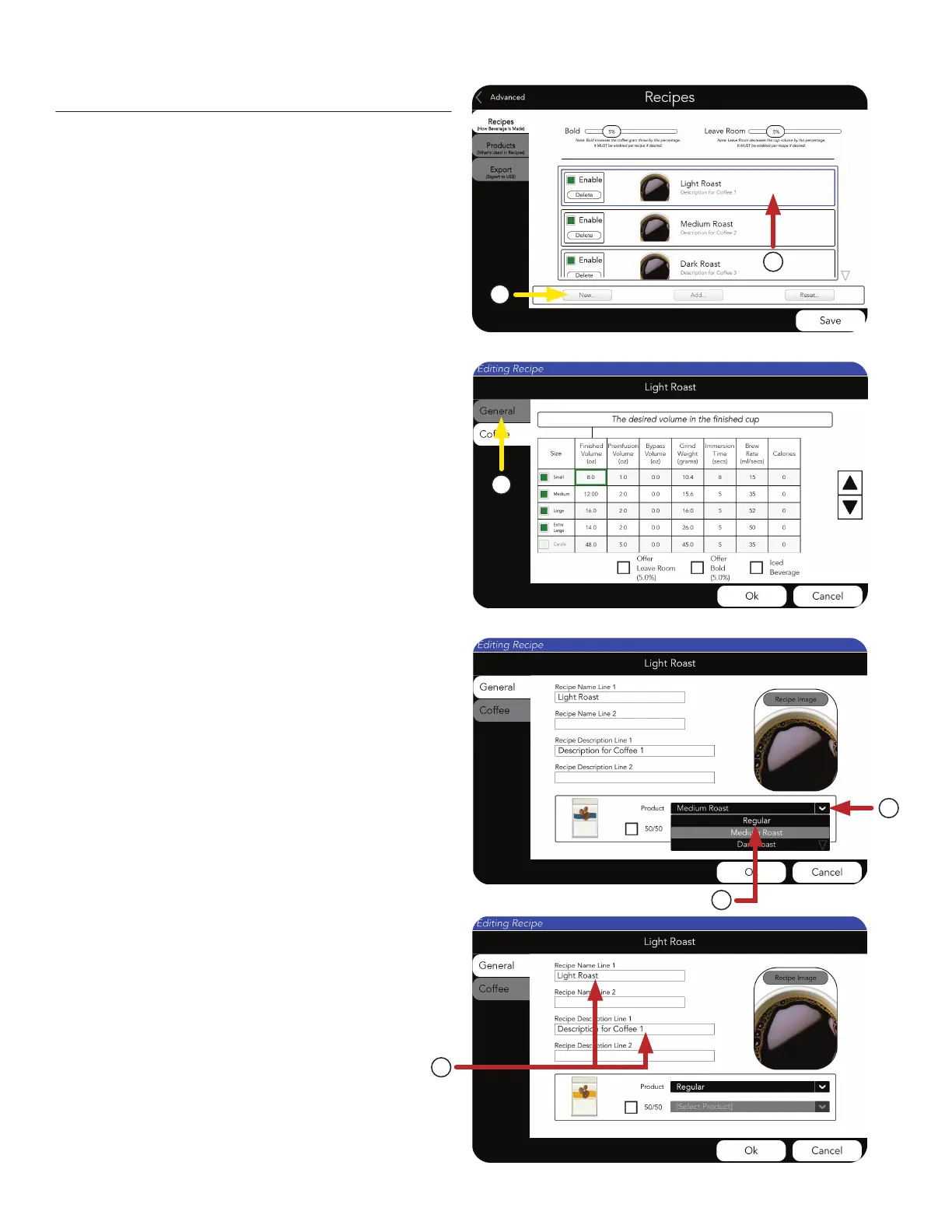
1. Press the New button.
2. Or, edit an existing Recipe.
For this example, we will select Light Roast to edit.
Recipe Setup
3. Now choose the GENERAL tab to edit the
recipe for Light Roast.
NOTE: Definitions for sliders at top of screen.
(they MUST be enabled per recipe if desired).
Bold - increases the coffee throw weight by the
percentage shown.
Leave Room - decreases the cup volume by
the percentage shown.
1
2
3
4. Use the drop down menu to select the
preferred coffee Product.
5. We will use the Product called “Regular“ for
this example.
6. Edit the Recipe Name Line 1 and Recipe
Description Line 1 by pressing on the text field.
There are two fields for each if more space
is needed.
4
5
6



 To Next Page