27
PRODUCT AND RECIPE SETUP
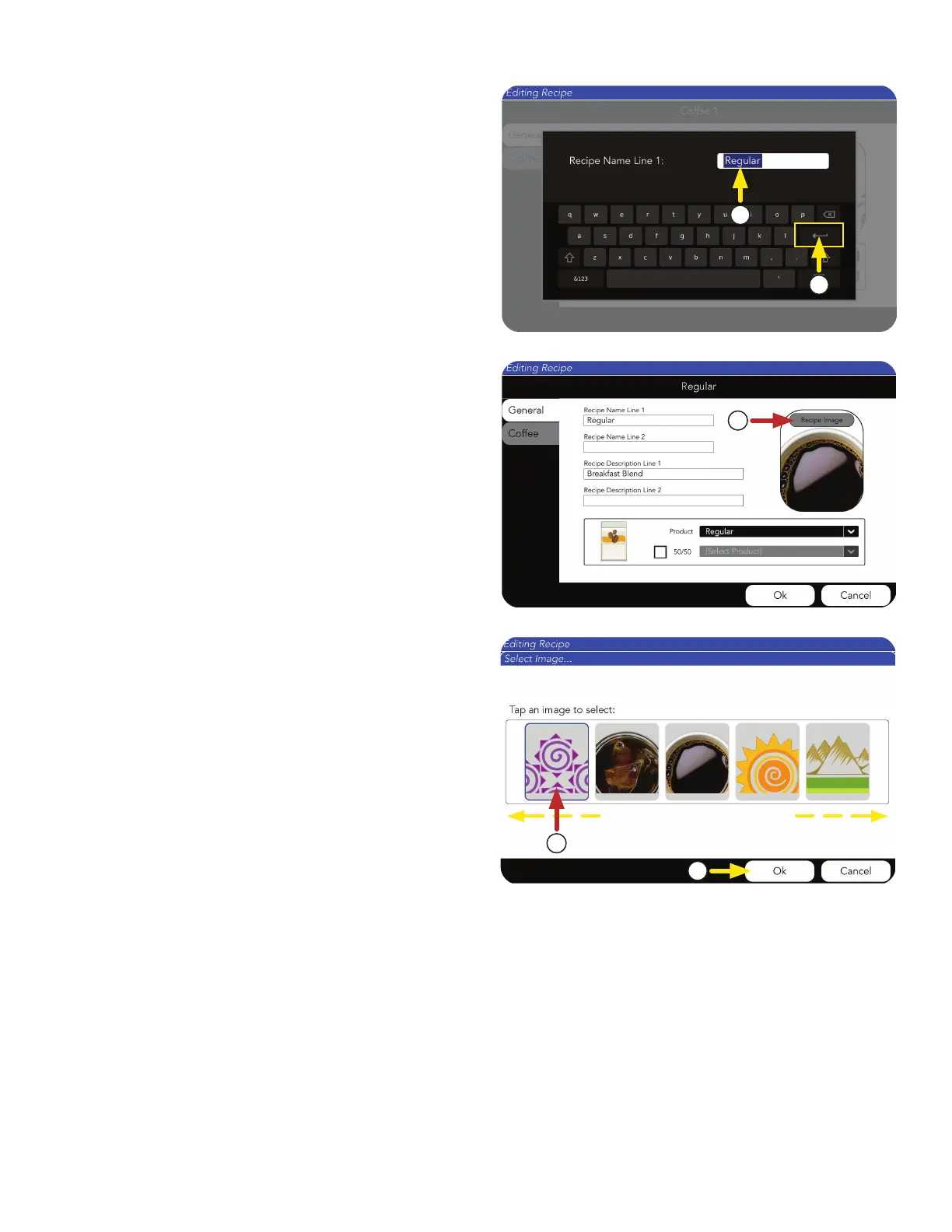
9. Next, the Recipe Image can be changed,
if preferred.
By pressing the Recipe Name Line 1 and Recipe
Description Line 1 text fields, an input screen
will appear.
7. Type the description.
8. Press the Return key to complete.
7
8
9
10. By swiping side-to-side, you can see the
icon library.
11. Select the image, and press OK.
10
11



 To Next Page