65
YOUR BRAND
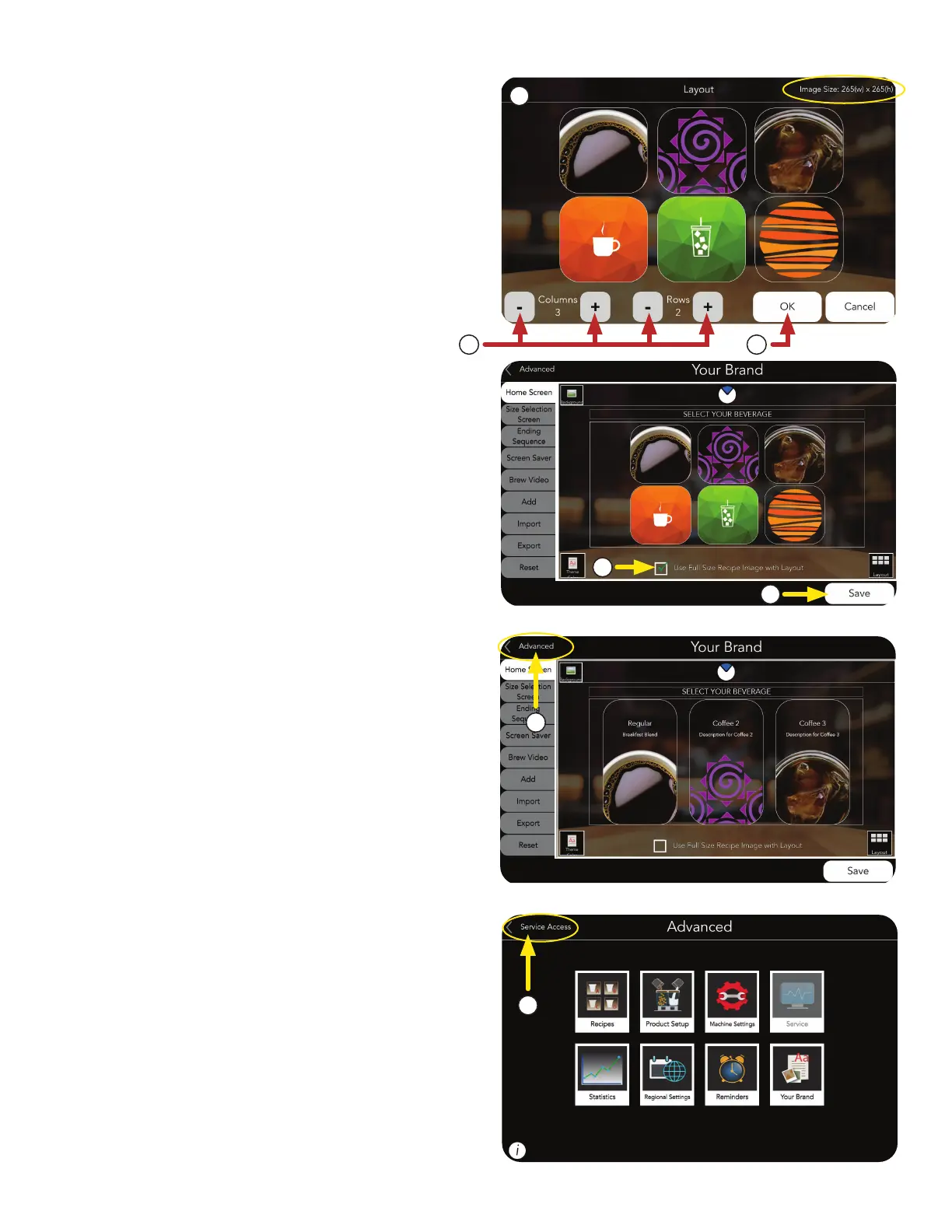
3. Select SERVICE ACCESS.
2. Select ADVANCED to close out of Your Brand.
e. Select Save if any changes were made.
d. To enable Full Size Recipe Images with
Layout, check box.
c. If a new layout is chosen, press OK.
b. Layout screen appears.
NOTE: Images will conform to the size selected.
The optimal size for the layout selected is shown
in the upper right corner of the screen.
i. To change the columns and rows of the
beverage icons, select the Plus or Minus
buttons to edit the numbers.
e
i
7
8
b
d
c
■
BEVERAGE ICON LAYOUT (continued)



 To Next Page