19
First we will setup a coffee Product.
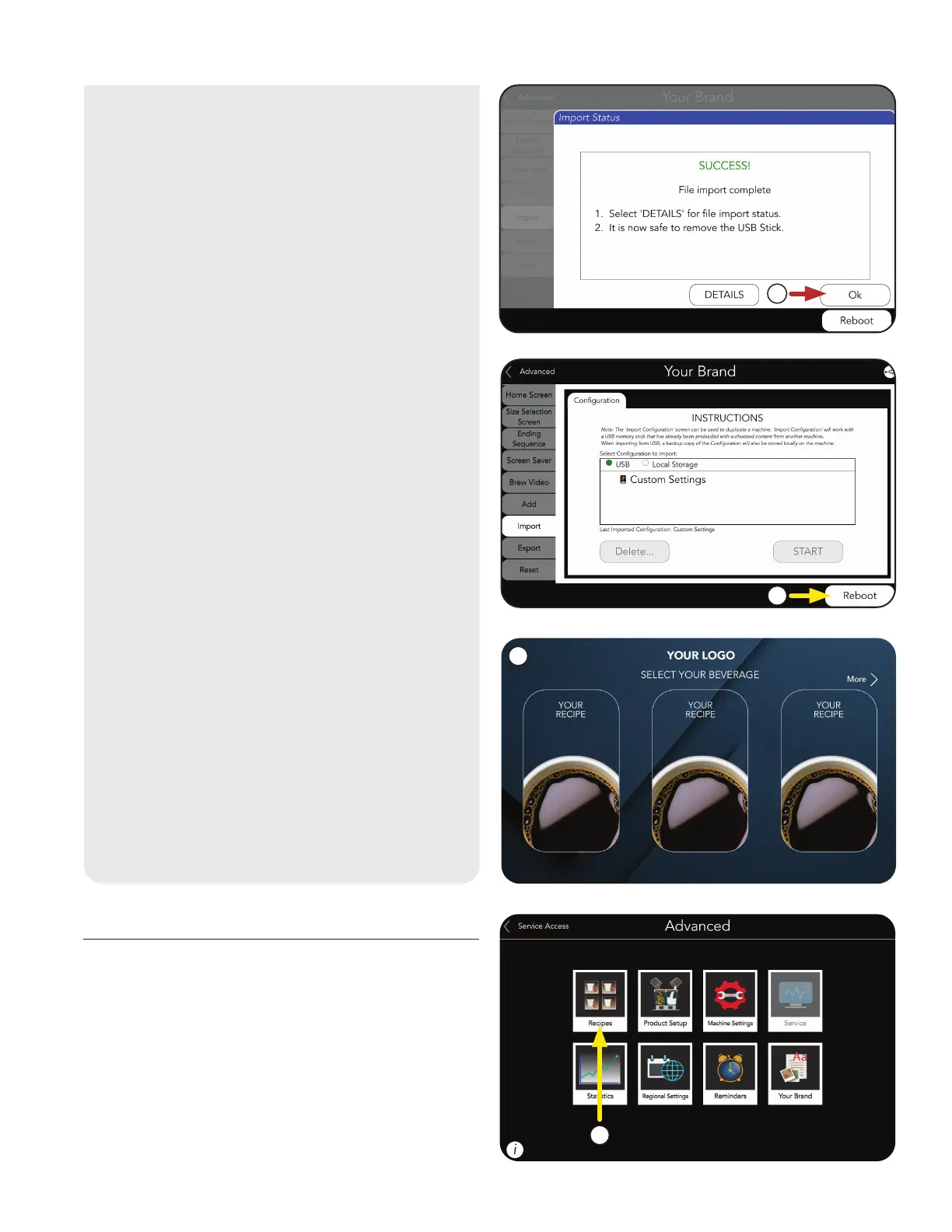
1. Touch the RECIPES icon.
Product Setup
PRODUCT AND RECIPE SETUP
9. The machine will update with your
custom Configuration files.
8. Press Reboot button to complete import.
After the machine updates, the HOME
screen should appear, and the
Products and variables you
imported should be available.
NOTE: This will restart the machine’s
operating system.
7. When the import is completed, the
OK button can be selected and the
USB Stick can be safely removed.
7
8
9
1
continued >



 To Next Page