20
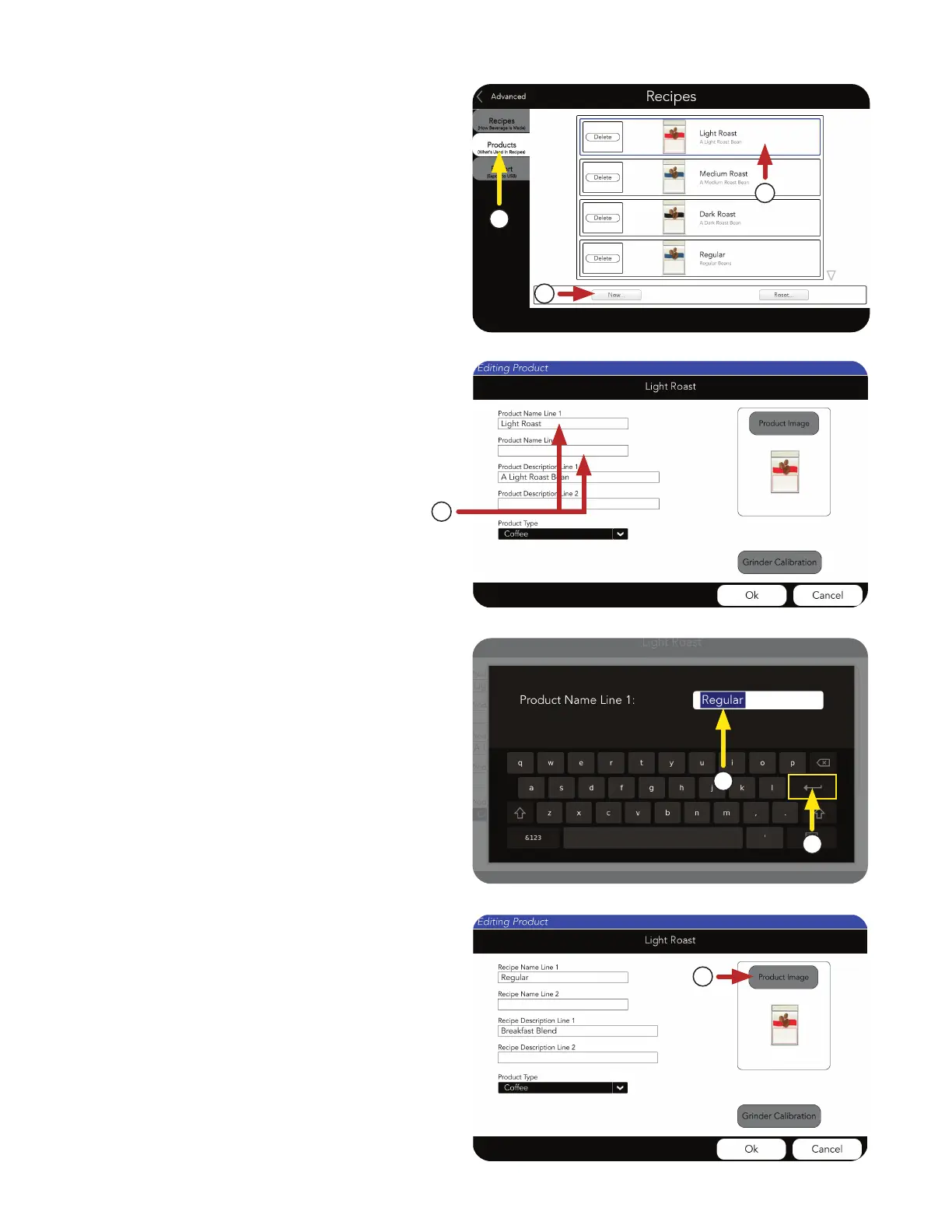
2. Next, touch the PRODUCTS tab.
3. Choose a product to edit.
4. Or, create a New Product.
We will use the “Light Roast” as an example.
5. Next, choose the Product Name Line 1 field.
NOTE: There is a second field if you need more
space to name your product.
6. Type the name of your coffee, for example
“Regular”
7. Press Return.
NOTE: The Product Name Line 1 and Product
Description Line 1 have been updated for
this example.
8. Now, choose a Product Image, or use the
existing badge.
PRODUCT AND RECIPE SETUP
2
3
4
5
6
7
8
Product Setup (continued)



 To Next Page