58
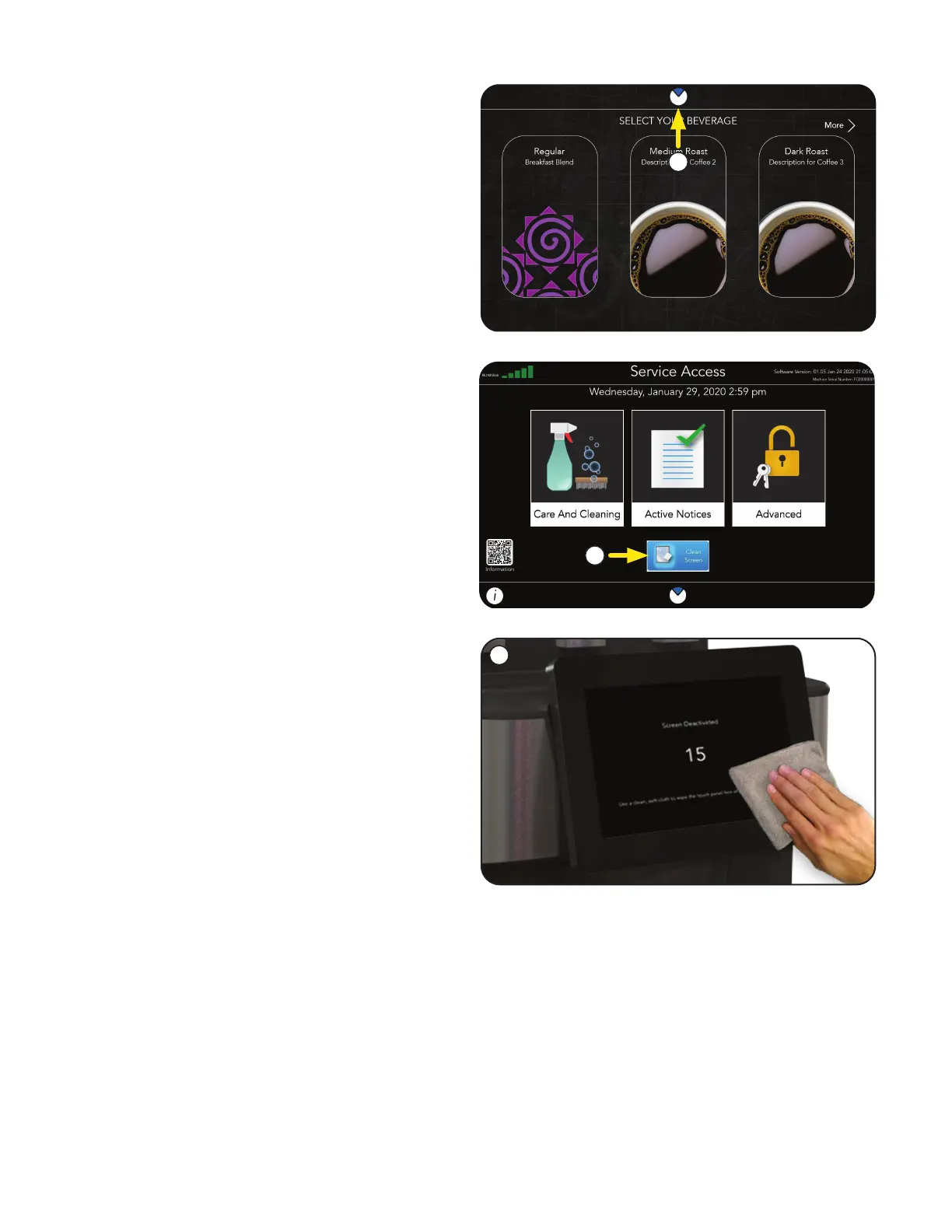
NOTE: During this time, screen functions will
be disabled.
Clean the touchscreen using the cloth provided
in the cleaning products. Surface should be free
of debris and dry to the touch once completed.
Once the allotted time for touch screen cleaning
has expired, the system will reset, and return to
the home screen.
3. During Touch Screen Cleaning, a countdown
screen will appear, indicating time remaining to
clean the touchscreen.
2. From the SERVICE ACCESS screen, press the
Clean Screen button.
1. Touch and hold the BUNN logo for a
few seconds until the SERVICE ACCESS
screen appears.
Touch Screen - As Needed
1
2
3
CARE AND CLEANING



 To Next Page