60
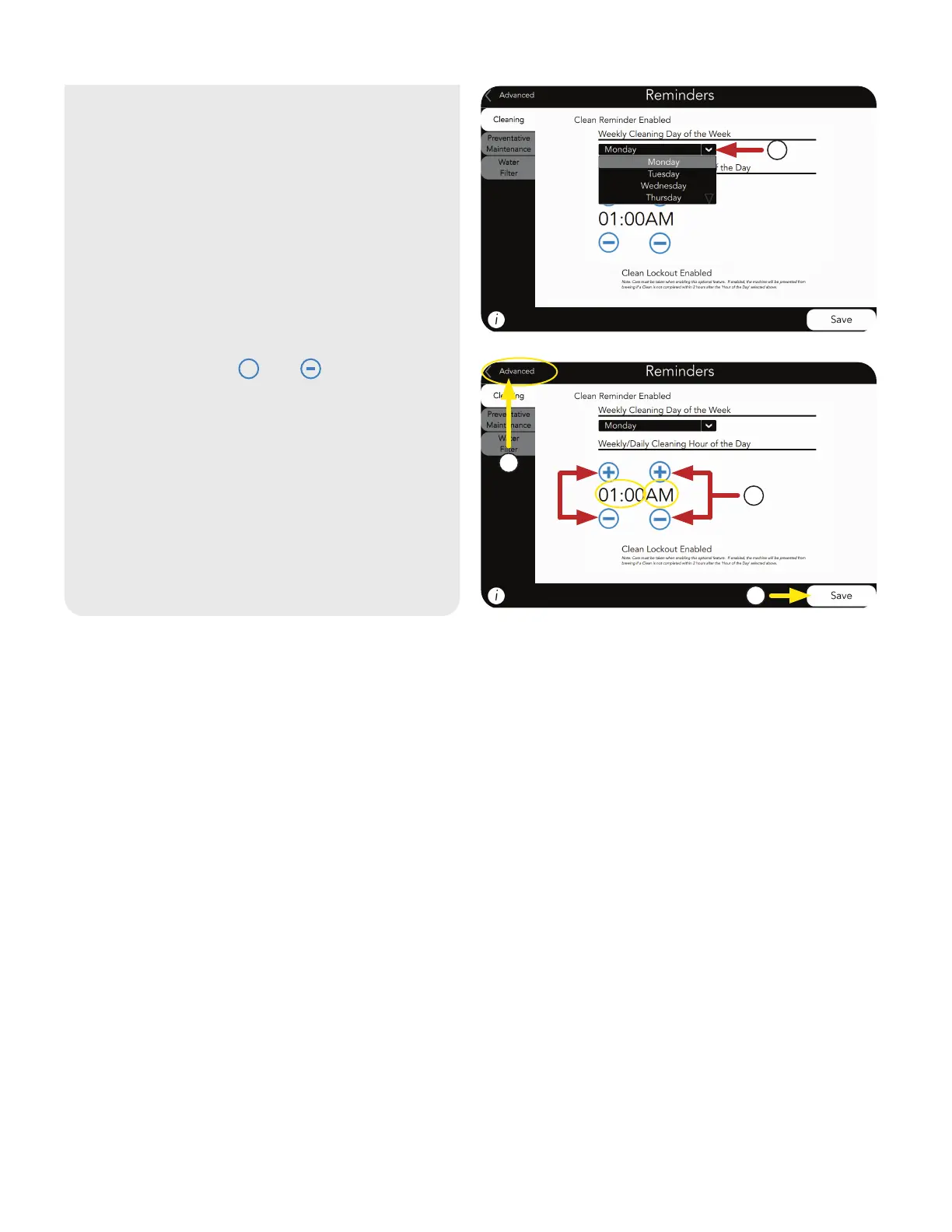
6. Next, press the and symbols to
change the Time, then AM or PM.
7. Press SAVE if changes are made.
8. Press ADVANCED to return to SERVICE
ACCESS screen.
+
5. Use the drop down menu to select the
preferred Day of the Week to clean.
6
7
8
5
CARE AND CLEANING
CLEANING REMINDER
(continued)



 To Next Page