22
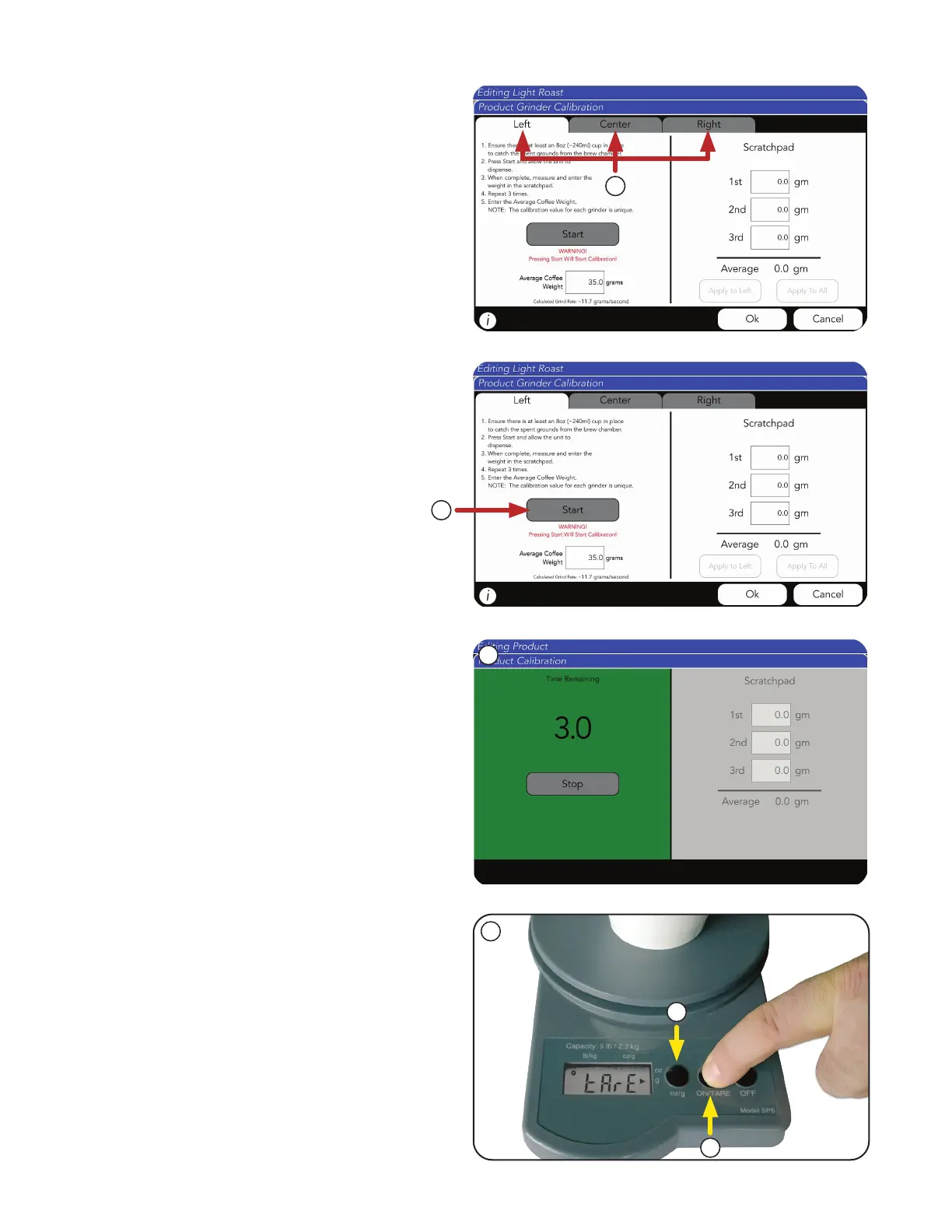
2. Choose a hopper from the tabs.
The default is the left hopper.
NOTE: Choosing the hopper during calibration
is simply telling the machine which grinder
to turn on. A unique calibration is stored for
each product.
3. Next, press the Start button to prime the grinder
with beans.
4. Follow on-screen prompts.
WARNING: All three hoppers must be locked in
position before starting.
PRODUCT AND RECIPE SETUP
5. Tare (zero) empty receiving container
(Grounds Bin) or cup on digital weigh scale.
a. Select Tare
b. Select grams.
2
3
4
5
b
a
Grinder Calibration (continued)



 To Next Page