39
OPERATING INTERFACE
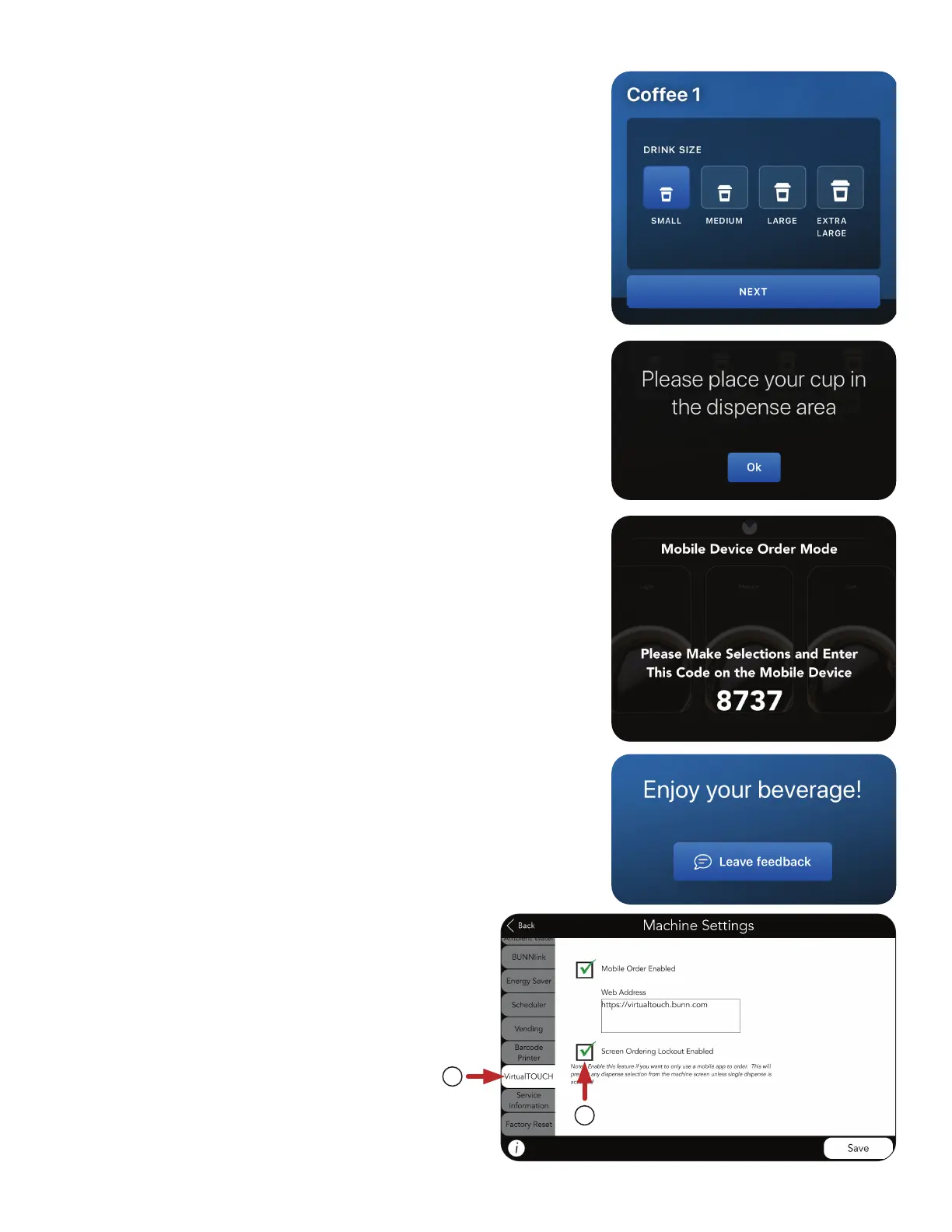
4. Select Size.
Press NEXT.
5. Place your Cup in position. For iced beverage, place cup with
ice in position.
Press OK.
6. Enter the 4-digit code as it is shown on the display of the
machine
Press DISPENSE.
NOTE: This is to confirm that you are standing in front of the
machine and ready to take the drink.
7. Allow time for the beverage to finish dispensing
before removing the cup. Enjoy!
Screen Ordering Lockout
1. In MACHINE SETTINGS, select
VirtualTOUCH tab to enable lockout for
touchless dispensing only.
2. Select Checkbox next to
Screen Ordering Lockout Enabled
to use this feature.
1
2



 To Next Page