44
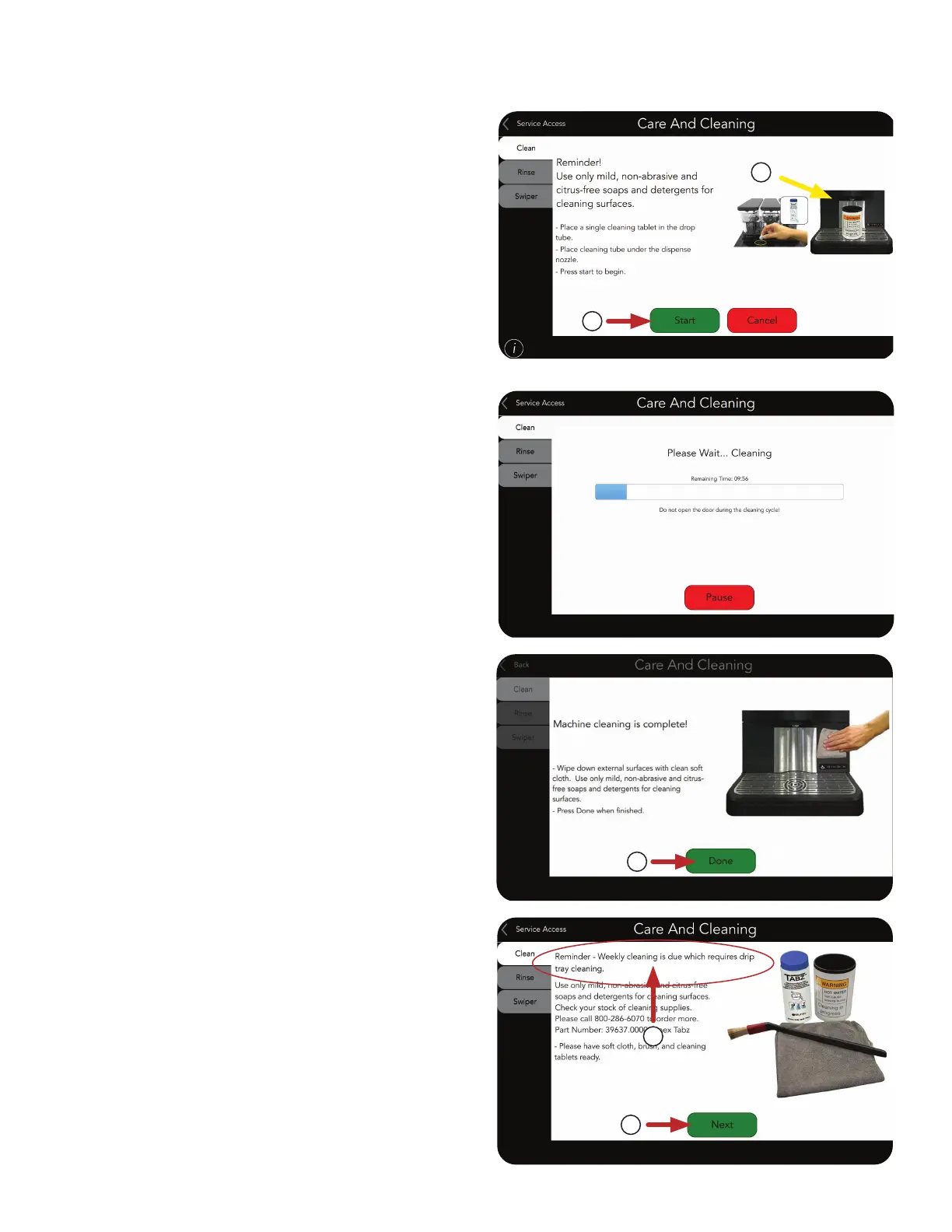
NOTE: An automatic Clean cycle will start.
A progress bar will appear to keep the
operator informed
.
CARE AND CLEANING
Daily Cleaning
(continued)
6
6. Press Start to continue.
NOTE: This process can be stopped by
pressing the Cancel button. This will reset
the machine.
5. Place the Cleaning Tube under the
dispense nozzle.
5
Drip Tray
1. When weekly cleaning is due, a Reminder will
appear on the screen.
2
1
2. Press Next to begin.
Weekly Cleaning
7. Press Done button when complete.
7



 To Next Page