55
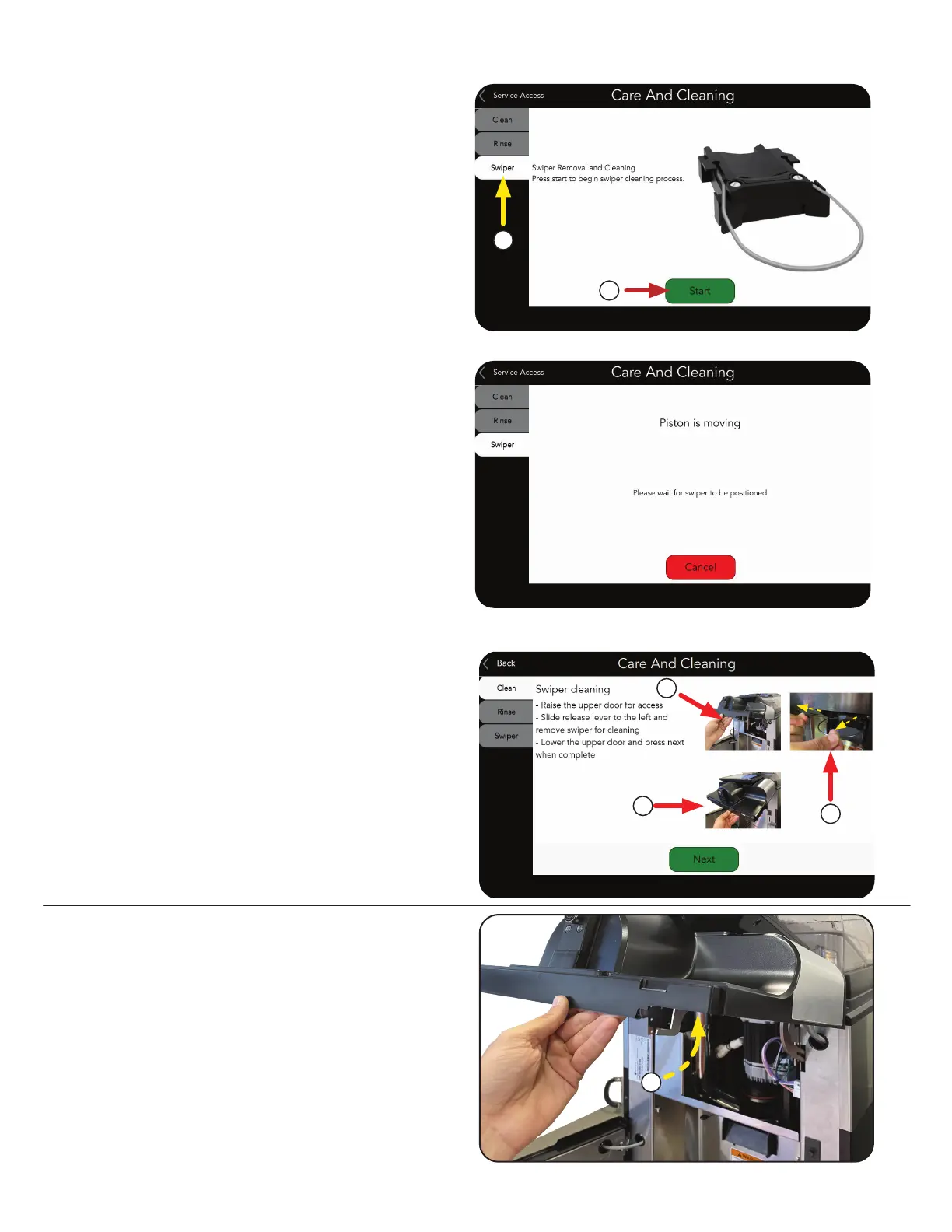
The Piston will slide up to give access to
the Swiper.
3. Open the Lower door and raise the Upper door.
2. Press the Start button.
NOTE: This process can be stopped by
pressing the Cancel button.
1. Selecting the Swiper tab from the Care
and Cleaning screen to show steps to
remove the Swiper.
1
2
Close-ups of SWIPER Tab screens.
a. Open Door.
CARE AND CLEANING
►SWIPER Tab - As Needed
a
4. Remove the Swiper.
5. Lower the Upper door and press the Next
button.
3
4
5



 To Next Page