SmartWAVE
®
Training Manual
18
Troubleshooting and Repair
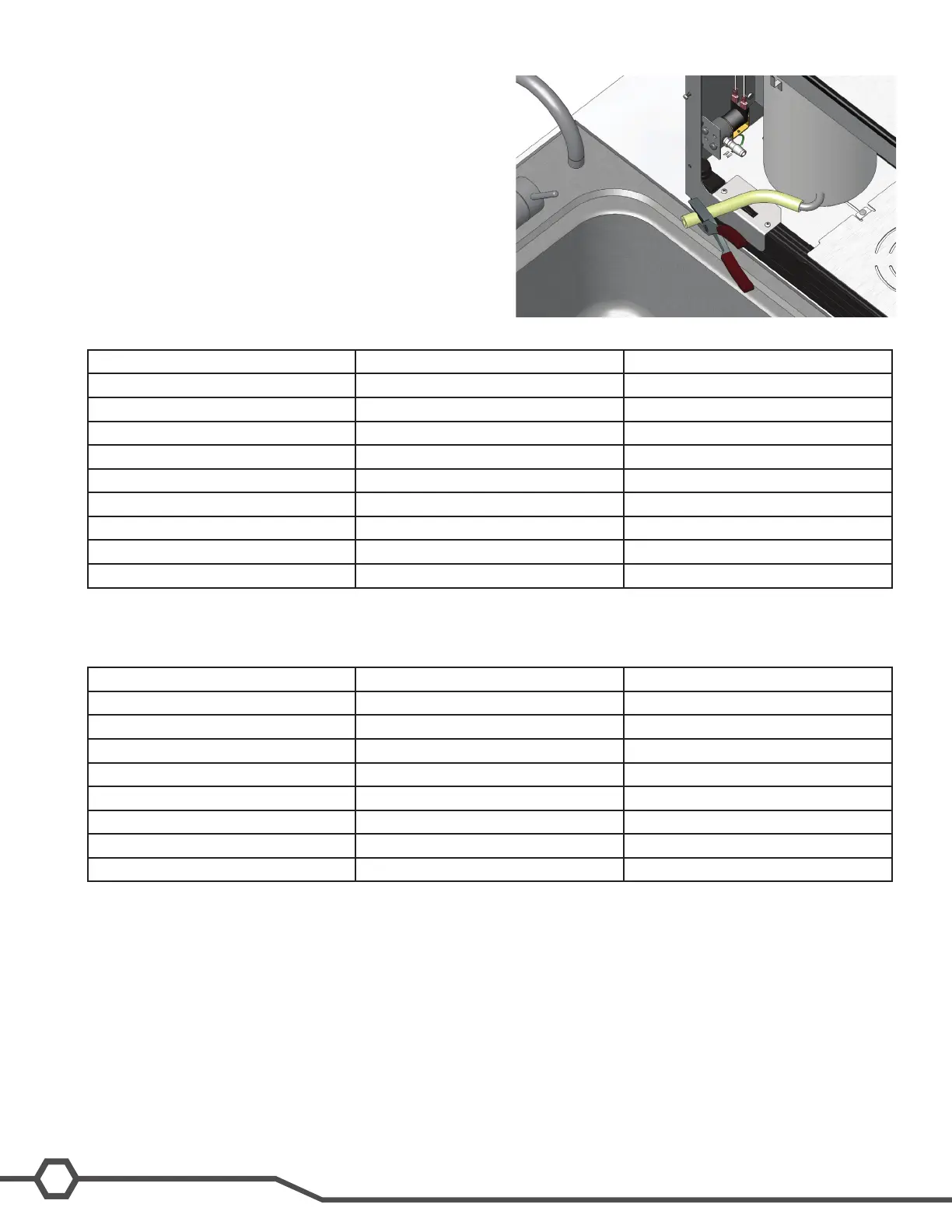
Draining the Tank
Step 1:Disconnectthewaterandelectricalsupplies.
Step 2:Removethefrontcover.
Step 3:Pinchoffthellhose.
Step 4:Loosentheclampfromthellsolenoid.
Step 5:Removethehosefromthesolenoidanddrainintoa
sink or bucket.
Service Fault Codes- Digital SmartWAVE
®
Display Message Description Action
ER 1 Temperature sensor shorted Check the temperature sensor
ER 2 Temperature sensor open Check the temperature sensor
ER 3 Heating time too long Troubleshoot heating circuit
ER 4 Relltimetolong Troubleshootrellcircuit
ER 5 High tank level- during brew Delime sprayhead and tube
ER6 Enable Brew On/Off switch Check switch
ER 7 Brew A switch Check switch
ER 8 Brew B switch Check switch
ER 9 Hidden switch Check switch
Service Fault Codes- SmartWAVE
®
Silver Series
Red LED Flashes Description Action
1 Temperature sensor shorted Check the temperature sensor
2 Temperature sensor open Check the temperature sensor
3 Heating time too long Troubleshoot heating circuit
4 Relltimetolong Troubleshootrellcircuit
5 High tank level- during brew Delime sprayhead and tube
6 Enable Brew On/Off switch Check switch
7 Large batch switch Check switch
8 Small batch switch Check switch
Troubleshooting
Like all BUNN
®
equipment the most important tools required for troubleshooting are the wiring schematic and a multi-
meter. As with all digital equipment eliminate all component issues prior to replacing the control board.
It is always a good idea to do some quick checks prior to working on the machine to eliminate site issues. Check
watersupplytothemachine,makesurethewaterltrationoutputpressureiswithinspecicationandensureallof
the water supply valves are open. Check to make sure the machine is plugged in, the breaker is turned on, and that
correct voltage is being supplied.



 To Next Page