27
TIME SETTINGS
Edit>Settings>Time Settings
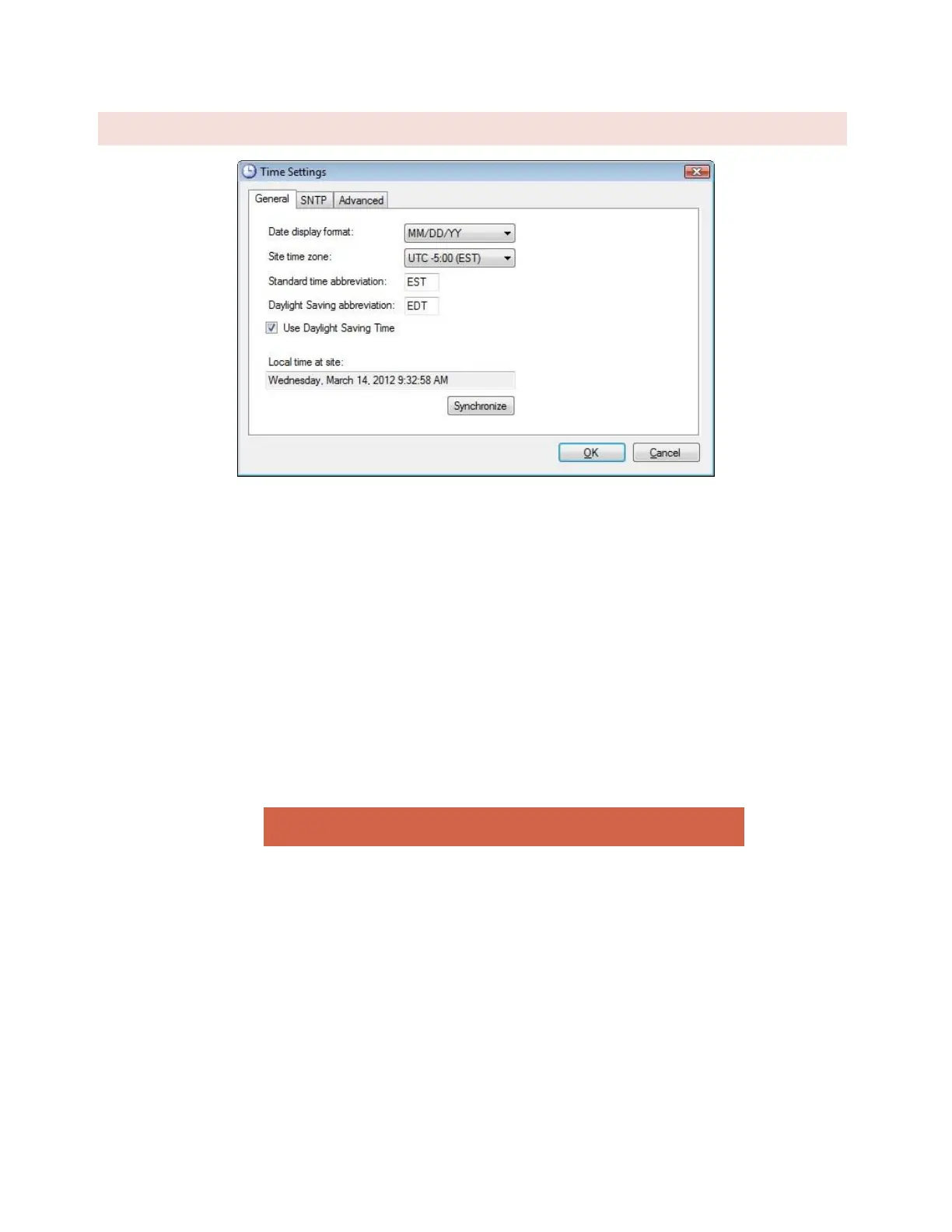
To change the date and time settings for the ARC Plus SL, choose Time Settings from the Edit > Settings menu. This
opens the Time Settings dialog.
The General tab allows you to adjust the date display format, time zone, and the abbreviations used for the time
zone. If the ARC Plus SL location observes Daylight Saving Time, check the box for DST.
To synchronize the time with your local PC, press the Synchronize button. AutoLoad Plus will set the ARC Plus SL
site to the time shown on your Windows clock, adjusting for any time zone difference.
To configure the ARC Plus SL to synchronize with an SNTP time server, use the SNTP tab. Enter the time server IP
address, port, and rate (in minutes) at which the ARC Plus SL should synchronize.
Note: Using an SNTP server is recommended to ensure accurate timestamps and
scheduled operations..
The Advanced tab allows you to change the rules for Daylight Saving Time. The ARC Plus SL uses United States
rules for DST by default. Changing these rules is only necessary for locations that follow different rules.



 To Next Page