41
SITE SETTINGS
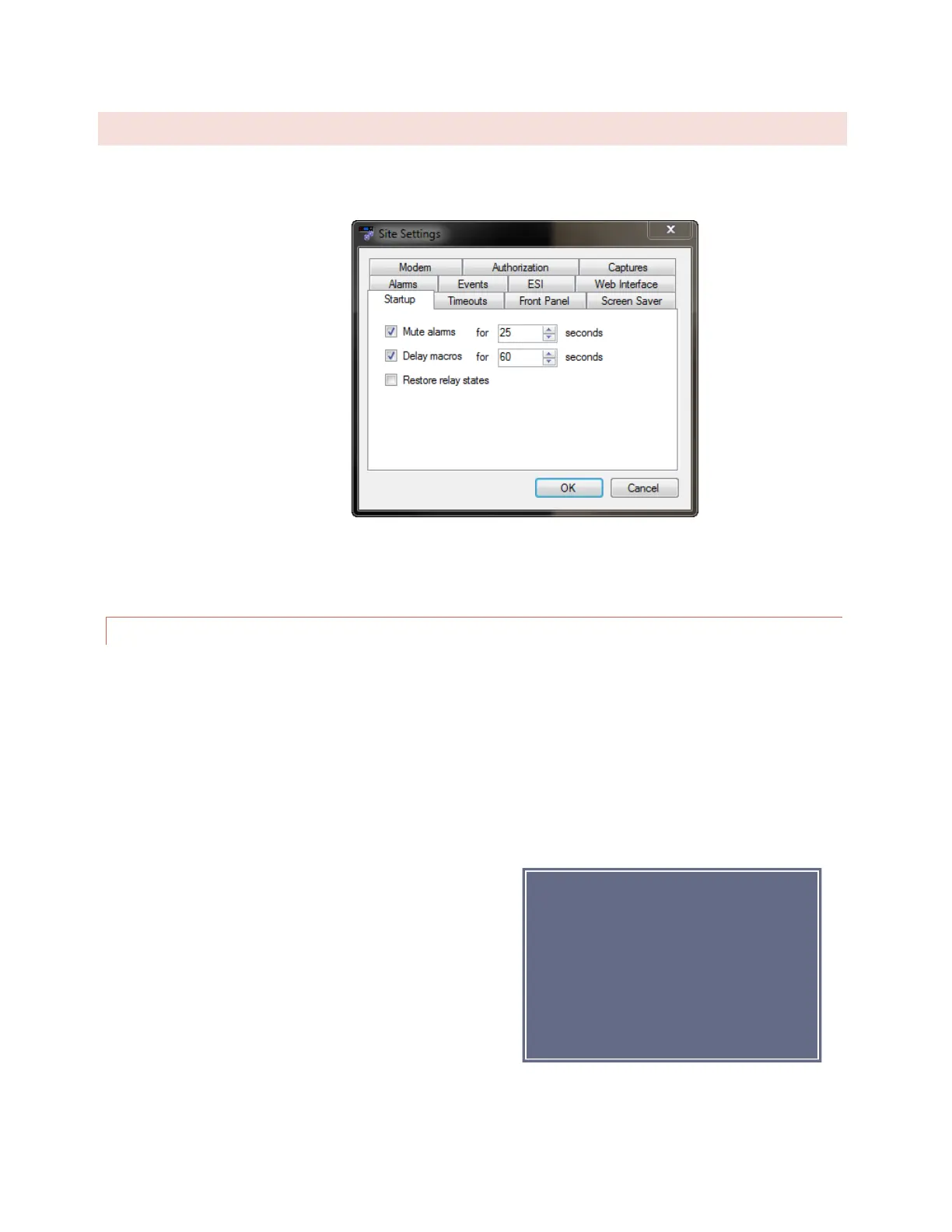
Many system settings are user-definable, and can be configured by accessing the Site Settings dialog from the Edit
> Settings menu.
Edit>Settings>Site Settings
STARTUP BEHAVIOR
The Startup tab allows you to configure ARC Plus SL behavior on initial power up.
Check the Mute alarms box to suppress all alarm notifications for a specified duration after startup. This provides
an opportunity for equipment to recover from a power loss after startup without causing out of tolerance
conditions.
Check the Delay macros box to prevent any macros from running during the specified duration after startup. This
feature can be used to prevent macros from using readings from equipment that has not yet stabilized or sending
commands to equipment that has not yet come back online.
For older systems installed with legacy PlusBus ICRU units, the
Restore relay states box allows you to configure the behavior
of the ICRU relays upon recovery from a loss of power. Check
the Restore relay states box if you want the ARC Plus SL to
return all command relays to the state that was saved upon
loss of power. Leave the box unchecked if you want the relays
to remain open when power is restored.
Note:
For Plus-X IIU and ICRU systems, the
relay state will be automatically
restored upon power recovery. Leaving
the Restore relay states box unchecked
will not disable this feature.



 To Next Page