28
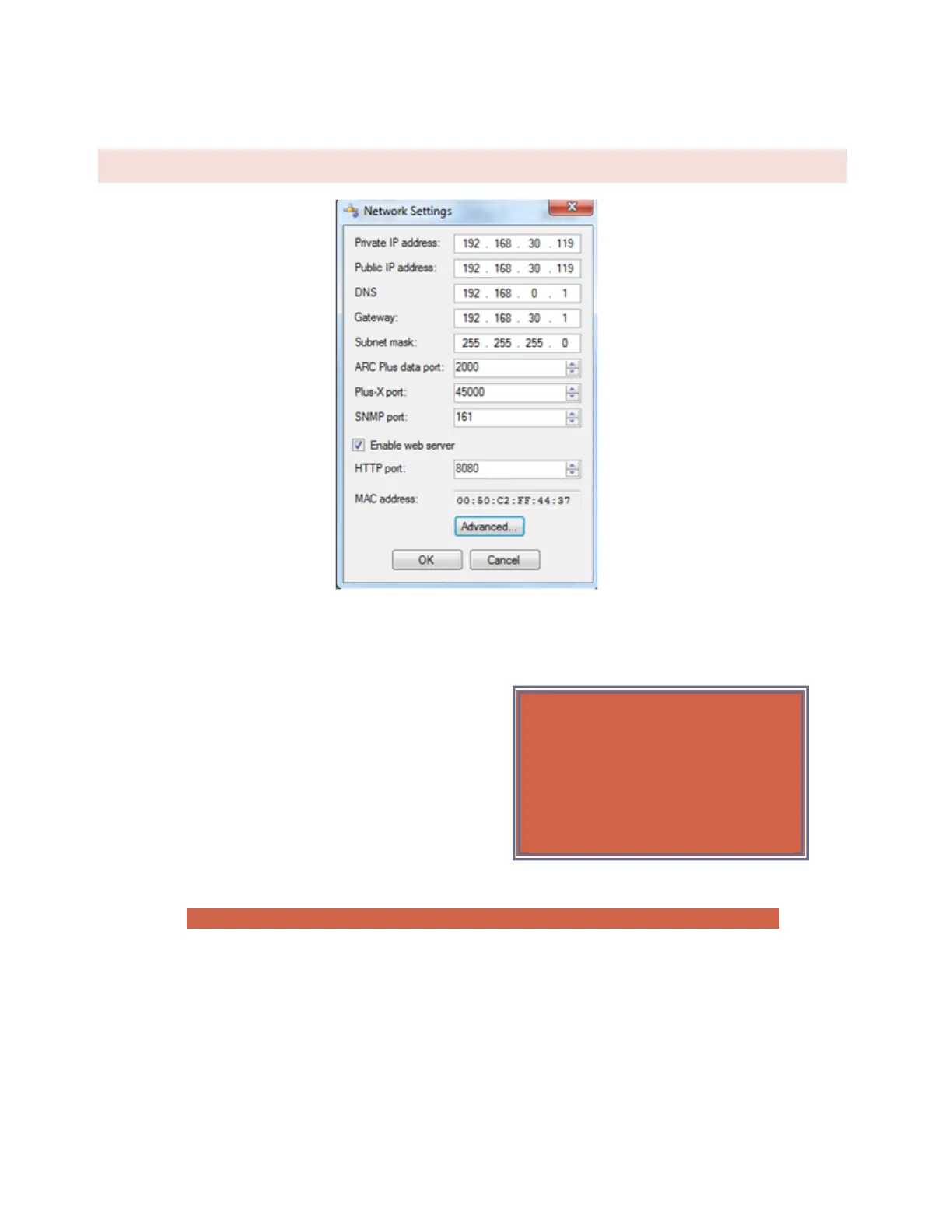
NETWORK SETTINGS
Edit>Settings>Network Settings
To change the IP address and other network settings for the ARC Plus SL, choose Network Settings from the Edit >
Settings menu. This will open the Network Settings dialog.
The port default settings are; ARC Plus data port: 2000, Plus-
X port: 450000, SNMP port: 161 and HTTP port: 80.
To allow the ARC Plus to communicate over TCP/IP networks
with longer than typical network delays, click the Advanced
button and click the Enable Longer TCP Timeouts checkbox
If you are unsure of the settings to use, contact your network
administrator.
Note: In order to reference a mail server by host name instead of IP address, a DNS Server is required.
If your firewall is configured to block access to port 80, the HTTP Port setting can be used to change the port on
which the embedded web server communicates.
If, for security reasons, you wish to turn off the embedded web server, uncheck the box marked Enable web
server. You will not be able to log in to the web page if this box is checked.
Important!
After clicking the OK button in the
Network Settings dialog, AutoLoad will
immediately commit your changes and
reconnect to the ARC Plus SL.



 To Next Page