73
USING A COMMAND TO SEND AN SNMP MESSAGE
SNMP has been selected in the Source dialog shown above. Based on the Command Type setting for the
channel, either a “Momentary” or “Latching” SNMP command sequence will be sent when a raise or lower
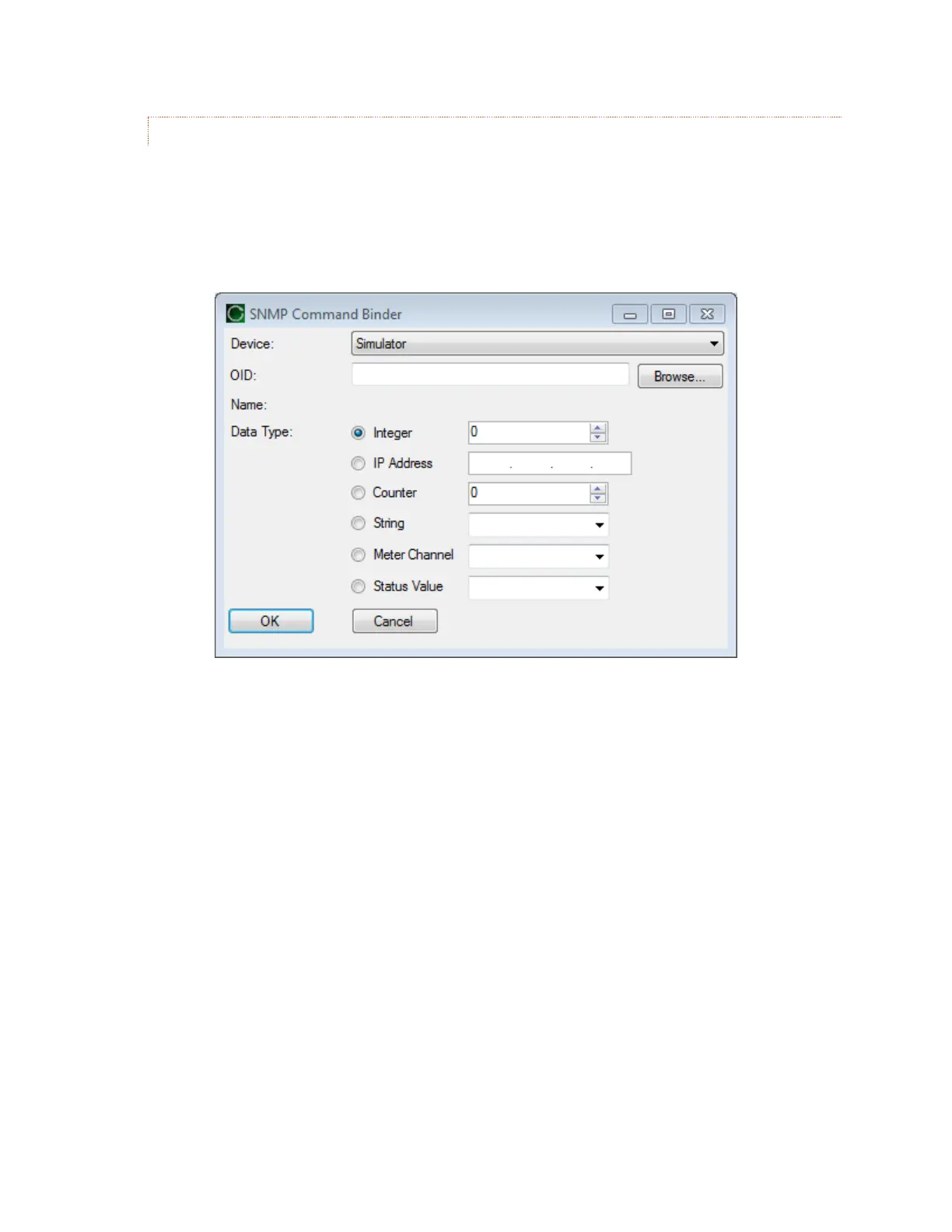
command is initiated. To define the SNMP OID’s to be sent for a raise or lower action, click the
corresponding […] button. This will open the SNMP Command Binder shown below.
[…]
For Raise commands on channels set to “Momentary”:
1. A Raise command causes transmission of an SNMP OID, as specified in the “Raise On” setting. (The
“Lower Off” OID is also sent at this time to ensure that the Raise and Lower functions are not active at
the same time.)
2. The delay specified in the “Command Duration” setting is observed before executing step 3.
3. The command is completed by transmission of the specified “Raise Off” OID. (The “Lower Off” OID is
also sent at this time.)
For Lower commands on channels set to “Momentary”:
1. A Lower command causes transmission of an SNMP OID, as specified in the “Lower On” setting. (The
‘Raise Off” OID is also sent at this time to ensure that the Raise and Lower functions are not active at
the same time.)
2. The delay specified in the “Command Duration” setting is observed before executing step 3.
3. The command is completed by transmission of the specified “Lower Off” OID. (The “Raise Off” OID is
also sent at this time.)
For command channels set to “Latching”:



 To Next Page