EasyManua.ls Logo

Burkert 8025 - User Manual

Burkert 8025
140 pages
Print Icon
To Next Page IconTo Next Page
Loading...
Operating Instructions
Bedienungsanleitung
Manuel d‘utilisation
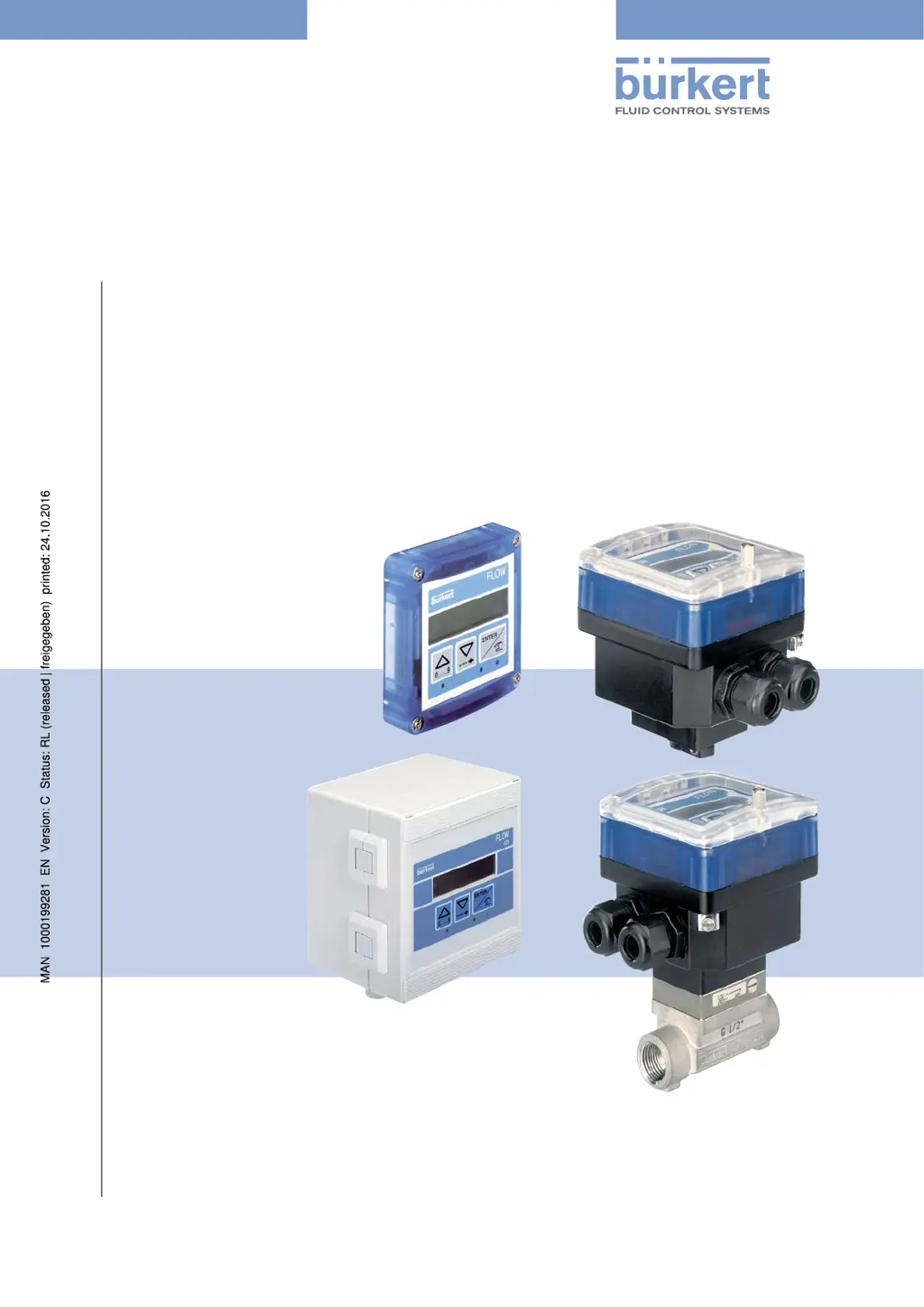
Type 8025 - 8035 - SE35
BATCH
Batch controller
Dosiergerät
Contrôleur de dosage

Table of Contents

Other manuals for Burkert 8025

Questions and Answers

  • M
    Miss April Morris MDAug 27, 2025
    What does 'WARN. LO' mean on Bürkert Measuring Instruments and how do I resolve it?
    • S
      Steven PhillipsAug 27, 2025
      If the Bürkert Measuring Instruments displays 'WARN. LO', the measured flow rate has stayed under the minimum threshold for the set time delay. Check the flow rate in the pipe and its consequences on the process. If necessary, clean the flow sensor.
  • M
    Monica PrattAug 28, 2025
    Why is the displayed flow rate not stable on my Bürkert Measuring Instruments?
    • T
      Terri TurnerAug 28, 2025
      If the displayed flow rate of your Bürkert Measuring Instruments is not stable, ensure there is fluid in the pipe and choose a higher filter value.
  • K
    Kevin SullivanAug 28, 2025
    How to troubleshoot a Bürkert Measuring Instruments that does not properly measure the flow rate?
    • N
      Nathan VangAug 29, 2025
      If the Bürkert Measuring Instruments device does not properly measure the flow rate, check that the K factor corresponds to the fitting used. You may also need to carry out a Teach-In procedure to determine the K factor of the fitting used.
  • I
    Isaiah PageAug 29, 2025
    Why is the displayed flow rate always nil on my Bürkert Measuring Instruments?
    • F
      Frank LewisAug 29, 2025
      If the displayed flow rate on your Bürkert Measuring Instruments is always nil, ensure the flow rate in the pipe is not nil, check that the entered K factor is correct. Also, consider choosing a smaller flow rate unit or increasing the number of displayed decimals.
  • T
    Tina ChavezAug 30, 2025
    Why does the displayed flow rate change very slowly on my Bürkert Measuring Instruments?
    • E
      Erik HillAug 30, 2025
      If the displayed flow rate on your Bürkert Measuring Instruments changes very slowly, ensure there is fluid in the pipe and choose a lower filter value.
  • A
    Ashley MoralesAug 30, 2025
    What to do if my Bürkert Transmitter shows 'PWR FAIL'?
    • R
      Robert HowellAug 31, 2025
      If the Bürkert Transmitter displays 'PWR FAIL', it indicates that the supply voltage is too low. This could be because the voltage at the device terminals is below 12 V or the impedance of the current measurement loop is too high. To resolve this, adjust the supply voltage to ensure the voltage at the device terminals is between 12 V and 36 V.
  • J
    jacqueline87Aug 25, 2025
    How to fix a Bürkert Measuring Instruments display that is OFF?
    • A
      Andrea BoyerAug 25, 2025
      If the Bürkert Measuring Instruments display is off, ensure the red and black wires are correctly wired to the terminal block. Also, verify the power supply switch is set to ON and the batteries are correctly positioned. If it remains off, replace the batteries.
  • M
    Marc CobbSep 1, 2025
    What to do if my Bürkert Transmitter displays ERROR 3?
    • J
      jsotoSep 1, 2025
      If your Bürkert Transmitter displays 'ERROR 3', it indicates a memory read error, meaning the user settings are lost. First, switch the device off and then on again. If the message persists, press the ENTER key to acknowledge the error, which will allow the device to operate with the default settings. Readjust the device. If the error message appears frequently, it's recommended to send the device back to your supplier.
  • M
    Michael CraigSep 1, 2025
    What to do if my Bürkert Transmitter displays ERROR 4?
    • J
      joel59Sep 1, 2025
      If your Bürkert Transmitter displays 'ERROR 4', it signifies a memory read error where the totalizer values are lost. To resolve this, press the ENTER key to acknowledge the error. The values of the totalizers are then set to those of the last start of the device. Make sure you check the values of the totalizers.
  • B
    bradnolanSep 2, 2025
    What to do if my Bürkert Transmitter displays ERROR 7?
    • M
      Michelle LawrenceSep 2, 2025
      If your Bürkert Transmitter displays 'ERROR 7', it indicates a memory read error where the user settings and the totalizer values are lost. To solve this, press the ENTER key to acknowledge the error: the totalizers are reset. After that send the device back to your supplier.

Summary

Operating Instructions

About Operating Instructions

Guidance on manual usage, symbols, and document validity.

Intended Use

Specifies the device's designed purpose and operational limitations.

Basic Safety Information

Critical safety warnings for device operation, installation, and use.

Device Description

Area of Application

Details the intended use and scope of the device's functionality.

Device Construction

Describes the physical build and different versions of the device.

Name Plate Description

Explains the markings and data presented on the device's name plate.

Technical Data

8025 Batch Technical Data (Compact)

Comprehensive technical specifications for the 8025 Batch compact version.

8025 Batch Technical Data (Panel)

Technical specifications for the 8025 Batch panel-mounted version.

8025 Batch Technical Data (Wall-mounted)

Technical specifications for the 8025 Batch wall-mounted version.

SE35 Batch Technical Data

Technical specifications for the SE35 Batch dosing controller.

8035 Batch Technical Data

Technical specifications for the 8035 Batch dosing controller.

SE35 Batch (S070;S077) Technical Data

Technical specs for SE35 Batch with specific sensor fittings.

Fluid Installation

Fluid Installation Safety

Critical safety instructions for fluid installation.

Installing the 8025 Batch (Compact)

Step-by-step guide for installing the compact 8025 Batch.

Installing the 8035;SE35 Batch

Installation guides for 8035 and SE35 Batch units.

Installing the 8025 Batch (Panel)

Guide for installing the 8025 Batch in a panel.

Installing the 8025 Batch (Wall-mounted)

Instructions for wall-mounting the 8025 Batch.

Electrical Installation and Wiring

Electrical Safety and Cable Specs

Safety precautions and cable requirements for electrical work.

Equipotentiality and Grounding

Ensuring proper grounding for electrical safety.

Selector Settings and Terminal Assignments

Mapping of terminals and configuration of device selectors.

Wiring Specific Device Versions

Specific wiring instructions for different device models and outputs.

Commissioning

Commissioning Safety and Procedure

Safety warnings and step-by-step guide for initial device setup.

Operating and Functions

Operating Safety and Levels

Safety guidelines and overview of device operational modes.

Navigation and Menu Operations

Using navigation keys and understanding device menus.

Parameters Menu Configuration

How to configure various device parameters.

Test Menu Operations

Steps for testing device inputs, outputs, and functions.

History, Information, and Remote Messages

Accessing logs, viewing messages, and remote consultation.

Maintenance and Troubleshooting

Maintenance Safety and Cleaning

Safety precautions and device cleaning instructions.

Troubleshooting: LED Status Issues

Resolving problems based on device LED indicators (OFF, RED, ORANGE).

Troubleshooting: Dosing and Warning Problems

Solutions for issues occurring during dosing or with warning messages.

Spare Parts and Accessories

Packaging, Transport, Storage, Disposal

Packaging, Transport, Storage

Guidelines for safe handling, shipping, and storing the device.

Device Disposal

Environmentally responsible methods for disposing of the device.

Burkert 8025 Specifications

General IconGeneral
DisplayLCD
Protection ClassIP65
Output4-20 mA
Output Signal4-20 mA
MaterialStainless steel
Operating Temperature-15 to +80 °C (depending on material)

Related product manuals