116
Auxiliary functions
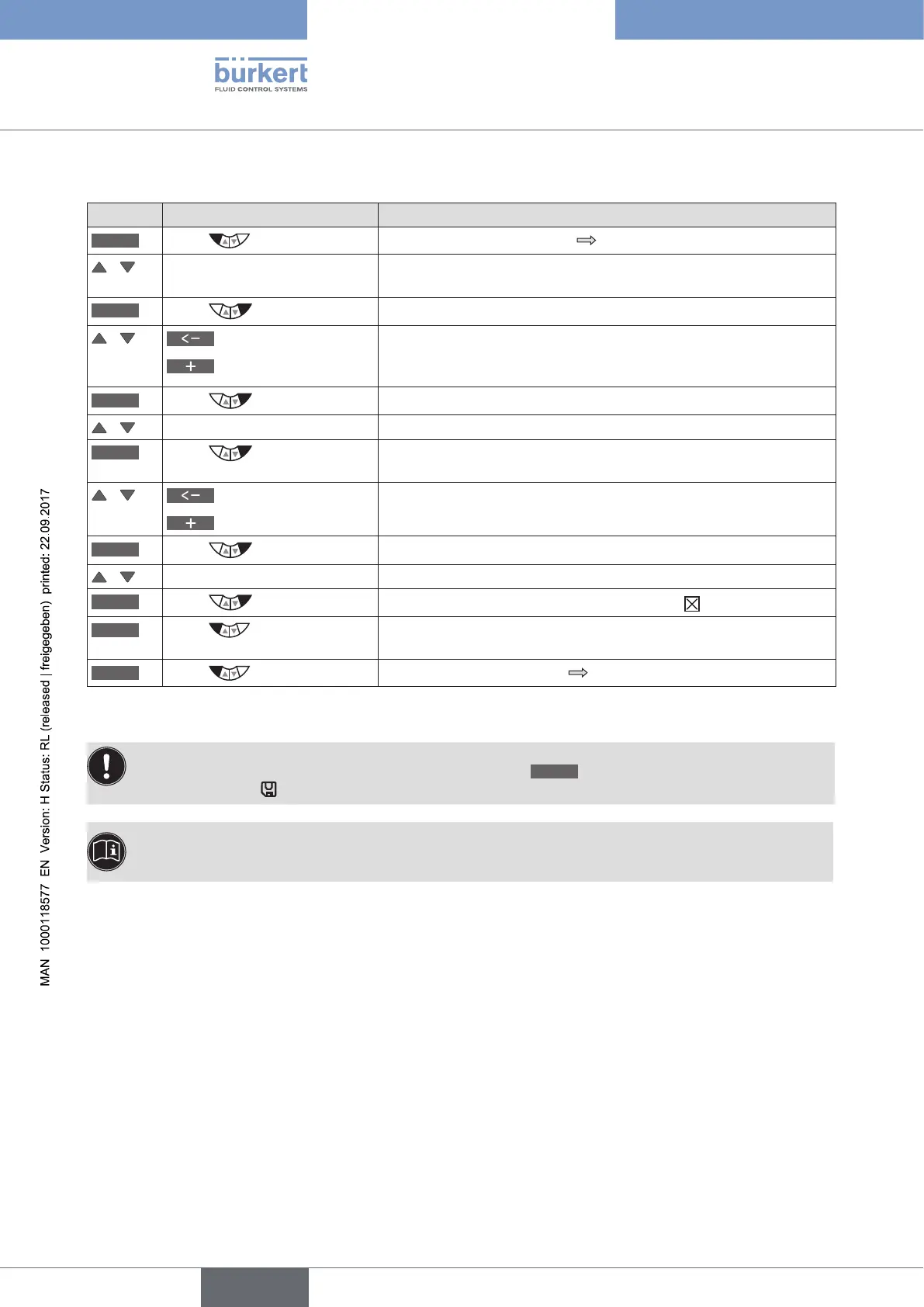
Setting the code protection:
Key Action Description
MENU
Press for approx. 3 s
Switching from process level setting level.
/ Select SECURITY (To do this, the auxiliary function must be incorporated into the main
menu).
ENTER
Press
The input screen for the access code (Access Code) is displayed.
/
Select decimal place
Increase number
Enter code.
For the first setting: Access Code 0000 (factory settings)
For activated code protection: Access Code from the user
*
OK
Press
The submenu of SECURITY is opened.
/ Select CODE
INPUT
Press
The input screen for specifying the access code (Access Code) is
displayed.
/
Select decimal place
Increase number
Enter required access code.
OK
Press
Acknowledgment and return to the SECURITY menu.
/ select Selector operator actions to which the code protection is to apply.
SELEC
Press
Activate code protection by checking the box
.
EXIT
Press
Acknowledgment and simultaneous return to the main menu
(MAIN).
EXIT
Press
Switching from setting level process level.
Table 56: SECURITY; setting code protection
The changed data is saved in the memory (EEPROM) only when there is a switch to the process level,
by leaving the main menu (MAIN) using the left selection key
EXIT
. During the save process, the save
symbol is indicated
on the display.
* If you have forgotten the set code:
All operator actions can be implemented with the non-changeable master code. This 4-digit master code
can be found in the printed brief instructions for Type 8792/8793.





 To Next Page