137
Auxiliary functions
26.2.19. POS.SENSOR – Setting interface remote position sensor
The interface for the connection of an external position sensor can be selected in this menu.
The POS.SENSOR menu option is available for Type 8793 Remote only.
The following connection options are possible:
Interface Position sensor Setting in the menu (ADD.FUNCTION)
digital (serial) Remote sensor Type 8798.
POS.SENSOR → DIGITAL
analog (4 - 20 mA) *
Any, high-resolution position
sensor.
POS.SENSOR → ANALOG
Table 71: Connection options type 8793 with external position sensor
* If the position sensor is connected to the process controller type 8793 via the analog interface, it can be
operated only as a positioner.
The P.CONTROL auxiliary function is automatically removed.
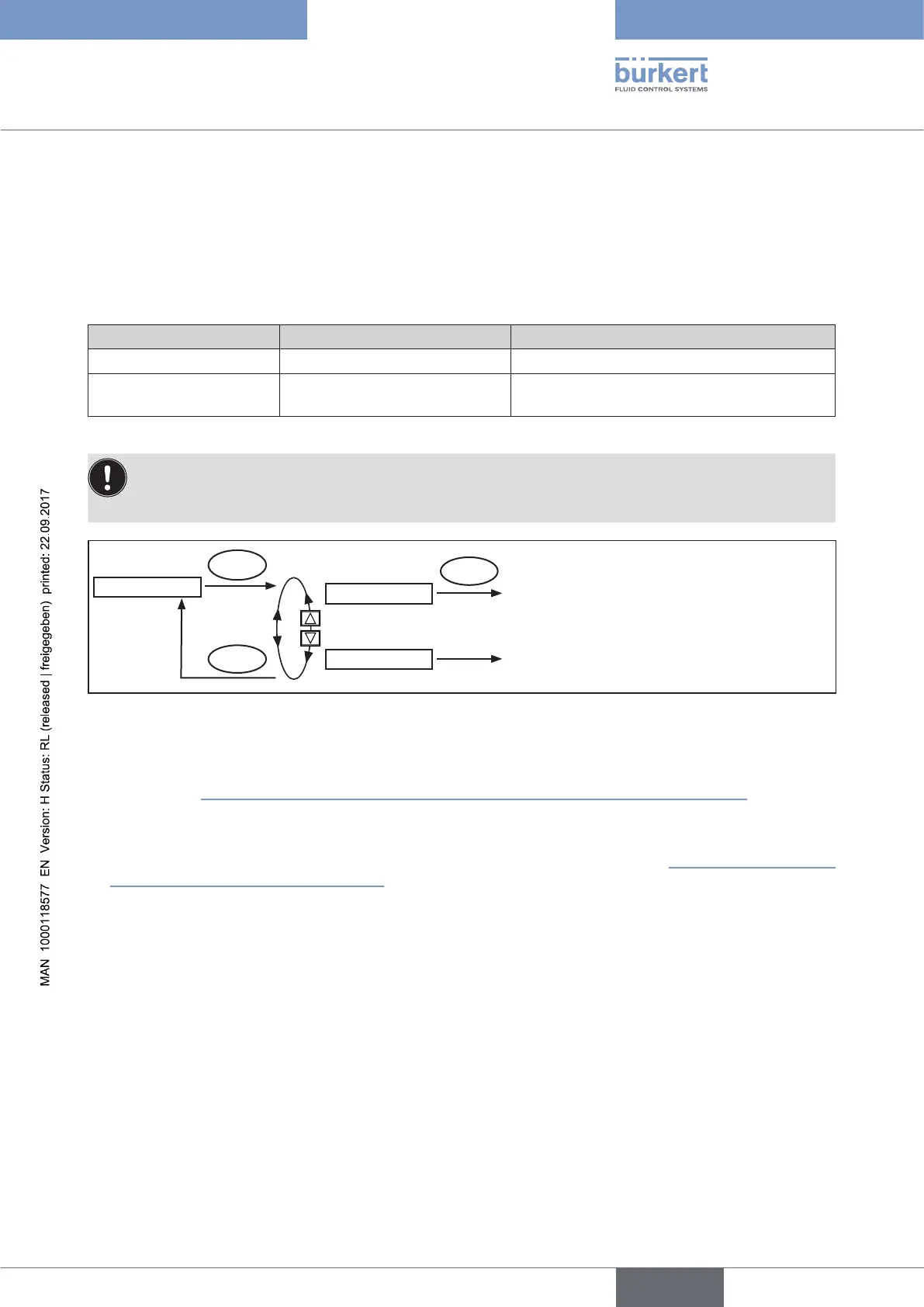
POS.SENSOR
DIGITAL
EXIT
ENTER
ENTER
The position signal of the position
sensor is transmitted digitally
ANALOG
The position signal of the position
sensor is transmitted in analog mode
①
②
Figure 80: Operating structure POS.SENSOR
① Digital interface (menu option POS.SENSOR → DIGITAL):
Type 8792/8793 is connected to the position sensor Type 8798 via a digital interface
(see Chapter “Terminal assignment for external position sensor (for remote model only)”, page 55).
② Analog interface (menu option POS.SENSOR → ANALOG):
Type 8793 is connected via a 4 ... 20 mA interface to any position sensor with 4 ... 20 mA output signal. To do
this, the position sensor is connected to the process actual value input (see Chapter “Terminal assignments of
the process actual value input”, page 56).
If the position sensor requires an additional power supply of 24 V DC, it can be supplied via the positioner.
26.2.20. SERVICE
This function is of no importance to the operator of Type 8792/8793. It is for internal use only.




 To Next Page