76
Start-Up
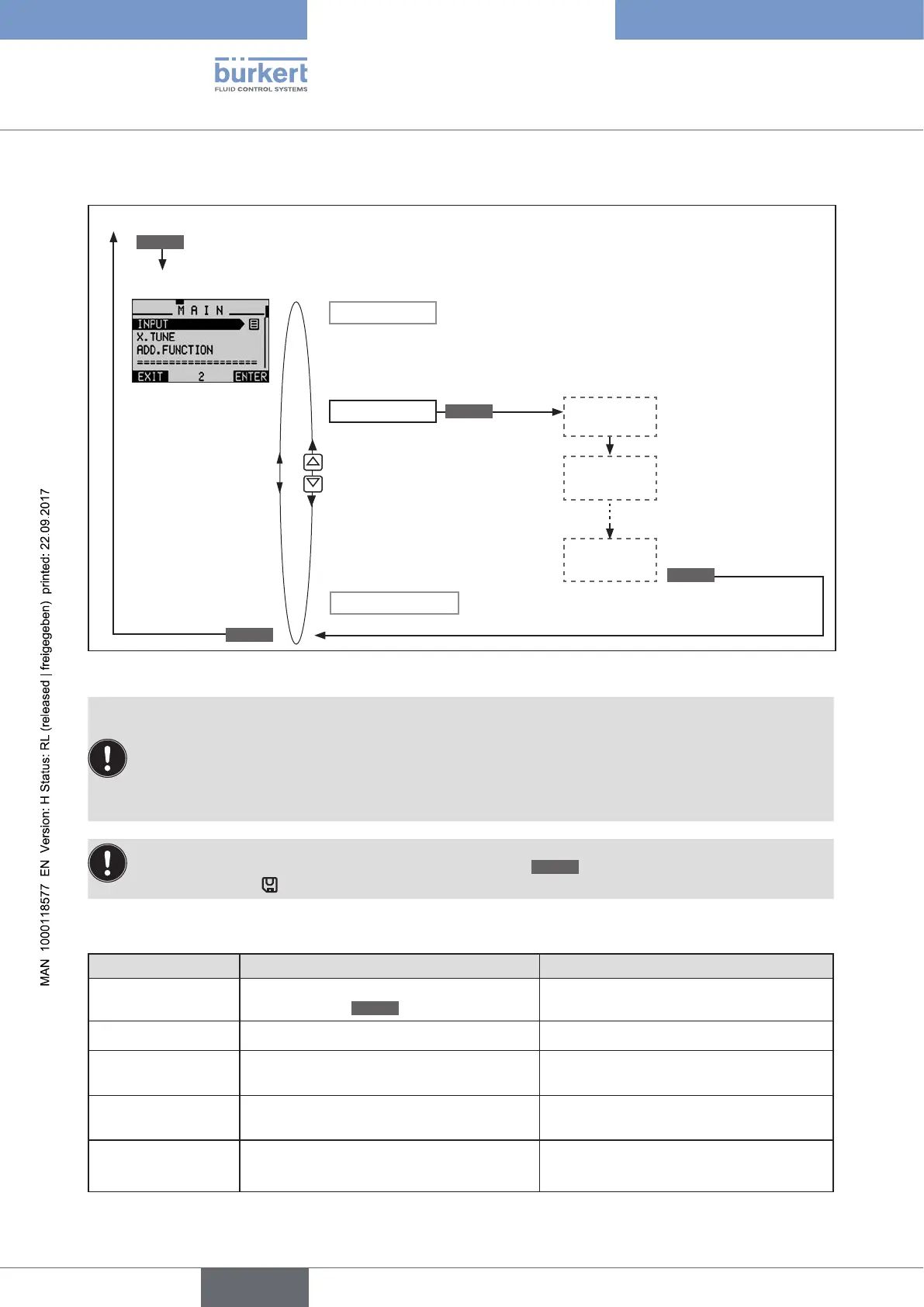
Operating structure:
X.TUNE
INPUT
Press for approx. 3 s
Hold down
as long as
countdown
(5 ...) is
running
X.TUNE
STARTED
TUNE #0
INIT
X.TUNE
READY
Process level (values are displayed)
Automatic
self-parameterization
MENU
Setting level
RUN
EXIT
ADD.FUNCTION
EXIT
Figure 33: Operating structure X.TUNE
Automatically determining dead band DBND by running X.TUNE:
When X.TUNE is running, the dead band can be automatically determined depending on the friction
behavior of the actuating drive.
Before running X.TUNE, the X.CONTROL auxiliary function must be activated by incorporating it into the
main menu (MAIN).
If X.CONTROL is not activated, a fixed dead band of 1 % is used.
The changed data is saved in the memory (EEPROM) only when there is a switch to the process level,
by leaving the main menu (MAIN) using the left selection key
EXIT
. During the save process, the save
symbol is indicated
on the display.
Possible error messages when running X.TUNE:
Display Causes of error Remedial action
TUNE
err/break
Manual termination of self-parameterization
by pressing the
EXIT
key
X.TUNE locked
The X.TUNE function is blocked Input access code
X.TUNE
ERROR 1
No compressed air connected Connect compressed air
X.TUNE
ERROR 2
Compressed air failed during Autotune
(X.TUNE).
Check compressed air supply
X.TUNE
ERROR 3
Actuator or control system deaeration side
leaking
Not possible, device defective





 To Next Page