Operating the Unit
2-2 4326 9562-007
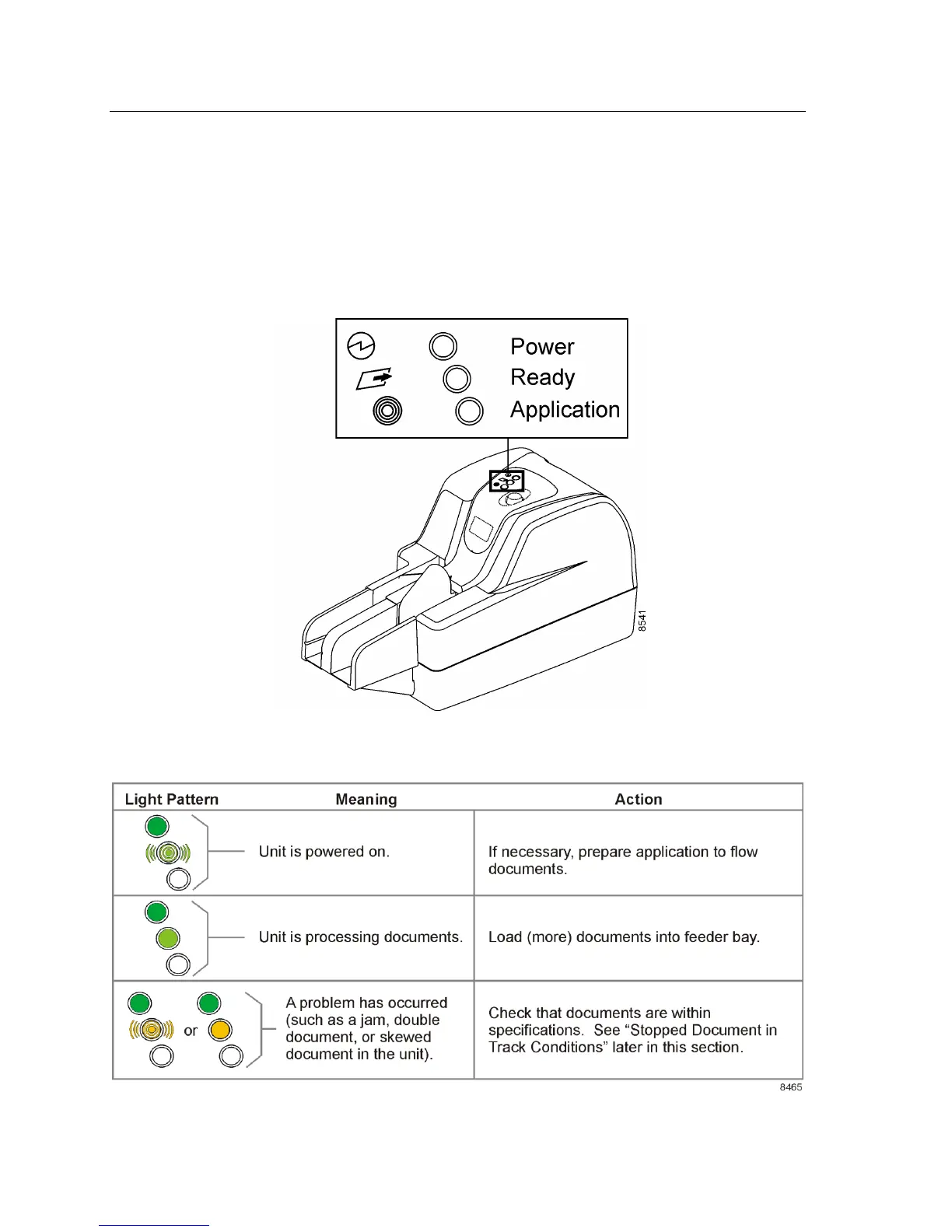
Status Lights
Three lights on the top of the unit indicate the status of the unit and the software application that
runs on the host PC. You should consult your application documentation for information on the
meaning of the bottom light, the application status light. When lit, this light is always yellow (solid or
blinking).
The following table shows the status light colors, patterns/meanings, and operator actions.


 To Next Page